Samsung Replacement Screen Quality: Why Cheap AMOLED/OLED Orders Create More Callbacks
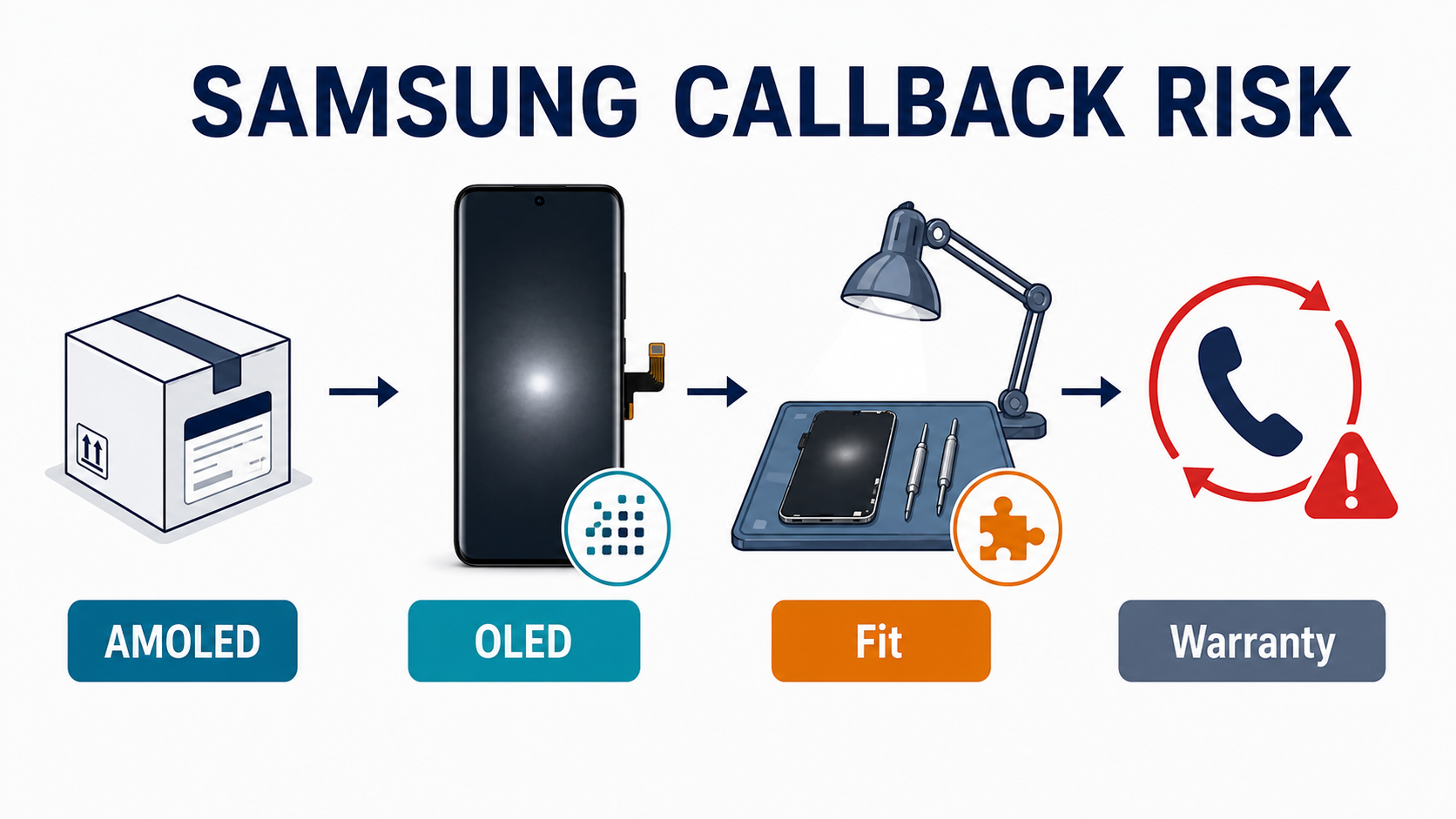
The cheapest Samsung screen often stops being the cheapest the moment the callback happens.
A shop saves money on the purchase order, installs the screen, and everything looks fine for five minutes. Then the customer notices a dark-scene distortion in Netflix, a slower under-display fingerprint unlock, a visible gap on the curved edge, or a screen that simply does not feel like the one that came in the phone. That customer-facing pattern mirrors what technicians and customers describe in the Samsung Community complaint thread and the uBreakiFix Reddit discussion. Now the shop is not comparing part prices anymore. It is paying in bench time, warranty replacements, awkward customer conversations, and lost trust.
That is why Samsung replacement screen quality is not just a parts issue. It is a callback-risk issue.
This article is for repair shop owners, wholesalers, and buyers who are choosing between service packs, OEM refurbished screens, aftermarket OLED, and cheaper alternatives. The goal is simple: stop looking at Samsung screen cost as a unit-price question and start looking at it as a callback-adjusted cost question.
Sourcing Replacement Screens in Bulk?
Incell / Hard OLED / Soft OLED grades — wholesale pricing, grade comparison on request.
Get Wholesale QuoteWhy Samsung Screen Quality Problems Are More Visible Than Many iPhone Budget Repairs
Samsung screen jobs are less forgiving than many iPhone budget jobs because the original reference standard is harder to fake.
Samsung Display sits at the center of the AMOLED ecosystem. It is not just another OEM buying panels from someone else. It is one of the companies setting the baseline that the aftermarket has to chase. That matters because on Samsung flagships, the customer is used to:
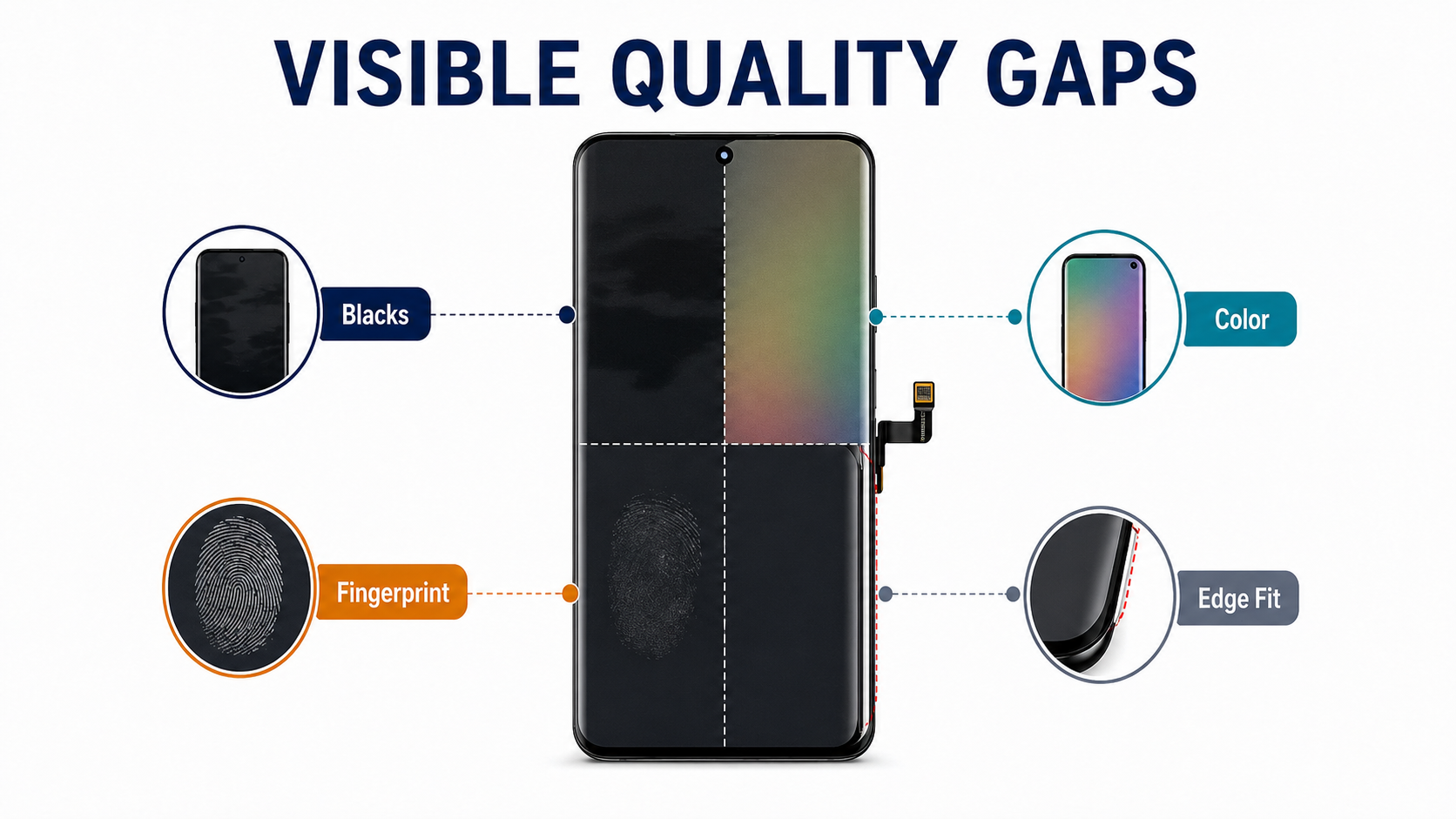
- deep true blacks
- high color saturation
- strong brightness
- good edge blending on curved models
- under-display fingerprint reliability
Once a replacement screen drops below that baseline, the downgrade is easier to see than on many LCD-era repairs.
REWA’s Samsung screen comparison is useful here because it shows the practical gap. Their comparison separates Samsung replacements into OEM refurbished, aftermarket OLED, and aftermarket Incell. In REWA’s own tests, OEM refurbished still leads on the most important display characteristics. Aftermarket OLED can get close enough for many jobs, but still differs in brightness, color tone, and touch feel. Aftermarket Incell falls much further behind, with lower brightness, lower color gamut, wider bottom bezel, and no fingerprint-on-display support.
This is the first big buyer lesson: on Samsung, AMOLED by itself is not enough information.
Which Screen Grades Trigger Which Callbacks
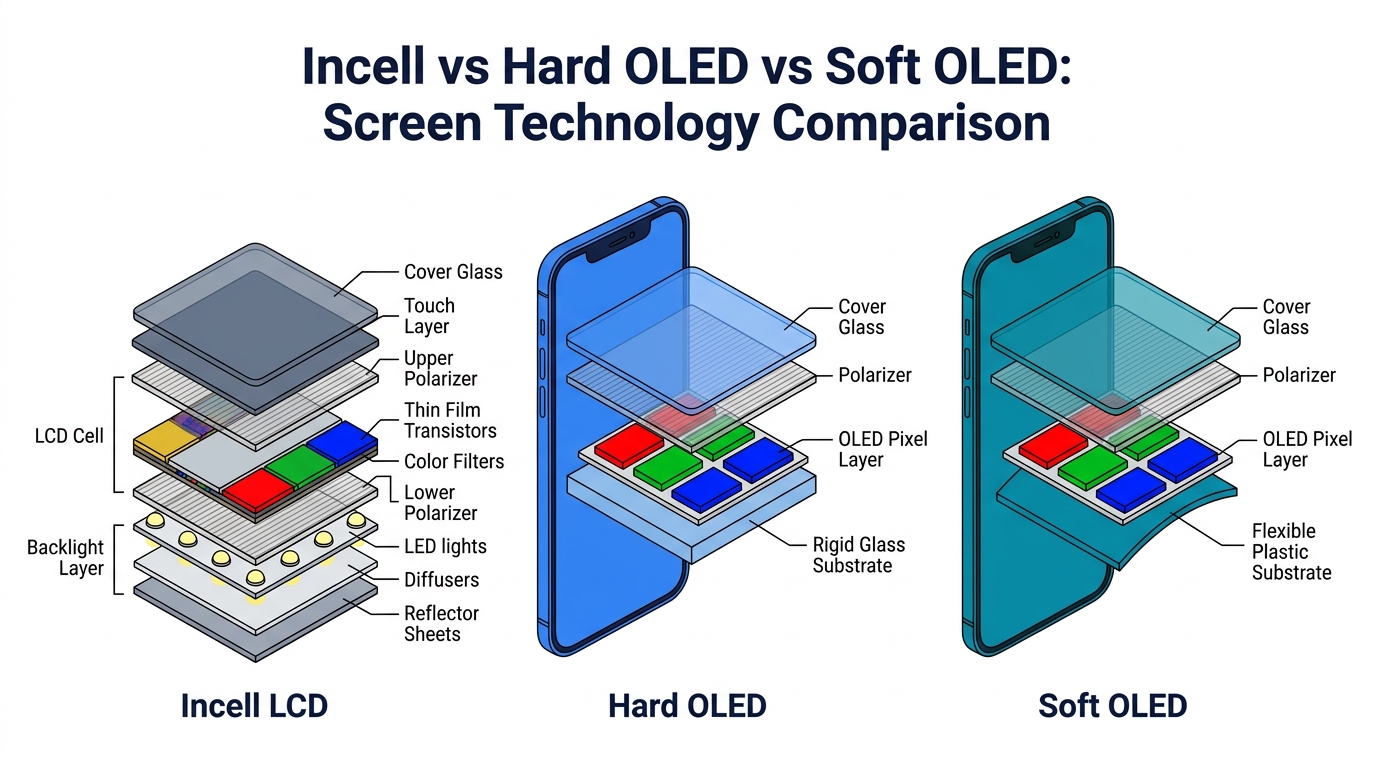
A lot of Samsung callback pain begins because shops and suppliers use the same words for very different products. We cover the full grade definitions, wholesale pricing, and stocking priorities in our wholesale Samsung screens guide. Here, the focus is the specific callback risk each grade tends to trigger after install.
Service Pack / Genuine Samsung — lowest callback risk
The complaints you get on this grade are price-driven, not quality-driven. Customers may push back on the quote, but the screen itself rarely creates rework. Use this grade as the visual reference point when you are comparing other lots.
OEM Refurbished — batch-to-batch drift is the main risk
Mostly safe when the refurbisher is consistent. The callback risk shows up as lot drift: one batch performs like service pack, the next has cosmetic seams, weak edge bonding, or a slower fingerprint sensor than the previous shipment. Inspect every batch, not every unit, and keep a known-good reference screen for comparison.
Aftermarket OLED — the single biggest callback-risk grade
This is the category that tempts most buyers, and the one that most often turns margin into rework. Typical complaints to expect:
- subtle color tone shift (cooler or more saturated than the original)
- weaker dark-scene blacks visible in dark mode and Netflix
- inconsistent or slow under-display fingerprint enrollment
- "doesn't feel like the original" durability complaint after 2–4 weeks of use
If you sell this grade, it must be disclosed before install — otherwise the customer concludes the shop substituted a fake part. REWA's testing shows aftermarket OLED can offer respectable brightness and color coverage, but the tone, display character, and touch behavior still differ enough for Samsung users to notice.
Incell / TFT Copy — almost guaranteed callback territory
On Samsung AMOLED-class devices, Incell or TFT alternatives create the widest gap in both performance and customer perception: wider chin, lower brightness, missing fingerprint-on-display, visible chassis fit gap on curved S-series. Only commercially viable on the lowest A-series tiers, and only when the customer explicitly chose the cheapest option in writing.
That is why the cheapest Samsung screens are so dangerous for repair shops: they are often "cheap enough to buy" but not "good enough to disappear after install."
The Callback Types Cheap Samsung Screens Trigger Most Often
The useful way to think about Samsung screen complaints is not “good screen vs bad screen.” It is “what callback category did this buying decision create?”
1. Dark-scene distortion and poor blacks
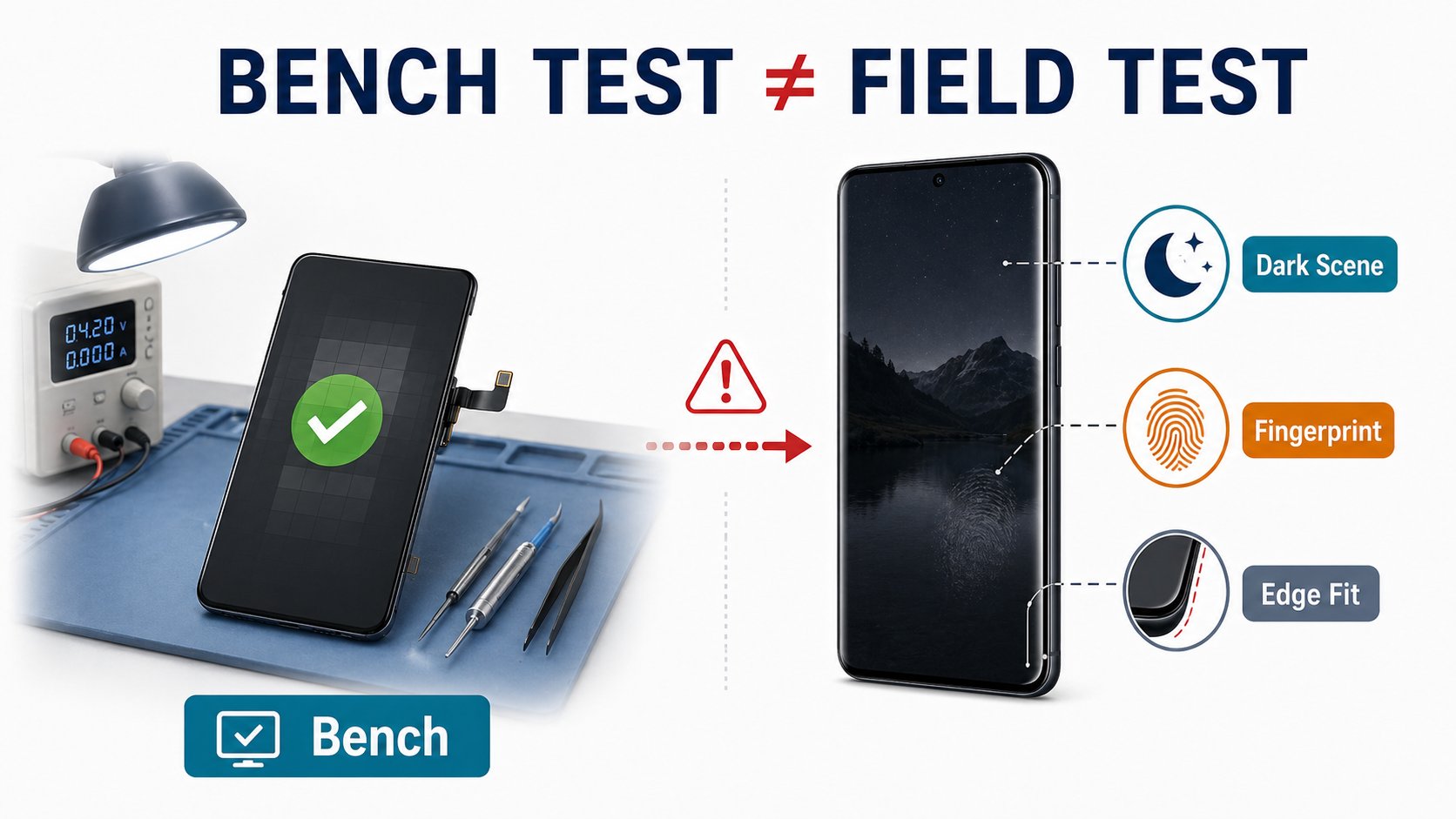
This is one of the most valuable complaint signals because it reveals a problem that fast bench testing can miss.
A Samsung Community thread about an S20 FE 5G screen replacement shows exactly this pattern: after replacement through an authorized service route, the customer reported distortion in dark theme and dark video scenes, while the service center relied on tests that supposedly passed. If you want the original complaint pattern, see the Samsung Community thread. That is the whole B2B lesson in one case: passes a test is not the same thing as looks right to the customer.
This matters because customers do not judge screens the way service menus do. They judge them in dark mode, during Netflix playback, while scrolling, and when they compare them with the memory of the original panel.
2. Color and brightness mismatch
Aftermarket AMOLED may still be acceptable, but it often shifts the display character enough for customers to feel that something is off.
REWA’s comparison notes cooler tones, more saturated colors, and different brightness levels on aftermarket OLED versus OEM refurbished. That is not automatically a defect. But for repair shops, that distinction only helps if it was disclosed before the job.
This is where Samsung callbacks differ from many iPhone budget jobs. On Samsung, the original display experience is such a visible part of the device identity that even moderate drift in color or black level gets noticed faster.
3. Fingerprint failure or inconsistent fingerprint performance
Samsung’s under-display fingerprint behavior makes grade selection more dangerous.
On supported Samsung models, especially S-series flagships, the user expects the fingerprint sensor to feel normal after the repair. Lower-grade replacements may not support that experience well enough. REWA explicitly notes that Incell replacements lack fingerprint-on-display support. Lower-grade aftermarket OLED can also create sensor inconsistency or slower unlock behavior even when the part technically works.
For a customer, this does not feel like a “panel grade difference.” It feels like a repair that was not done properly.
4. Curved-edge fit and seating problems
Curved Samsung models are where cheap buying decisions get exposed physically.
If the screen does not sit flush, if the curve radius feels wrong, if the edge touch is inconsistent, or if there is visible gap or lift, the customer will see it immediately. This is not a subtle complaint. It turns into distrust on the spot.
That is why Samsung screen QC needs to include physical fit inspection, not only powered-on testing.
5. Durability complaints and “this breaks easier than original” complaints
One of the most interesting callback types is not pure display quality. It is perceived downgrade in toughness.
The Reddit / uBreakiFix thread you sent is useful here. The original poster argues that the replacement screen quality does not feel comparable to the original in-box screen, while technicians insist the installed part is OEM and sourced directly from Samsung. Whether the customer is fully right or not is not the main lesson. The real lesson is that a callback can start even when the shop believes the part quality is defensible. If you want the raw complaint pattern, see the original discussion on Reddit.
That means some Samsung callbacks are not purely technical failures. They are a mix of:
- customer expectation
- materials feel
- durability perception
- how clearly the replacement grade was framed before the repair
Why “Passes Testing” Is Not Enough on Samsung Jobs
This is where cheap buying decisions quietly become expensive.
On Samsung jobs, a screen can pass the basic shop test and still be commercially dangerous if it is likely to trigger one of these customer-visible complaints later:
- dark-scene distortion
- weak blacks
- odd color rendering
- fingerprint frustration
- edge fit dissatisfaction
- “doesn’t feel original” durability complaints
That is why Samsung buyers should think in callback-adjusted cost, not just unit cost.
The actual cost of a Samsung screen on the bench is closer to:
callback-adjusted cost = unit cost + (expected redo labor × callback rate) + (expected warranty part cost × callback rate) + admin/dispute cost per case
A cheaper panel is not cheaper if the callback rate doubles. One extra redo out of ten jobs, one bad Google review, one customer who refuses to accept future aftermarket options, or one warranty replacement can quietly erase the margin from several earlier installs.
This is exactly the same margin logic already discussed in our Incell vs Soft OLED vs Hard OLED cost comparison, but the Samsung version is even harsher because Samsung users tend to notice quality differences sooner — partly because the original AMOLED baseline is harder to fake, and partly because dark-mode and fingerprint behavior are part of the daily user experience.
What Repair Shops Should Ask Suppliers Before Buying
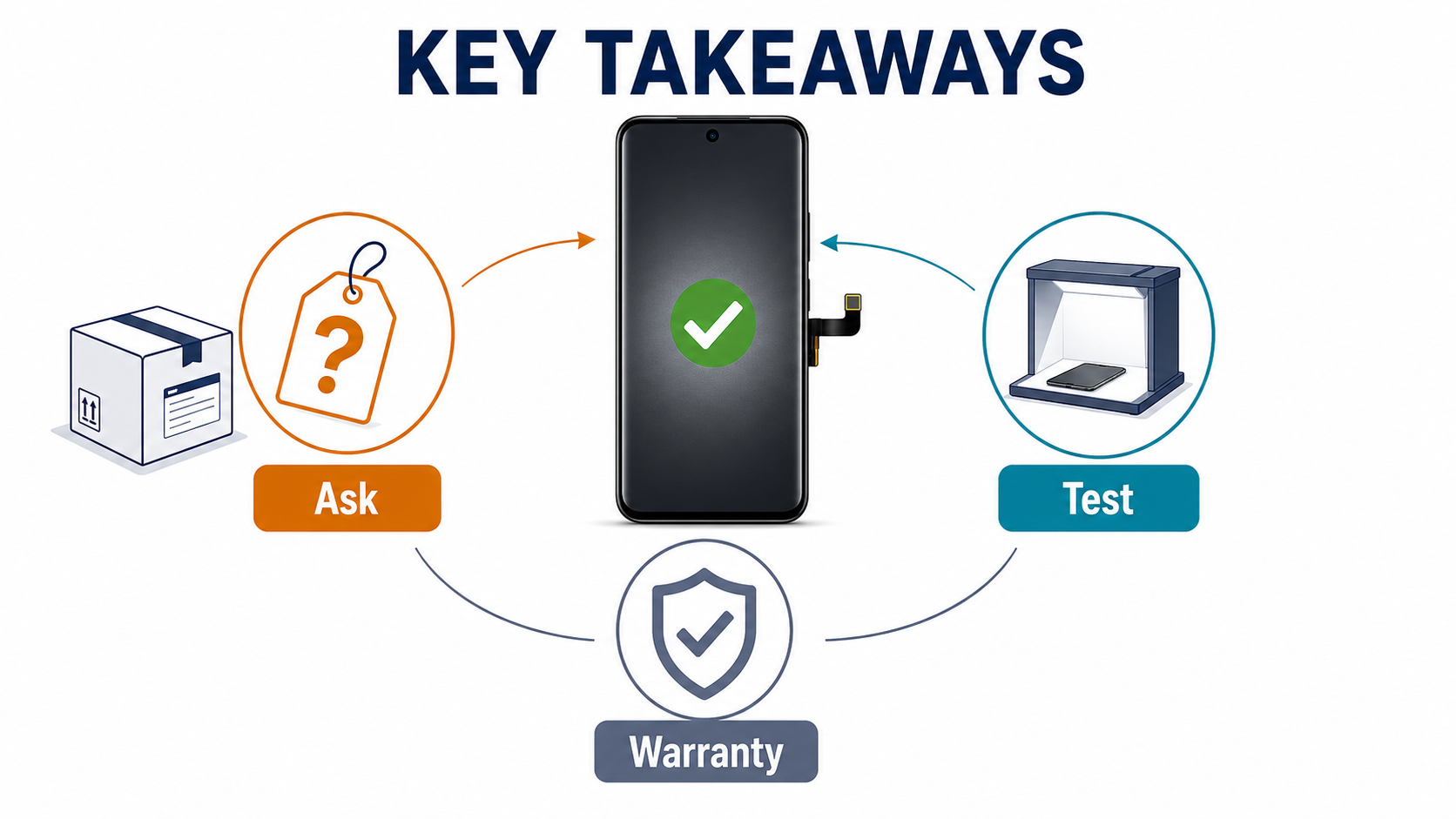
Most supplier conversations stay too shallow. Do not stop at "Is this AMOLED?" or "Is this OEM?"
Group your questions into three buckets — origin, feature support, and callback policy — so the supplier cannot dodge by answering only the easy ones.
Panel Origin & Physical Specs
1. What exact category is this screen? Force a clean classification: service pack, OEM refurbished, aftermarket OLED, or Incell / TFT. If the supplier resists clear classification, you already have a risk signal.
2. Is the panel original, rebuilt, or fully third-party made? A rebuilt original and a third-party OLED are not the same sourcing risk, even if both get described loosely as premium quality.
3. Is the outer glass, frame, or adhesive stack original spec or alternate spec? Especially important on curved Samsung jobs where physical fit matters as much as display behavior.
Feature Support & Fitment
4. Does it support the fingerprint sensor fully, partially, or not at all? This question should be mandatory for Samsung OLED devices with under-display fingerprint.
5. For curved-edge models, does it match original curve and frame fit tolerance? If the supplier cannot answer this clearly, they are not helping you buy for customer outcomes.
6. If this is "AMOLED," what exact grade does it sit in relative to OEM refurbished? "AMOLED" without grade context is not enough.
Callback & Warranty Policies
7. What complaint patterns do you already see on this grade? Ask directly about dark-scene distortion, touch lag, fingerprint issues, fitment problems, and early-break complaints.
8. What is the actual defect or callback rate for this grade and model? Even an approximate answer tells you whether the supplier tracks real-world quality or only sells on price.
9. What is your warranty scope if the panel works but customer-visible quality is lower than described? Many callback fights start when the part "functions" but still fails the customer's standard of acceptable quality. Align that clause with our phone screen warranty and return policy guide before you order, otherwise your PO language and your front-desk promise will drift apart.
10. Can you provide sample video or test data for dark mode, blacks, and fingerprint behavior? One of the easiest ways to force the conversation away from adjectives and toward proof.
If you need a broader supplier filtering framework around these questions, map them against our how to choose a phone parts supplier guide before you commit to a new Samsung source.
Defensive QC for Samsung Callbacks
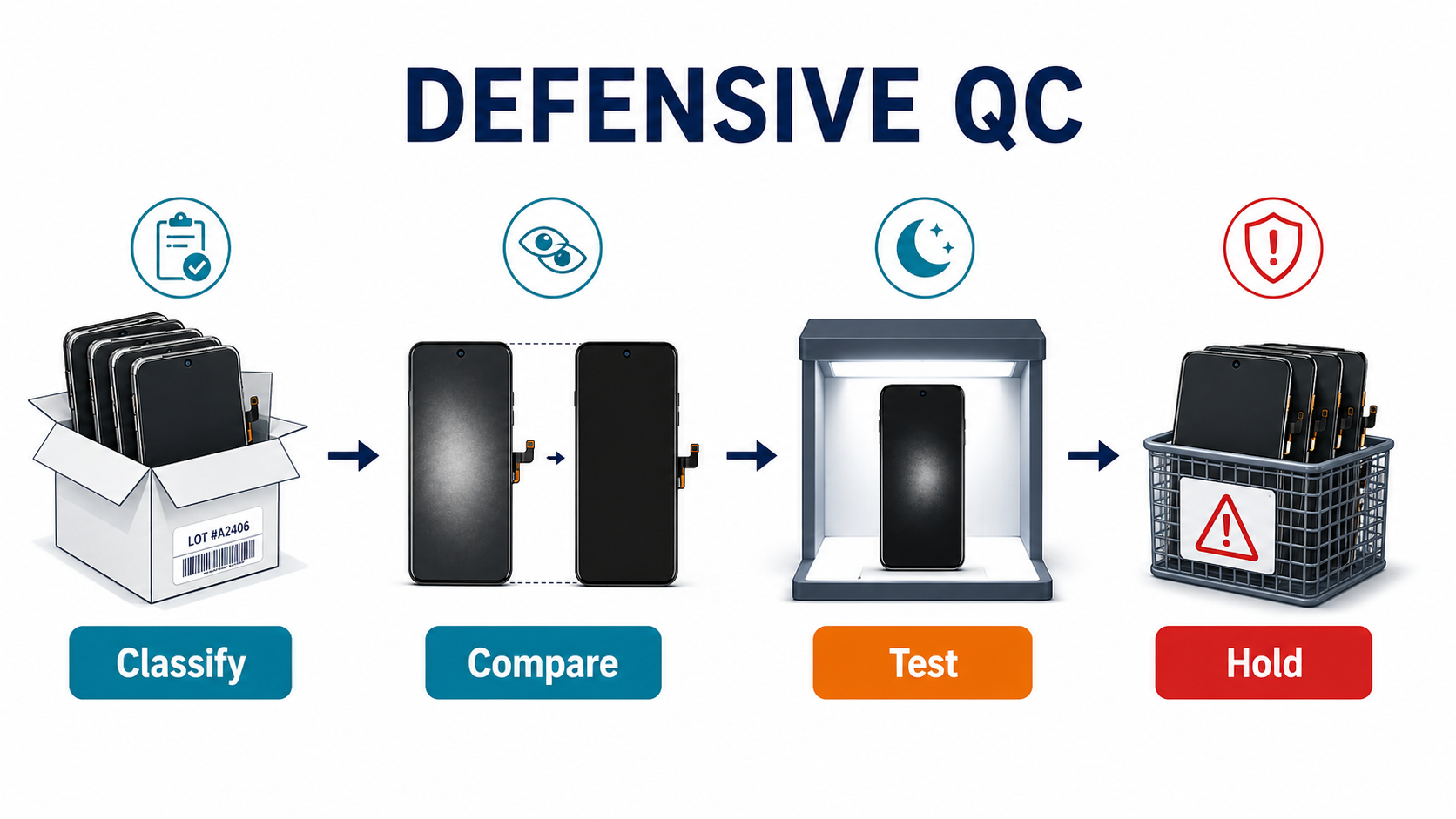
For the general Samsung receiving-QC checklist (powered-on tests, fingerprint enrollment, curved-edge fit inspection, fake-screen detection), see our wholesale Samsung screens guide, incoming QC for wholesale phone screens, and spot fake phone screens guide. The steps below are the callback-specific layer — what to do at goods-in so a future complaint cannot become an unwinnable dispute.
Reclassify the stock before shelving it
Do not copy supplier marketing into your stock system. Internally tag every batch as service pack, OEM refurbished, aftermarket OLED, or Incell / TFT. That one habit makes later complaint handling much easier and forces clarity at the front desk when quoting.
Save supplier wording and batch evidence at goods-in
Keep, in one folder per SKU:
- listing screenshot
- invoice wording
- batch number
- part label photo
- any supplier claim about fingerprint support, dark-mode quality, or OEM equivalence
When the callback comes, this file becomes your leverage. Without it, a "the supplier said it would be fine" conversation has no proof.
Run dark-scene and black-screen checks
A lot of Samsung quality disappointment shows up here first, not in a bright test image. Check:
- fully black image in low light
- dark-scene video playback (a Netflix or YouTube test clip works)
- uneven glow, weak blacks, or strange distortion in darker tones
The Samsung Community complaint is exactly why this matters: the user's problem was most visible in dark theme and dark video scenes, while normal tests were not enough to settle the complaint.
Compare against a known-good original when possible
If you regularly repair popular Samsung models, keep one trusted reference device or reference screen on the bench. Side-by-side comparison saves arguments later.
Quarantine suspicious units early
If a batch already shows the exact visual problems customers later complain about — color drift, soft blacks, fingerprint inconsistency, edge fit gap — stop it before it reaches paid jobs. On Samsung, the callback risk is high enough that one bad lot can erase a month of margin. If your shop prices multiple Samsung grades, connect this QC step back to our phone screen repair pricing strategy so the grade you sell is the grade you actually bench-test.
How to Document a Samsung Callback Properly
When a Samsung callback happens, the goal is not only to decide who is right. The goal is to preserve margin and keep the dispute from turning emotional. If the complaint turns into a front-desk dispute, use our repair shop customer dispute script instead of improvising under pressure.
Document:
- exact model
- exact screen grade sold
- supplier wording used at purchase
- install date and complaint date
- photo/video of the issue
- whether the complaint is hard defect, visual downgrade, fingerprint issue, fitment issue, or durability complaint
- whether the housing or frame was already bent or damaged
- batch number and receiving QC record
That gives the shop a way to separate:
- true part-quality failure
- expectation mismatch
- installation/fit issue
- prior device/frame damage
If the complaint becomes customer-facing conflict, route it into the same logic used in our repair shop customer dispute script instead of handling it ad hoc at the counter.
Frequently Asked Questions
Are cheap Samsung AMOLED screens always a bad buy?
No. A cheaper Samsung screen is not automatically a bad commercial decision. The problem is buying it without understanding what callbacks it is likely to create. If the grade is clearly positioned, the customer expectation is managed, and the model is not highly sensitive to the downgrade, the cheaper option may still work. But the lower the grade, the more likely the savings disappear into rework and complaints.
Why do Samsung users complain faster than many iPhone budget-screen users?
Because the original Samsung display baseline is harder to fake. Samsung customers are used to strong blacks, bright AMOLED output, saturated colors, curved-edge fit, and good fingerprint behavior. Once a replacement screen falls short, the downgrade is more visible.
Is OLED enough, or do I still need to ask what type of OLED it is?
You still need to ask. OLED only tells you one layer of the story. On Samsung jobs, grade, assembly quality, panel source, fit tolerance, and fingerprint performance matter just as much.
What is the best question to ask a new Samsung screen supplier?
Ask this:
What callback patterns do you already see on this grade and model, and what should I expect the customer to notice first?
That question forces the supplier to leave marketing language and talk about real-world behavior.
Buy the Lowest Callback Cost, Not the Lowest Unit Cost
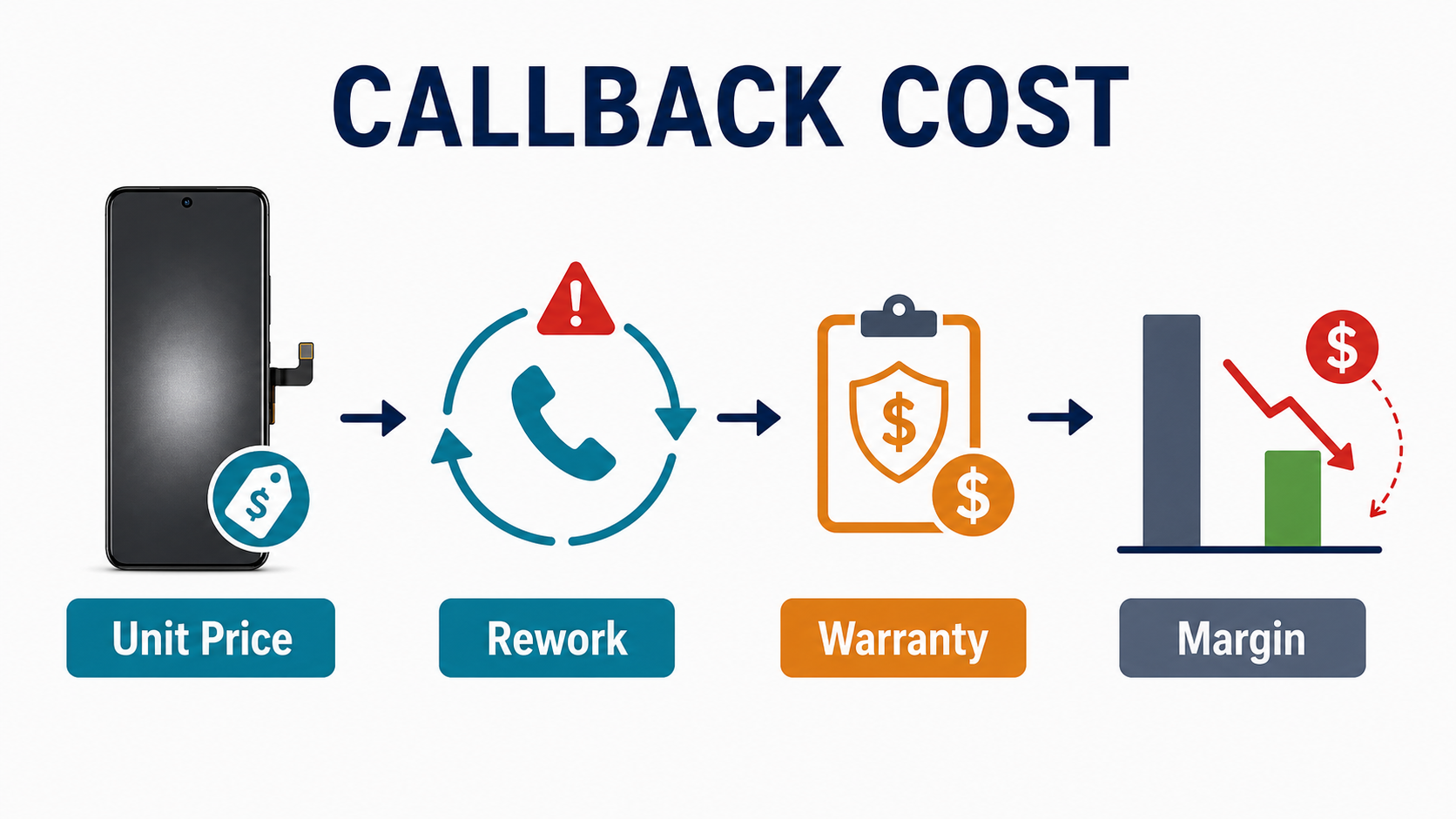
The cheapest Samsung screen on your invoice may be the most expensive Samsung screen in your workshop.
That is the right way to think about Samsung screen quality. Not “what is the cheapest AMOLED?” but “which grade protects margin after labor, warranty, and customer expectation are included?”
For many shops, that pushes the decision away from the absolute cheapest options and toward:
- better-labeled screen grades
- sample validation before batch buying
- stricter receiving QC
- clearer customer communication before install
If you want help comparing Samsung screen grades before placing a bulk order, send PRSPARES your target models and customer tier. We can help you choose the screen grade that matches your repair pricing, customer expectations, and callback tolerance — before cheap stock turns into expensive rework.