How to Spot Fake Phone Screens: Red Flags, Testing Methods, and What to Do
You ordered 200 Soft OLED iPhone screens. The invoice says Soft OLED. The packaging says Soft OLED. But when your technician installs the first unit, the colors look flat, True Tone doesn't work, and the customer notices immediately.
You just paid Soft OLED prices for Hard OLED screens — or worse, Incell panels with a fancy label. This is the most common form of fake phone screens in the wholesale market, and it costs repair shops thousands of dollars every year.
This guide isn't about checking whether your personal phone has an original screen. It's about systematically detecting fraud in wholesale screen orders — before you pay, before you install, and before your reputation takes the hit. We'll cover the specific types of screen fraud, the physical and functional tests that expose them, and what to do if you've already been burned.
Sourcing Replacement Screens in Bulk?
Incell / Hard OLED / Soft OLED grades — wholesale pricing, grade comparison on request.
Get Wholesale QuoteWhy Fake Screens Are So Common in Wholesale
The phone screen supply chain runs through Shenzhen, where hundreds of factories produce screens across every quality grade. The problem isn't that aftermarket screens exist — they serve a real market need. The problem is grade misrepresentation.
Here's why it happens so frequently:
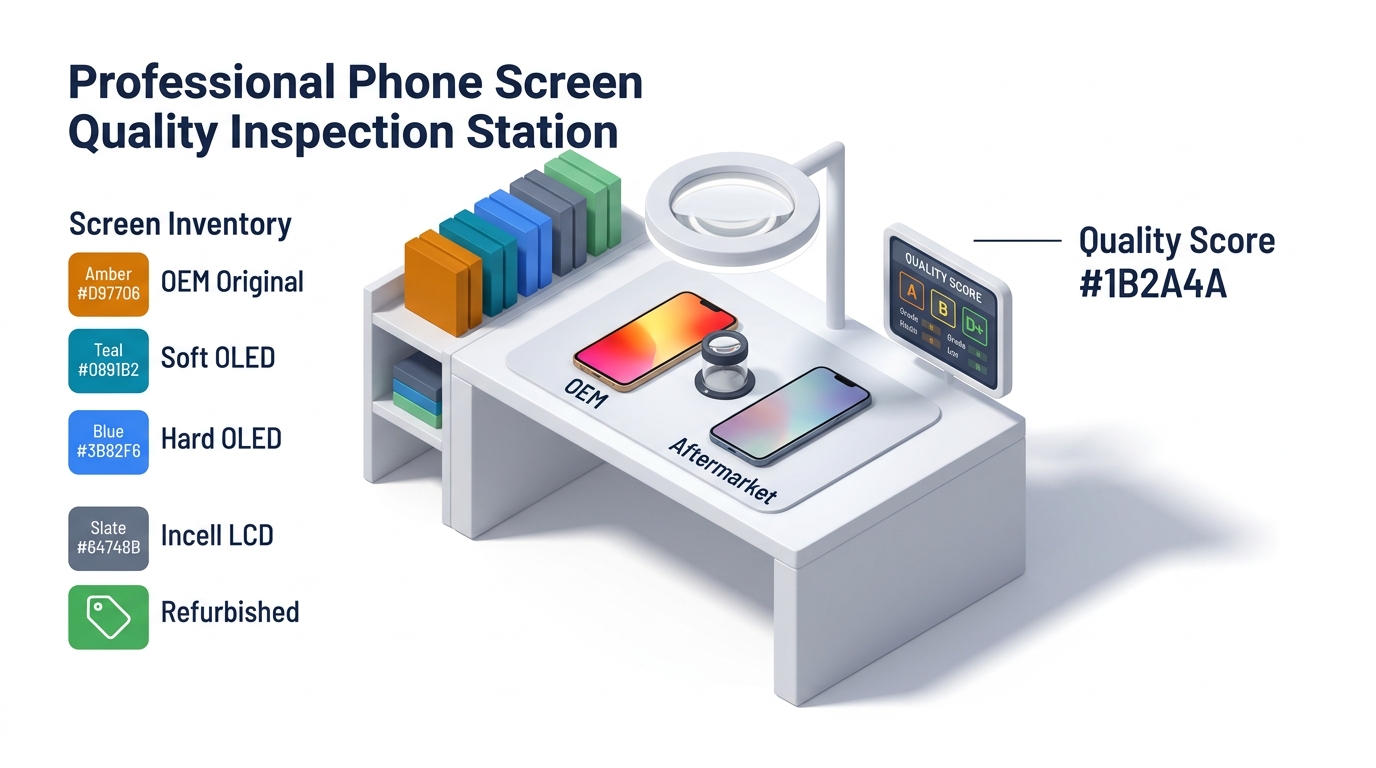
- Price gaps between grades are enormous. A Soft OLED iPhone 14 Pro Max screen costs roughly $45-55 wholesale. An Incell version costs $12-18. That $30+ gap per unit creates massive incentive to relabel.
- Visual differences are subtle at first glance. Without powered-on testing, a Hard OLED and Soft OLED screen can look nearly identical in packaging.
- Mixed batches are easy to hide. A 500-unit shipment might be 80% legitimate and 20% downgraded — enough to boost margins without triggering complaints.
- Buyers often don't test until installation. Many repair shops trust their supplier and only discover issues when a customer complains days later.
The wholesale screen market isn't regulated. There's no certification body stamping "genuine Soft OLED" on screens. This means the burden of verification falls entirely on the buyer.
The 4 Types of Fake Phone Screens You'll Encounter
Not all fake screens are the same. Understanding the specific fraud patterns helps you know what to test for.
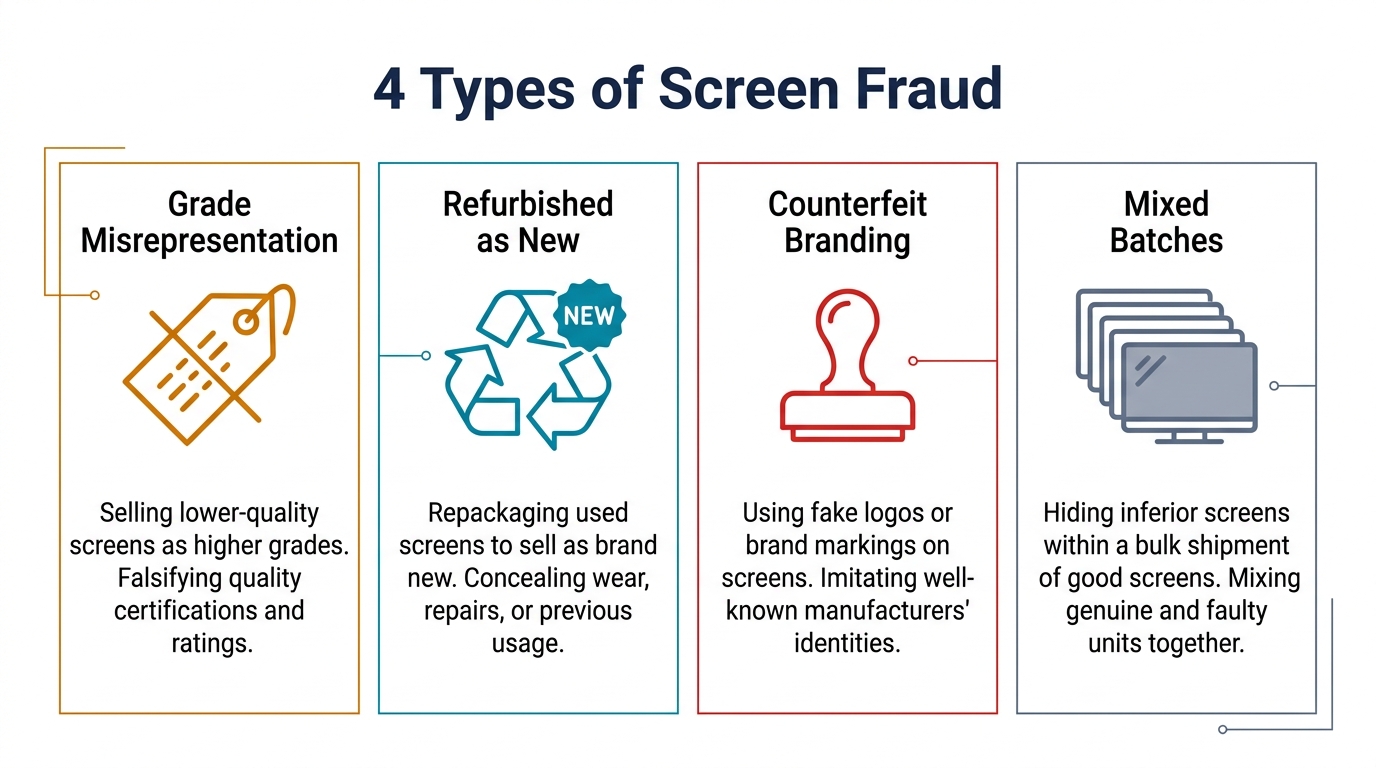
1. Grade Relabeling (Most Common)
A lower-grade screen gets labeled as a higher grade. The screen itself works — it's just not what you paid for.
| What You Ordered | What You Actually Got | Price Difference |
|---|---|---|
| Soft OLED | Hard OLED | $15-25 per unit |
| Hard OLED | Incell LCD | $10-20 per unit |
| OEM Original | Refurbished OEM | $20-40 per unit |
| Grade A Incell | Grade B Incell | $3-8 per unit |
This is the hardest fraud to catch because the screen functions — just at a lower quality tier than advertised.
2. Refurbished Sold as New
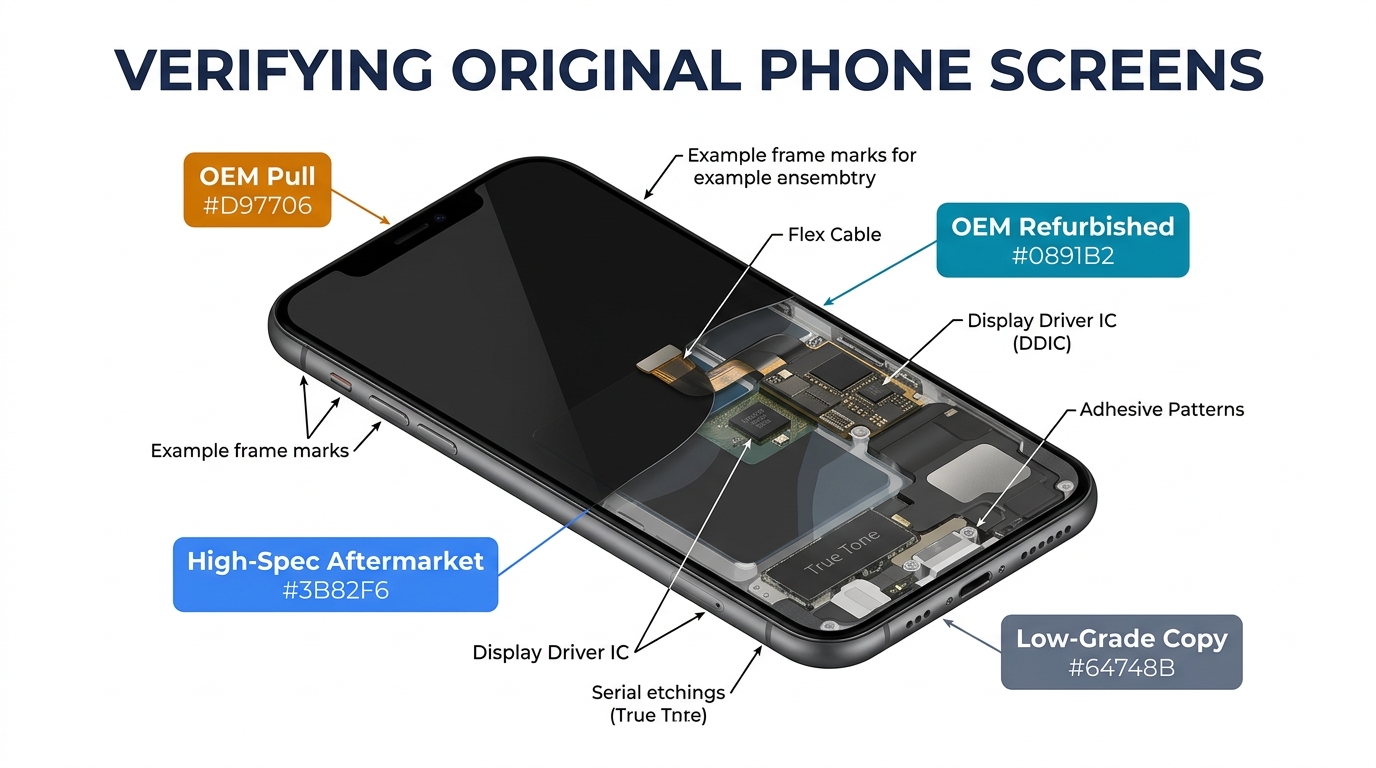
Used screens are pulled from broken phones, re-bonded with new glass, and sold as brand new OEM. Common signs: micro-scratches on the flex cable connector, slight discoloration on the edges, and adhesive residue near the bezel area.
3. Mixed Batches
The first 20 units in a box of 100 are legitimate — because suppliers know buyers spot-check from the top. The remaining 80 are a lower grade. This is why random sampling from different positions in the shipment matters.
4. Pure Counterfeits
The lowest tier: screens made from substandard components that may look acceptable but fail within days or weeks. Ghost touches, dead zones, complete display failure after a few temperature cycles. These are rare from established suppliers but common on marketplace platforms and from new, unvetted sources.
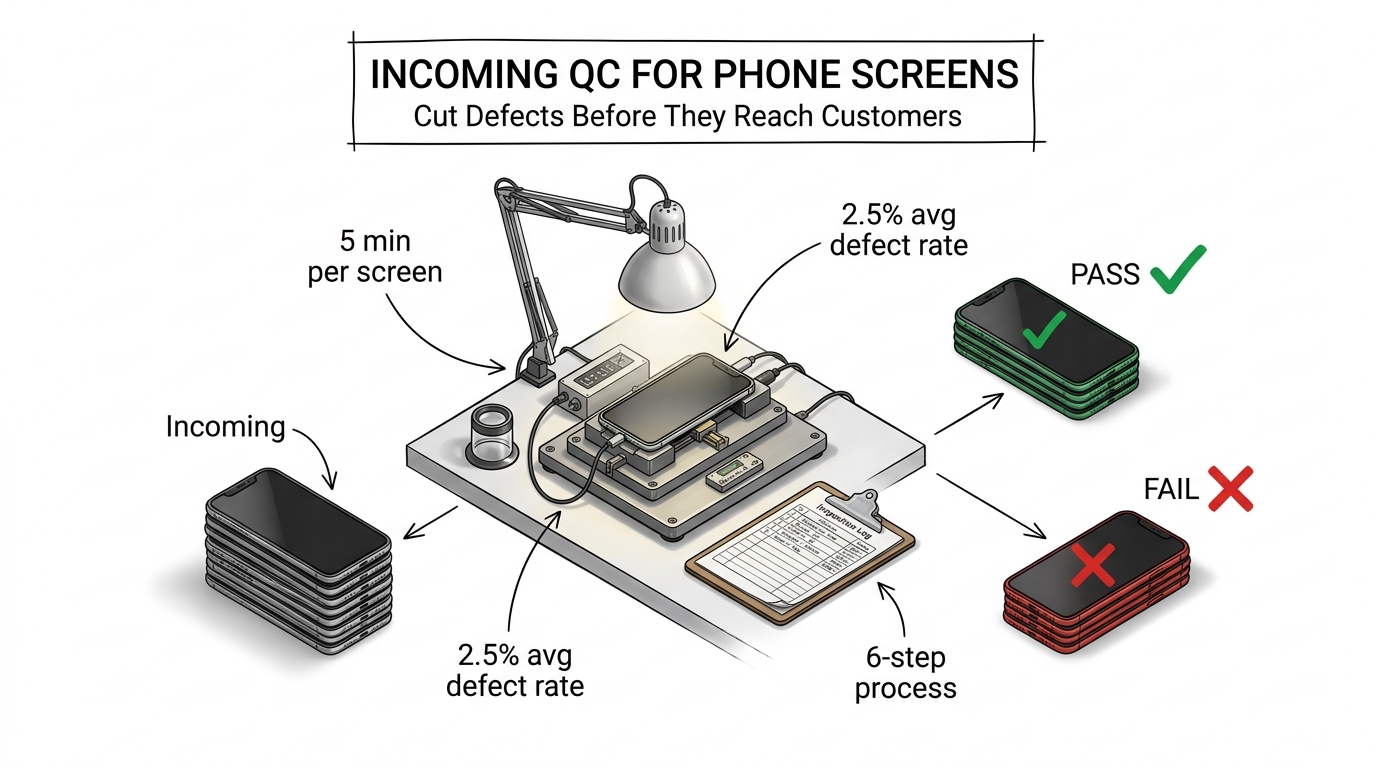
Visual and Physical Inspection: The 5-Minute Batch Check
Before you power anything on, physical inspection catches many fakes. Here's what to check on every incoming shipment.
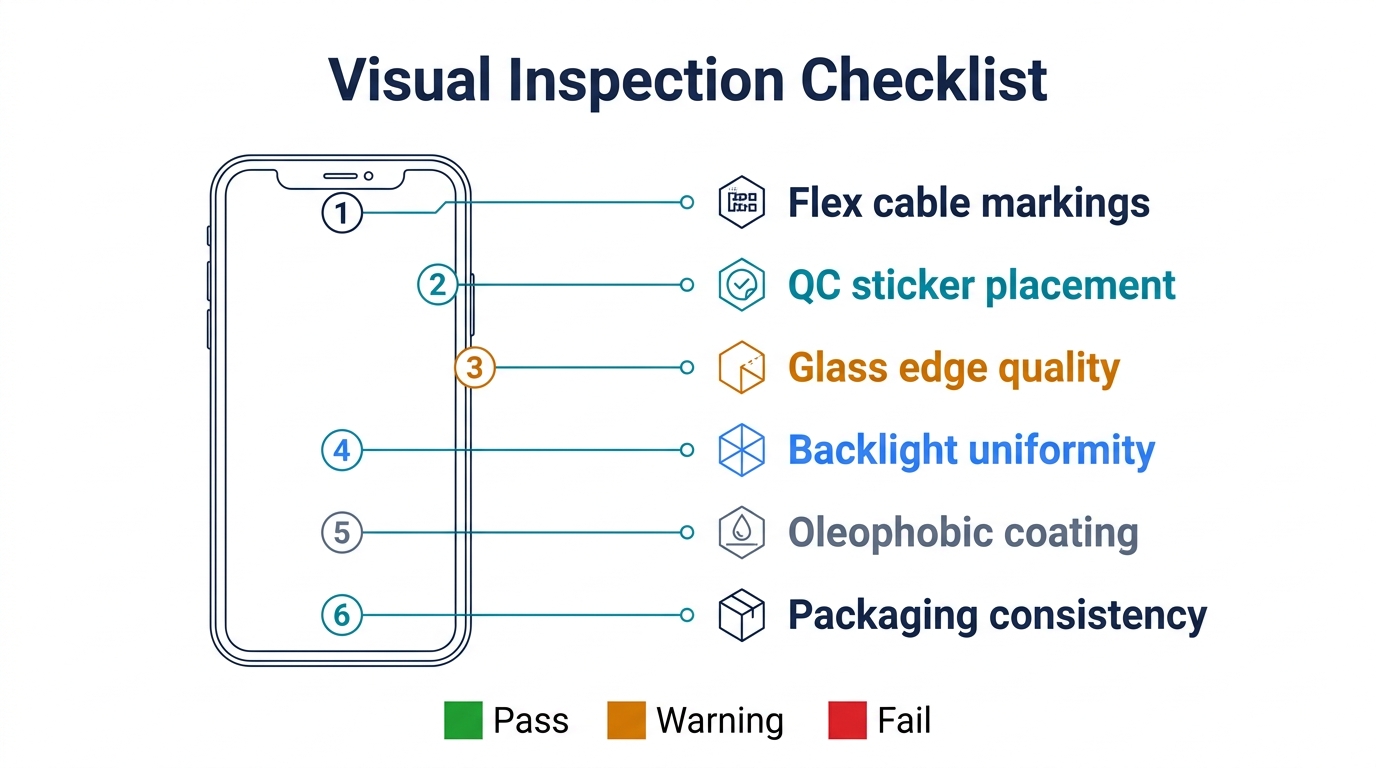
Packaging and Labels
- Consistent labeling across the batch: All screens in one order should have identical label formatting. Mixed fonts, different sticker placements, or varying barcode formats signal a mixed batch.
- QR codes that actually work: Scan them. Legitimate suppliers embed batch numbers and grade info. Fake labels often have non-functional or generic QR codes.
- Weight consistency: Weigh 5 random screens from the batch. OLED screens weigh slightly less than LCD/Incell screens of the same model. A screen labeled "Soft OLED" that weighs the same as a known Incell is suspicious.
Physical Screen Examination
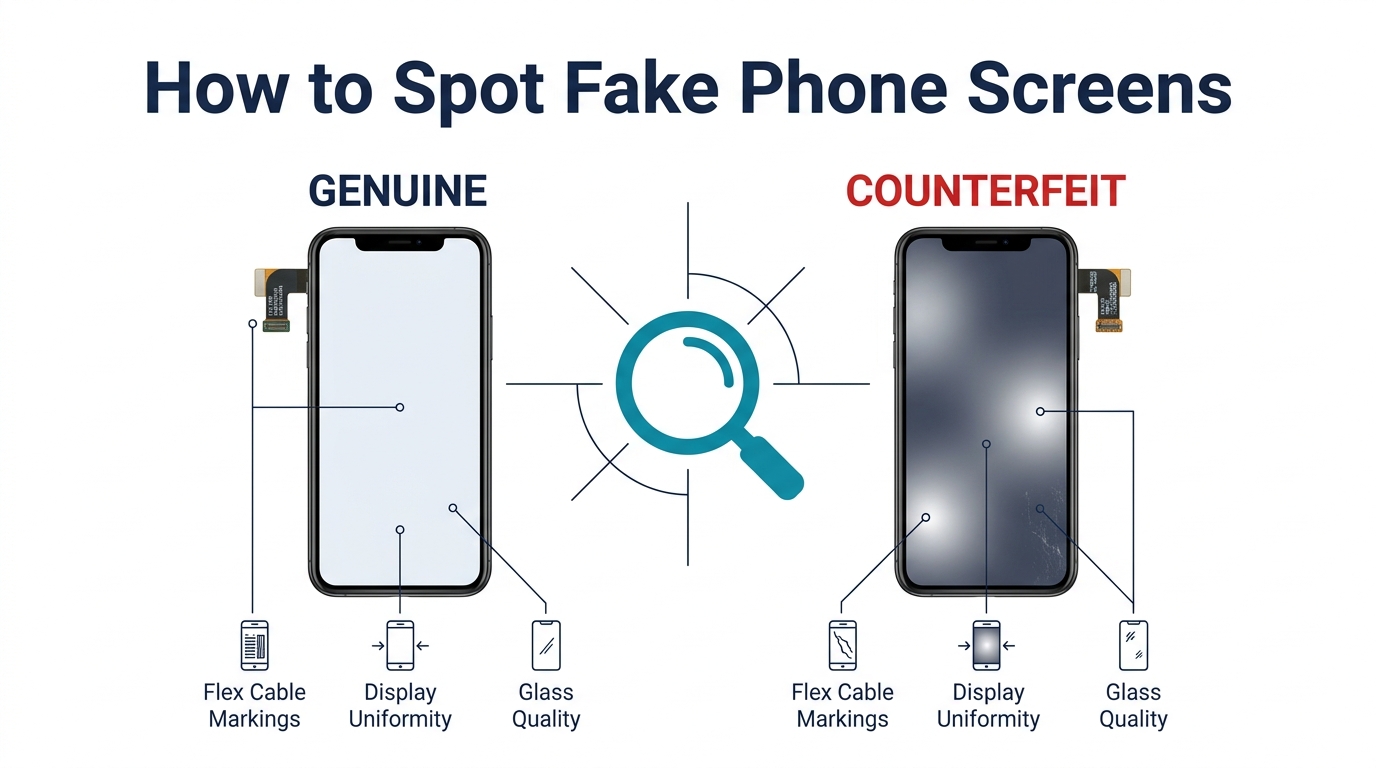
- Flex cable quality: OEM and high-grade aftermarket screens have clean, well-soldered flex cables with clear markings. Cheap screens often have rough solder points, thinner cables, or missing connector pins.
- Bezel and frame fitment: Hold the screen against a known-good unit. Gaps around the edges, slightly different corner radius, or frame color mismatch indicate lower-grade production.
- Glass feel: Run your finger across the surface. OEM and quality Soft OLED screens have an oleophobic coating that feels smooth and resists fingerprints. Fake or low-grade screens feel "sticky" or leave fingerprints immediately.
- Screen thickness: Soft OLED panels are noticeably thinner and more flexible than Hard OLED or Incell. If a "Soft OLED" screen feels rigid when you gently flex it, it's not Soft OLED.
Need a reliable baseline for comparison? We can send you sample units of each grade so you know exactly what to expect. Request samples here.
Functional Tests: Display, Touch, and Sensors
Physical inspection catches the obvious fakes. Functional testing catches the grade relabeling.
Display Tests (Power-On Check)
Install the screen temporarily (or use a screen testing jig if you have one) and check:
-
True Tone / Auto-Brightness: On iPhones, check Settings > Display > True Tone. If True Tone is unavailable or grayed out, the screen likely isn't OEM or high-grade OLED. Note: some aftermarket screens support True Tone via IC chip transfer — but cheap fakes won't.
-
Maximum brightness: Set brightness to 100% and compare side-by-side with a known-good screen. Incell screens masquerading as OLED will be noticeably dimmer, especially in direct light. OLED screens typically hit 800+ nits; Incell tops out around 500 nits.
-
Black level test: Open a pure black image. On a genuine OLED screen (Soft or Hard), black pixels are completely off — no backlight bleed. If you see any glow, gray tint, or backlight bleeding on a screen labeled "OLED," it's an LCD/Incell panel.
-
Color temperature: Display a white screen. OEM screens have a neutral, slightly warm white. Cheap aftermarket screens often skew blue or have an uneven color temperature across the panel.
-
Viewing angles: Tilt the screen to 45°. OLED maintains color accuracy at extreme angles. Incell screens show noticeable color shift and brightness drop.
Touch Tests
- Multi-touch response: Use a drawing app and drag 3-5 fingers simultaneously. Genuine screens track all touch points smoothly. Fake screens may lose tracking, stutter, or register phantom touches.
- Edge touch accuracy: Swipe from the very edge of the screen. Poor-quality screens often have dead zones in the first 2-3mm along the edges.
- Touch latency: Type quickly in a notes app. If characters lag behind your finger movement, the touch digitizer is substandard.
Sensor Checks
- Proximity sensor: Make a phone call and bring your hand near the top of the screen. The display should turn off. Fake screens often interfere with proximity sensor calibration.
- Face ID / fingerprint: On iPhones with Face ID, verify it still functions after screen installation. On Samsung devices, check the ultrasonic fingerprint sensor response speed and accuracy.
iPhone vs Samsung: Model-Specific Red Flags
iPhone-Specific Tests
- Settings > General > About: On iOS 15.2+, scroll to "Parts and Service History." If the display shows "Unknown Part," it's not an Apple-genuine screen. This doesn't necessarily mean fake — aftermarket screens will always show this — but if your supplier claims it's OEM original, this is the definitive test.
- 3D Touch / Haptic Touch: On older iPhone models (6s-XS), 3D Touch should respond to pressure levels. Many aftermarket screens don't support 3D Touch at all.
- Earpiece mesh alignment: The earpiece cutout on genuine iPhone screens is precisely aligned. On fakes, it's often slightly off-center or a different shape.
Samsung-Specific Tests
- Dial
*#0*#: This opens Samsung's built-in hardware test menu. Run the red, green, blue display tests to check for color uniformity and dead pixels. Run the touch test to verify full-screen touch registration. - AMOLED black test: Samsung's genuine AMOLED screens produce absolute black. Open a black image in a completely dark room. Any backlight glow means it's not a genuine AMOLED panel.
- Curved edge quality: On Samsung Galaxy S and Note series with curved edges, check that the curve is smooth and consistent. Fake screens often have a sharper or more abrupt curve transition, and touch responsiveness drops significantly on the curved portions.
- S Pen detection (Note/Ultra series): If the device supports S Pen, test the hover detection and pressure sensitivity. Counterfeit screens frequently lack proper digitizer layers for pen input.
What to Do If You've Already Received Fake Screens
Discovering fakes in a shipment you've already paid for is frustrating, but act quickly and methodically.
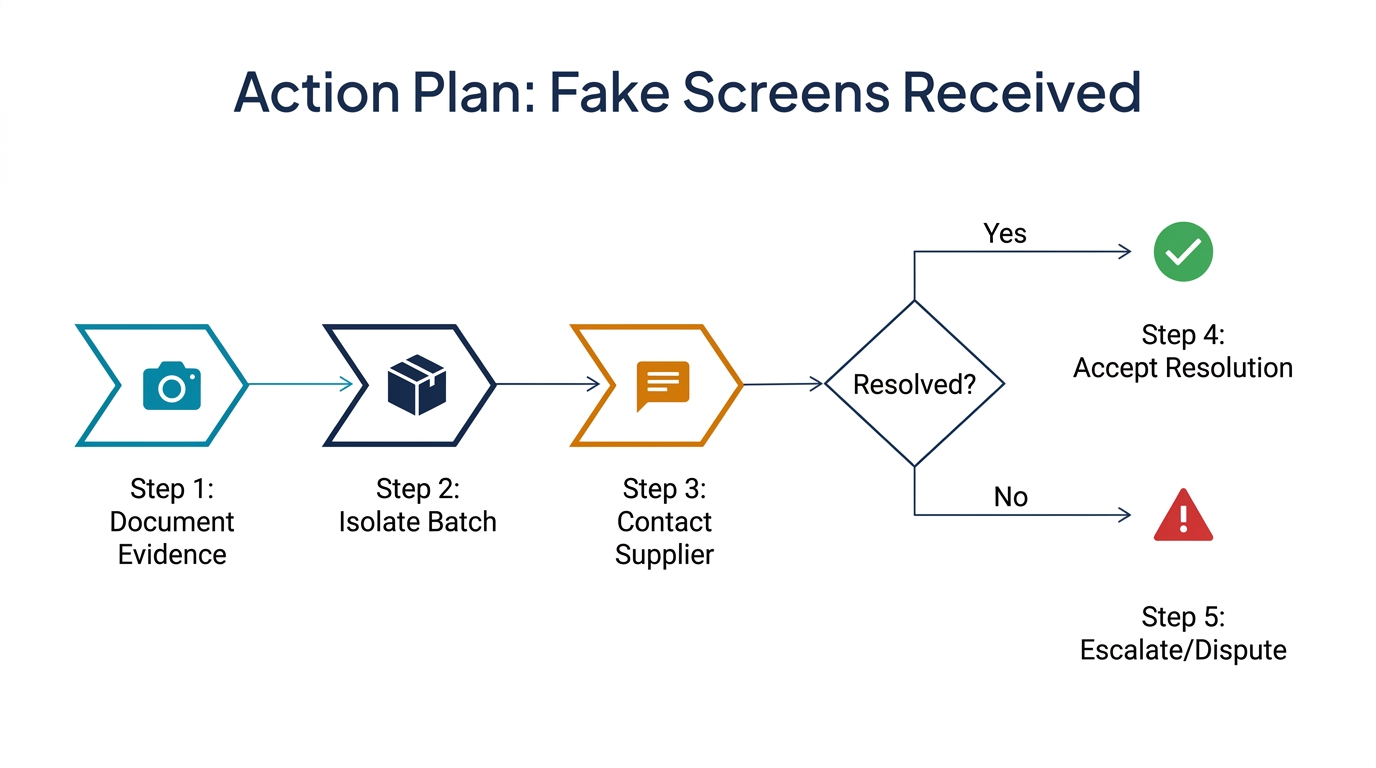
Step 1: Document Everything
Before contacting the supplier, gather evidence:
- Photos of packaging labels, batch numbers, and invoices
- Side-by-side comparison photos/videos with known-good screens
- Test results (brightness measurements, True Tone status, black level photos)
- Record which specific units in the shipment failed and which position they came from
Step 2: Contact the Supplier with Specifics
Don't say "these screens are fake." Say: "I ordered 200 Soft OLED screens (invoice #XXX). Units #47, #83, #112, and #156 failed OLED black level testing — they show backlight bleed consistent with Incell LCD panels. I've attached comparison photos."
Specific, documented claims get resolved faster than vague complaints. Most legitimate suppliers will offer replacement or partial refund when presented with clear evidence. Review your supplier's warranty and return policy before escalating.
Step 3: Adjust Your Process Going Forward
- Never accept a shipment without spot-checking at least 10% of units from random positions in the box
- Establish a reference library: Keep one known-good screen of each grade and model for side-by-side comparison
- Use a screen testing jig: A $50-100 testing board lets you power-test screens without full installation — saves time and reduces wear on test devices
- Pay via methods with buyer protection: Trade Assurance, PayPal Business, or letter of credit give you leverage. Avoid direct bank transfers until you've verified a supplier through multiple orders. Read more about payment methods for China suppliers.
Step 4: Consider Your Supplier Relationship
One bad batch isn't necessarily a dealbreaker — shipping errors and factory mix-ups happen. But a pattern of grade misrepresentation means the supplier is doing it intentionally. Track your incoming QC results per supplier over time. Two verified incidents of grade fraud = find a new supplier.
If you're still evaluating suppliers, our guide on how to choose a reliable phone parts supplier covers the vetting process in detail.
Building a Fraud-Proof Ordering Process
Prevention is cheaper than detection. These practices significantly reduce your exposure:
- Order samples before committing to bulk. Pay full price for 5-10 units of each grade. Test them thoroughly. These become your reference library.
- Specify grade explicitly in writing. Your purchase order should say "Soft OLED, Grade A, compatible with iPhone 14 Pro Max" — not just "iPhone 14 Pro Max screen."
- Request batch photos before shipping. A trustworthy supplier will send photos of your actual order with visible batch codes, not stock images.
- Stagger your payments. Pay 30% deposit, 70% after inspection. Suppliers who refuse inspection-based payment terms are a red flag.
- Build relationships with fewer suppliers. Two or three reliable suppliers who know your standards beat ten cheap sources. Long-term partnerships reduce fraud because the supplier values repeat business over one-time margin.
For more on MOQ negotiation and sample ordering, see our wholesale execution guide.
Frequently Asked Questions
How can I tell if a phone screen is original OEM?
On iPhones running iOS 15.2+, go to Settings > General > About > Parts and Service History. A genuine Apple display shows "Genuine Apple Part." On Samsung, dial *#0*# to run hardware diagnostics — genuine Samsung AMOLED panels produce absolute black with zero backlight bleed. For wholesale orders, compare weight, flex cable markings, and oleophobic coating quality against a known-good reference unit.
What's the difference between a fake screen and an aftermarket screen?
An aftermarket screen is a legitimate product — it's a new screen manufactured by a third party, sold honestly as aftermarket at an appropriate price. A "fake" screen is one that's misrepresented: an Incell panel labeled as OLED, a refurbished screen sold as new, or a Grade B unit packed in Grade A boxes. The product isn't the problem — the deception is.
Do fake screens damage the phone?
Low-quality counterfeit screens can cause issues beyond poor display quality. Improperly calibrated digitizers drain the battery 15-20% faster. Poorly soldered flex cables can cause short circuits, and incompatible IC chips may interfere with Face ID calibration. The phone won't explode, but cumulative damage from repeated installations of substandard parts adds up.
How many screens should I test per shipment?
For orders under 100 units, test at least 10% — pulled from random positions in the packaging, not just the top layer. For orders over 100, test a minimum of 15 units from at least 5 different positions. If any unit fails, increase testing to 25% of the remaining batch. Document every test result for supplier accountability.
Can a screen testing jig detect all fake screens?
A testing jig catches functional fraud (Incell sold as OLED, dead touch zones, sensor failures) but won't catch cosmetic-grade misrepresentation (Grade B sold as Grade A where the only difference is minor cosmetic imperfections). For comprehensive detection, combine jig testing with physical inspection — check flex cables, weight, thickness, and oleophobic coating in addition to powered-on tests.
Take Control of Your Screen Quality
Fake phone screens aren't going away — the economics of grade misrepresentation are too attractive for dishonest suppliers. But with a systematic inspection process, you can catch fraud before it costs you money and customer trust.
The key is building habits: test every batch, maintain reference samples, document results, and hold suppliers accountable. The 15 minutes you spend on incoming inspection saves hours of warranty repairs and customer complaints down the line.
If you're looking for a supplier where the grade on the label matches what's inside the box, get in touch with our team. We welcome pre-shipment inspection and will send you reference samples of every grade we stock so you know exactly what you're getting.