iPhone Fog Screens: Why Some Replacement Screens Develop Haze and What Wholesale Buyers Should Check
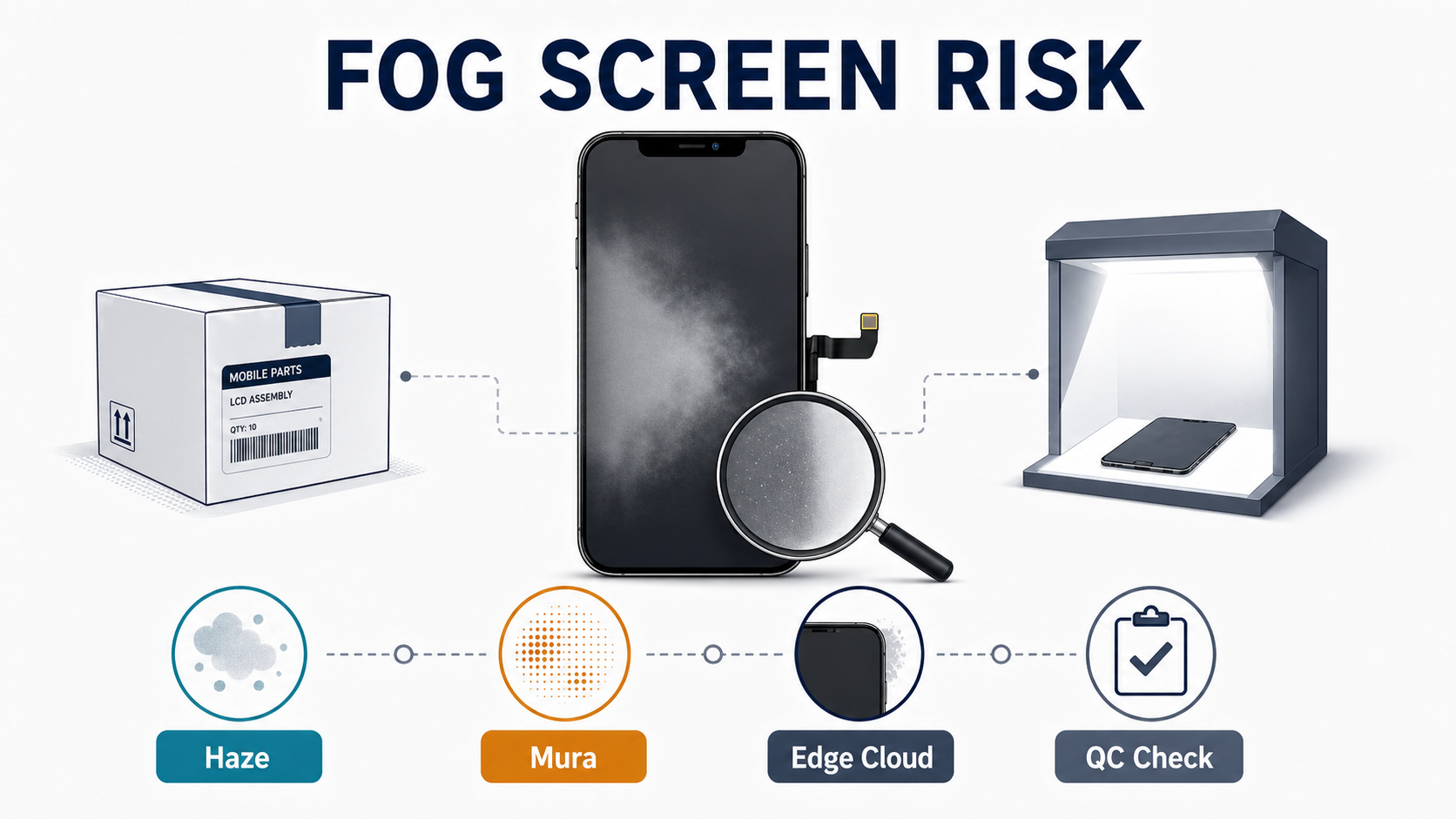
Every time a buyer hears “the screen looks foggy,” money walks out the door — rework labor, a replacement part, shipping fees, lost customer trust, and a future reorder that never comes back. For a repair shop, that is a callback problem. For a distributor, it is a batch-consistency problem. For a wholesale buyer, it is a sourcing problem.
If you buy replacement iPhone screens in volume, you will hear some version of that complaint sooner or later. Sometimes the customer means the display has a milky cast. Sometimes the technician sees cloudy patches at low brightness. Sometimes the screen looks acceptable straight on, but from an angle the panel turns dull, yellowish, or washed out. In other cases, the problem only becomes obvious after installation, after a warm day on the bench, or after a week of real use.
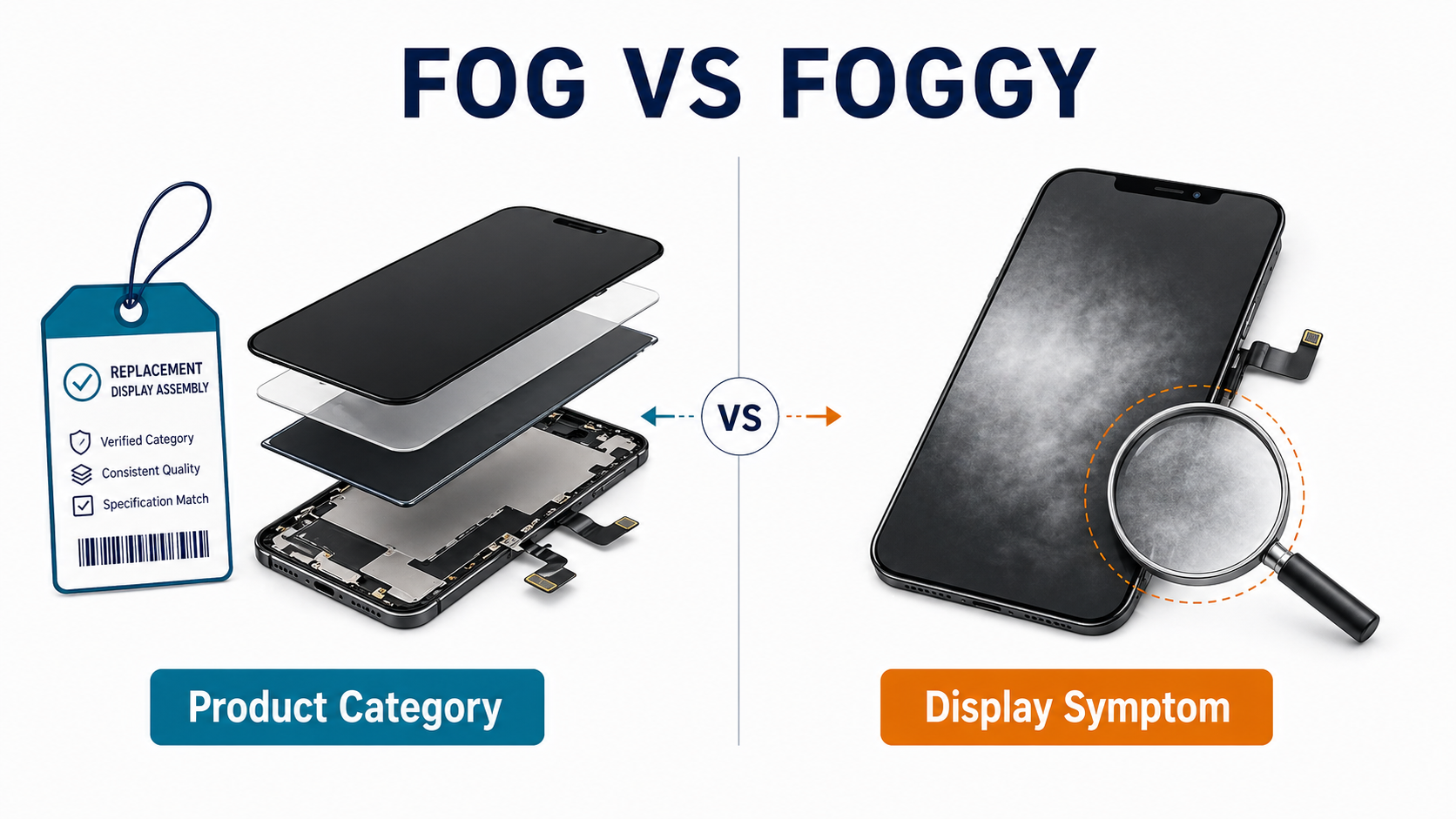
There is one more complication: in the parts market, FOG and foggy are not the same thing.
Many suppliers use FOG to mean Flex on Glass or a near-OEM assembly category built around an original or near-original panel finished by a third-party factory. But when technicians say a screen looks foggy, they usually mean a display symptom: haze, cloudiness, low-gray mura, edge milkiness, poor optical clarity, or washed-out contrast. Confusing those two meanings leads buyers to ask the wrong questions.
This guide is written for repair shops, distributors, and wholesale buyers. It explains what haze-like defects usually mean, which causes are most likely in replacement iPhone screens, how to separate supplier-side risk from installation-side risk, and what to check before ordering and after receiving stock. If you need the broader grade map first, read our OEM vs aftermarket phone screens guide and iPhone screens wholesale OLED vs in-cell comparison. In other words, this is a buyer-focused guide to the real risks behind so-called iPhone fog screens in the wholesale market.
Sourcing Replacement Screens in Bulk?
Incell / Hard OLED / Soft OLED grades — wholesale pricing, grade comparison on request.
Get Wholesale QuoteFOG Screens vs Foggy Screens: Two Different Problems
Let’s separate the terms first.
In supplier catalogs, FOG is usually a product category. Depending on the vendor, it may describe an assembly built from some combination of:
- original or near-original OLED/LCD panel
- aftermarket glass
- aftermarket frame
- aftermarket bonding stack
- original or aftermarket flex
That is exactly why buyers get confused. Different vendors describe FOG differently. Some present it as a middle tier between ordinary soft OLED and refurbished original screens. Some treat it like a premium assembled product. Some use language that makes it sound almost OEM. The naming is not standardized. Supplier-side definitions from Injured Gadgets and PhonePartsRUs show how inconsistent the category can be.
A foggy screen, by contrast, is a failure symptom. In practice, that symptom usually means one or more of the following:
- cloudy or milky appearance
- reduced contrast
- washed-out whites or grays
- uneven brightness patches
- haze near edges or corners
- low-brightness non-uniformity
- off-axis discoloration that makes the screen look “dirty” or “misty”
That distinction is important for B2B buyers. You are not just deciding whether to buy a FOG screen. You are deciding whether the supplier’s assembly process, materials, and QC controls reduce the chance of fog-like defects after install.
What "iPhone Fog Screens" Usually Mean in Real Repair Work
In consumer complaints, “fog” often gets used loosely. A customer may say the screen looks foggy when the real issue is low contrast, edge leakage, pressure whitening, or poor lamination. Technicians often use other words for the same broad defect family:
- haze
- clouding
- milky patching
- washed-out panel
- low-gray mura
- optical non-uniformity
- edge whitening
Not every one of these defects has the same root cause.
That is why a good buyer should not ask, “Do you have fog screens?” and stop there. The better question is: what type of optical clarity failure does this batch show, under what conditions, and where in the stack is the risk most likely located?
The Most Likely Root Causes of Haze in Replacement iPhone Screens
The safest way to think about haze is to break it into layers of risk.
1. Bonding and lamination defects
This is one of the strongest cause categories in the source set.
OCA and LOCA sit in the optical stack between surface layers. If wet-out is uneven, contamination is trapped, pressure is poor, cure is incomplete, or the bonding stack is inconsistent, the screen may develop:
- cloudy patches
- light refraction haze
- edge milkiness
- bubble-like haze that appears later
- local clarity loss under bright light or low-gray tests
This is why some screens look acceptable during a quick bench glance and then reveal defects after backlight, low-brightness testing, or a short warm soak. In lamination work, the visible defect often appears after the real process error has already happened.
For wholesale buyers, this means you should treat haze as an assembly-process risk, not just a panel-quality risk.
2. Polarizer issues
The polarizer matters more than many buyers realize.
If the polarizer is low grade, contaminated, stressed, poorly matched, or damaged during splitting/rework, the result may not look like a classic “bubble” at all. Instead, it may appear as:
- slight milkiness
- side-angle discoloration
- low-gray non-uniformity
- yellow/gray optical shift
- uneven clarity that customers describe as fog
In rebuilt or reassembled products, this becomes especially relevant because the panel may be good while the top stack is not. The layer relationship between glass, OCA, and polarizer is discussed in this iFixit repair thread about OCA and polarizer placement.
3. Mechanical pressure after installation
This is the most under-discussed cause in many buying decisions.
A screen can be fine enough on the bench and still develop haze-like or white-cloud symptoms after install because of:
- frame pressure
- housing bend
- wrong screw length or screw-map mistakes
- case pressure
- battery swelling
- adhesive thickness mismatch
- bracket misalignment
This matters commercially because shops often blame the supplier immediately when the real trigger is load inside the device. At the same time, low-fit-tolerance aftermarket assemblies make these problems more likely. So even when pressure is the immediate trigger, a poorly matched screen may still be the upstream sourcing mistake.
4. LCD-specific backlight and diffusion irregularities
For aftermarket LCD-based replacements, haze complaints often map to:
- clouding
- corner light
- diffusion irregularity
- backlight leakage on gray/black backgrounds
- pressure-amplified white patches
This is more likely on LCD lines than OLED lines because OLED has no backlight diffusion layer. If a buyer sees a cloudy or milky effect on an LCD replacement, backlight and mechanical pressure should be high on the list. REWA’s Tianma comparison and Radiant’s mura material are useful references here because they connect gray-screen non-uniformity, leakage, and pressure-sensitive brightness flaws back to stack quality rather than random customer perception.
5. OLED / FOG / reassembled top-stack inconsistency
On OLED lines, the more likely explanation is not backlight diffusion but top-stack variation:
- third-party glass quality
- third-party frame quality
- OCA quality
- polarizer quality
- uneven bonding of the upper layers
- inconsistent finishing in FOG or OEM-reassembled stock
This fits many technician reports where the screen is “almost OEM” but shows:
- off-axis tint
- slight yellow shift
- low-brightness contrast loss
- visible unevenness on gray backgrounds
In other words: the panel may be acceptable, but the finishing stack is not perfectly stable. That is also why buyers who already understand our wholesale Samsung screens guide or iPhone screens wholesale OLED vs in-cell comparison still get caught off guard by FOG-style and OEM-reassembled risk: the grade label sounds premium, but the optical stack is still variable.
6. Moisture and storage issues
Real moisture ingress is possible, but it should not be your first explanation for every haze complaint.
Moisture matters most when there is evidence of:
- poor sealing
- shipping/storage humidity problems
- condensation events
- liquid exposure
- cleaning fluid contamination
For brand-new stock, haze is more often a QC, bonding, material, or pressure issue than actual condensation trapped inside the display. Moisture is plausible, but in most B2B failure reviews it should remain a secondary scenario unless supporting evidence exists.
7. Batch inconsistency and unstable raw materials
This is one of the most important procurement lessons.
Low-tier aftermarket lines often do not fail because every unit is terrible. They fail because the batch is inconsistent. One lot is acceptable. The next is not. One shipment has cleaner bonding, better polarizers, or better top-stack materials. The next shipment drifts.
That is exactly why wholesale buyers should think in terms of:
- lot traceability
- batch sampling
- repeated incoming QC
- supplier consistency over time
A screen line with small per-unit savings but unstable batch quality will cost more once callbacks are included.
Which Causes Are Most Likely by Screen Type?

This ranking matters more than a long generic cause list. It is the difference between ordering safer stock and creating the same margin leak we already discussed in our phone screen repair pricing strategy guide.
For brand-new replacement stock in general
Your first suspicion should usually be:
- assembly quality variation
- bonding / top-stack issue
- panel uniformity issue
- fit tolerance issue
- only then moisture, unless evidence says otherwise
For aftermarket LCD iPhone screens
Most likely causes:
- backlight / diffusion non-uniformity
- frame pressure amplification
- corner light / leakage / LCD mura
- poor bonding or contamination
For aftermarket OLED / FOG / OEM-reassembled iPhone screens
Most likely causes:
- glass / frame / polarizer / OCA variation
- low-gray mura / tint variation
- third-party finishing inconsistency
- install pressure load
- moisture only when there are supporting clues
This is the section that should help buyers stop treating every fog complaint like the same defect.
What Technicians Usually Notice Before Installation
A good receiving process catches many haze risks before the first customer install.
Common pre-install signals include:
- gray-screen mura visible on uniform test patterns
- off-axis discoloration or mild yellow shift
- subtle clouding under side-angle inspection
- slight low-brightness contrast weakness compared with a known-good unit
- fit or bezel mismatch
- edge irregularity that looks minor until the screen is lit properly
- late haze or edge-line defects appearing after a short powered warm-up
The key lesson is simple: a quick straight-on white-screen glance is not enough. This is exactly why incoming QC for wholesale phone screens should sit next to your purchasing workflow rather than be treated as a post-problem troubleshooting step.
What Technicians Usually Notice After Installation
This is where disputes begin.
Typical post-install complaints include:
- white cloud around the perimeter
- local fogging near edges or corners
- cloudy effect that becomes more obvious inside the housing
- symptoms that change under light pressure
- reduced contrast compared with original
- “looks dark / dull / not vibrant” complaints
- burn-in or discoloration on some FOG-style assemblies after use
A useful diagnostic clue is timing:
- visible immediately after install often points to assembly quality, fit, or pressure
- worsens with heat, charging, or time may suggest bonding instability, material weakness, or stress that grows under use
- only visible in certain angles or grayscale tests often points to optical stack quality rather than simple user imagination
The Receiving Inspection Checklist Wholesale Buyers Should Use
If you want to reduce haze-related returns, incoming inspection must do more than confirm touch and display function.
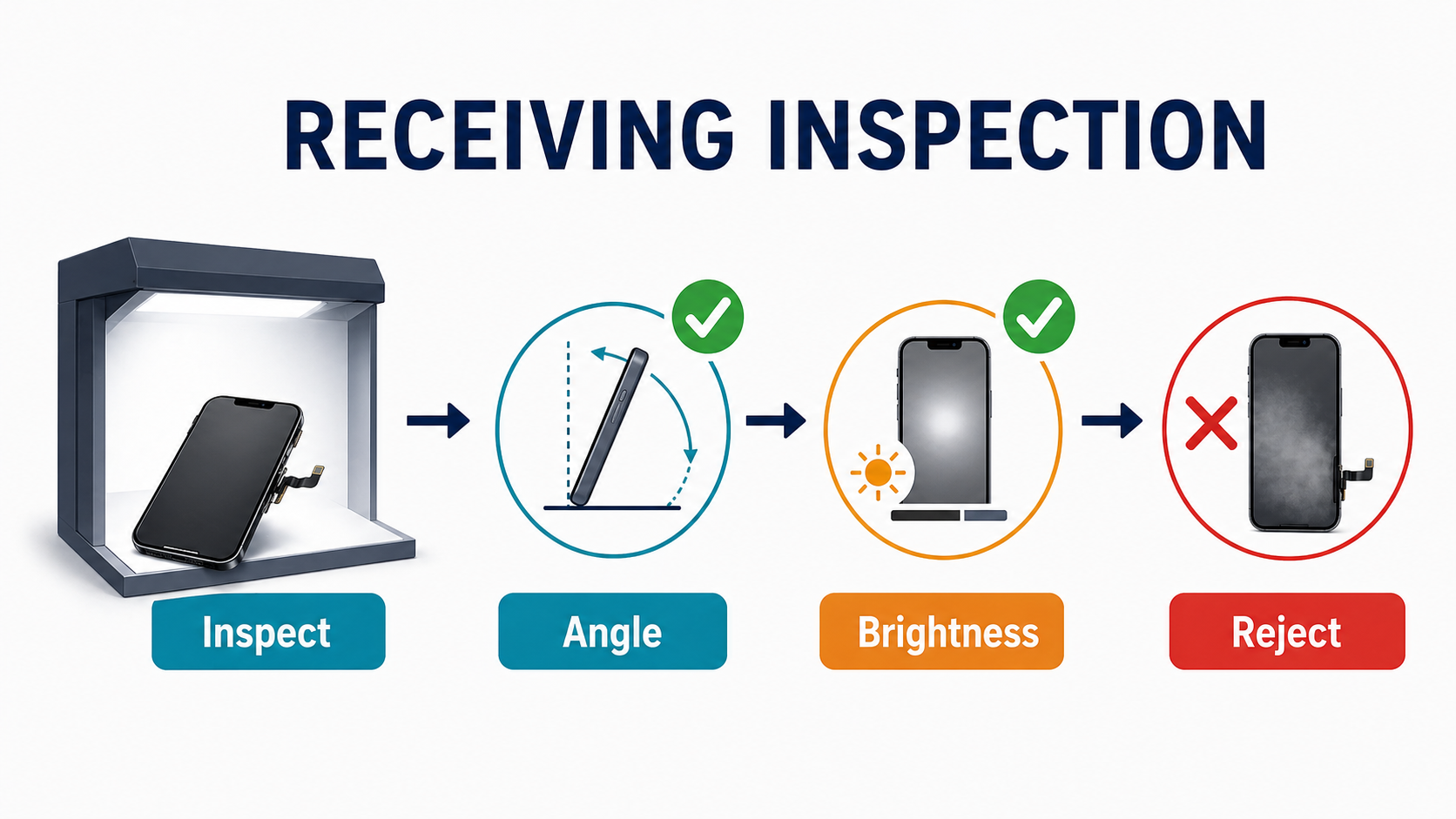
Incoming inspection should include:
-
White, black, and gray test images Gray is especially important because haze, mura, and low-level non-uniformity often appear there first.
-
Side-angle inspection Compare the screen against a known-good unit. Look for off-axis milkiness, yellow shift, pink/gray cast, or uneven clarity.
-
Gentle pressure test while the panel is on For LCD especially, check whether light pressure produces white fogging or stress whitening.
-
Edge and corner inspection under strong light Look for:
- adhesive gaps
- contamination
- trapped air signs
- edge haze
- uneven bonding
-
Short powered hold / warm soak Keep sample units powered for 30–60 minutes before accepting the lot. Some defects appear only after mild heat.
-
Live-board test on actual iPhone logic board Do not rely only on jig visuals. Real board testing gives better early warning for fit, display behavior, and interaction issues.
-
Fit tolerance check Confirm frame height, bracket alignment, bezel fit, thickness consistency, and seating against OEM expectations.
-
Batch traceability Keep batch IDs, QC labels, PO records, and sample results tied together. Never mix fresh lots into old stock without recording them.
Practical reject rule
Use a concrete sampling threshold instead of a vague gut-feel rule. A defensible default for incoming inspection: pull a 20-unit random sample, run each unit on a 50% gray test image at 20–30% brightness for 30 minutes powered, and inspect under side angles plus strong oblique light. If 2 or more units in that sample show visible haze, low-gray mura, or edge milkiness, isolate the entire batch, photograph the evidence, and escalate to the supplier with the QC photos before approving any further use. Do not assume the rest of the lot will improve in customer phones.
What Buyers Should Ask Before Ordering
A supplier who can show evidence is much lower risk than one who hides behind vague “premium quality” language. Stop asking yes/no questions — ask for documents, photos, or videos that prove the answer. The first three below are non-negotiable: if a supplier cannot answer them with real evidence, walk away.
- What exactly is original in this assembly, and what is aftermarket — panel, glass, frame, polarizer, flex? Ask for a written breakdown, not a verbal “it’s near OEM.” Also confirm the grade label (FOG, OEM refurb, OEM reassembled, soft OLED, hard OLED) and what each component actually means in their definition.
- Can you send current-lot QC photos or video showing white, black, and 50% gray test screens at low brightness? A real QC line can produce these in hours, not weeks. Side-angle clips matter more than straight-on shots.
- What is your aging / burn-in process — how many minutes, at what temperature, and on a live iPhone motherboard or just a jig? Vague answers usually mean no real burn-in.
- What bonding method do you use (OCA, LOCA, other), and how is bonding wet-out controlled across the lot?
- What is your RMA rate for this exact SKU and grade over the last 90 days, and can you share that number in writing?
- What fit tolerance do you guarantee versus OEM, and have you measured frame height and bracket alignment for this lot?
- Are these built from stable raw materials, or do they include surplus / reworked panels mixed into fresh stock? How are parts stored and packed against humidity and contamination?
- What haze, mura, or clouding defects are covered under written warranty — both before installation and after installation, and what is excluded?
The quality of the evidence usually tells you more than the words.
What Shops Should Document When a Customer Complains
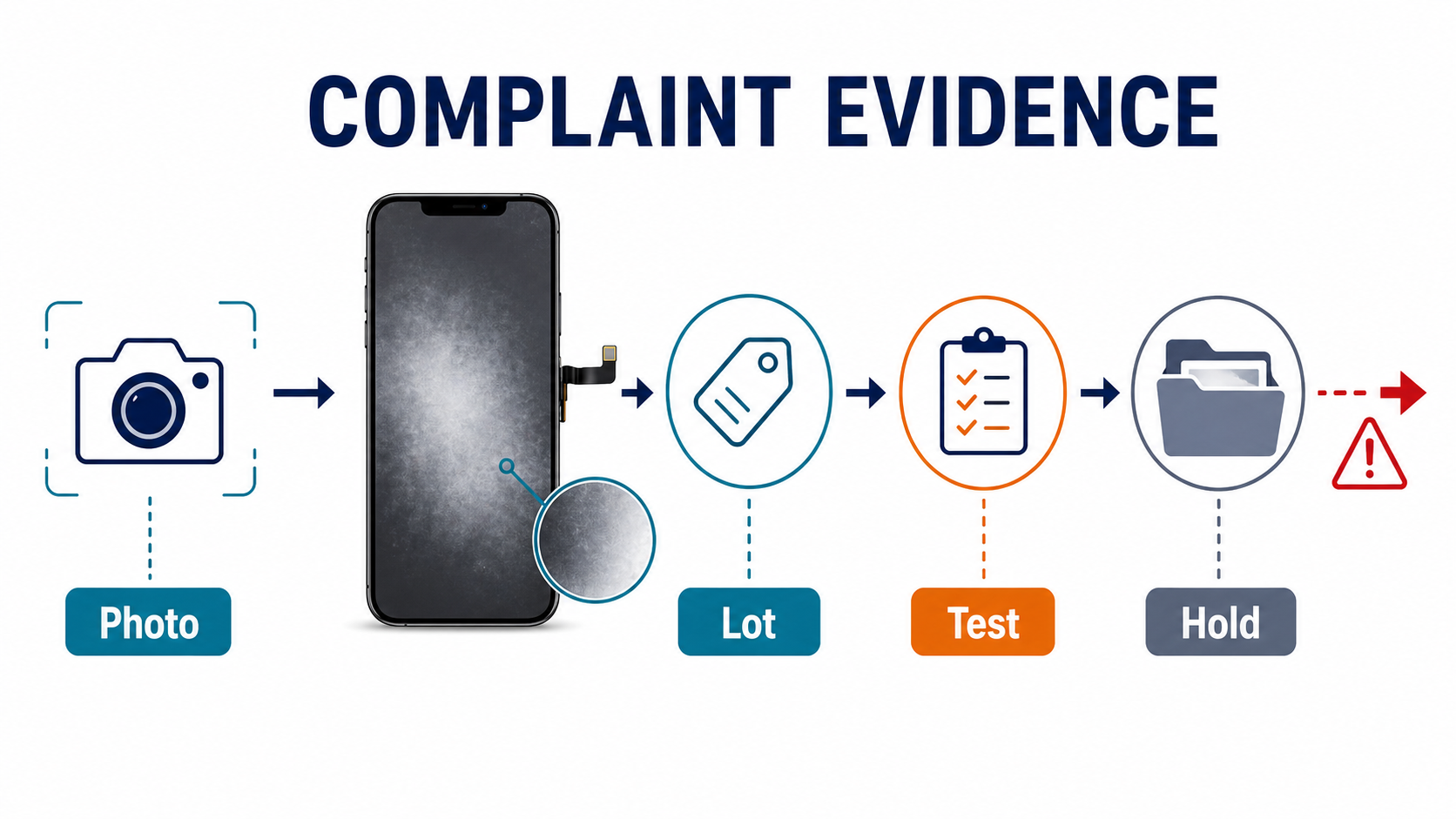
If a shop reports fogginess, your team should not accept “screen looks bad” as the full complaint record.
Capture these records immediately:
- photos and video of the defect on black, 50% gray, and white backgrounds
- side-angle photos
- screen-off reflection photos if distortion or ripple is suspected
- timeline of when the defect first appeared
- install date and technician name
- supplier, PO, lot number, and QC label
- model and exact screen grade ordered
- whether the symptom changes under pressure or outside the housing
- screw map / housing condition / battery condition / frame condition
- liquid exposure indicators, if any
- cleaning liquids or unusual install conditions, if relevant
Why this matters
A screenshot does not prove a panel haze issue. The defect is in the display hardware, so you need camera evidence of what the eye sees. Gray-background photos are especially useful because many clouding defects are invisible on bright app screens but obvious on uniform gray. This complaint-handling logic overlaps with our guides on aftermarket screen customer complaints and charging port failures after replacement: you need evidence that separates supplier-side quality failures from install-side stress or customer-side misuse.
Supplier Issue or Installation Issue? A Practical Split
This is where buyers and shops often go wrong.
More likely supplier-side:
- haze visible before install
- gray-screen mura in sample QC
- side-angle discoloration across multiple units in same lot
- repeated issue across the same batch
- edge clouding without obvious install pressure trigger
- weak low-brightness contrast on multiple units
- lot-wide inconsistency in color temperature or optical clarity
More likely installation-side or load-amplified:
- haze appears only after housing closure
- pressure changes the symptom
- wrong screw / housing bend / case pressure is present
- battery swelling or chassis tension exists
- symptom reduces when the screen is removed from the housing
- there is evidence of overheat, contamination, or handling stress during install
Important nuance
A problem can still begin upstream even when installation triggers it. A screen with poor fit tolerance or weak top-stack quality may be far less forgiving under normal install pressure. That is why low-grade stock creates “mysterious” callbacks that look like technician mistakes.
The Strongest B2B Angle: Haze Is a Margin Problem
For a repair shop, haze is not just a visual issue. It is a callback issue.
For a distributor, haze is not just a defect issue. It is a lot-control issue.
For a wholesale buyer, haze is not just about the part. It is about whether the supplier can clearly explain:
- what the screen really is
- how it was assembled
- how it was tested
- how consistent the lot is
- what they will do when the batch fails in the field
This is why the best business angle for this topic is not “what is a fog screen?”
It is:
why haze-related failures destroy margin, and how incoming QC plus supplier vetting prevents them.
Cheap screens rarely become expensive because of the invoice value. They become expensive because of:
- rework time
- shipping replacements
- customer distrust
- technician blame disputes
- lost repeat business
Final Takeaway on iPhone Fog Screens
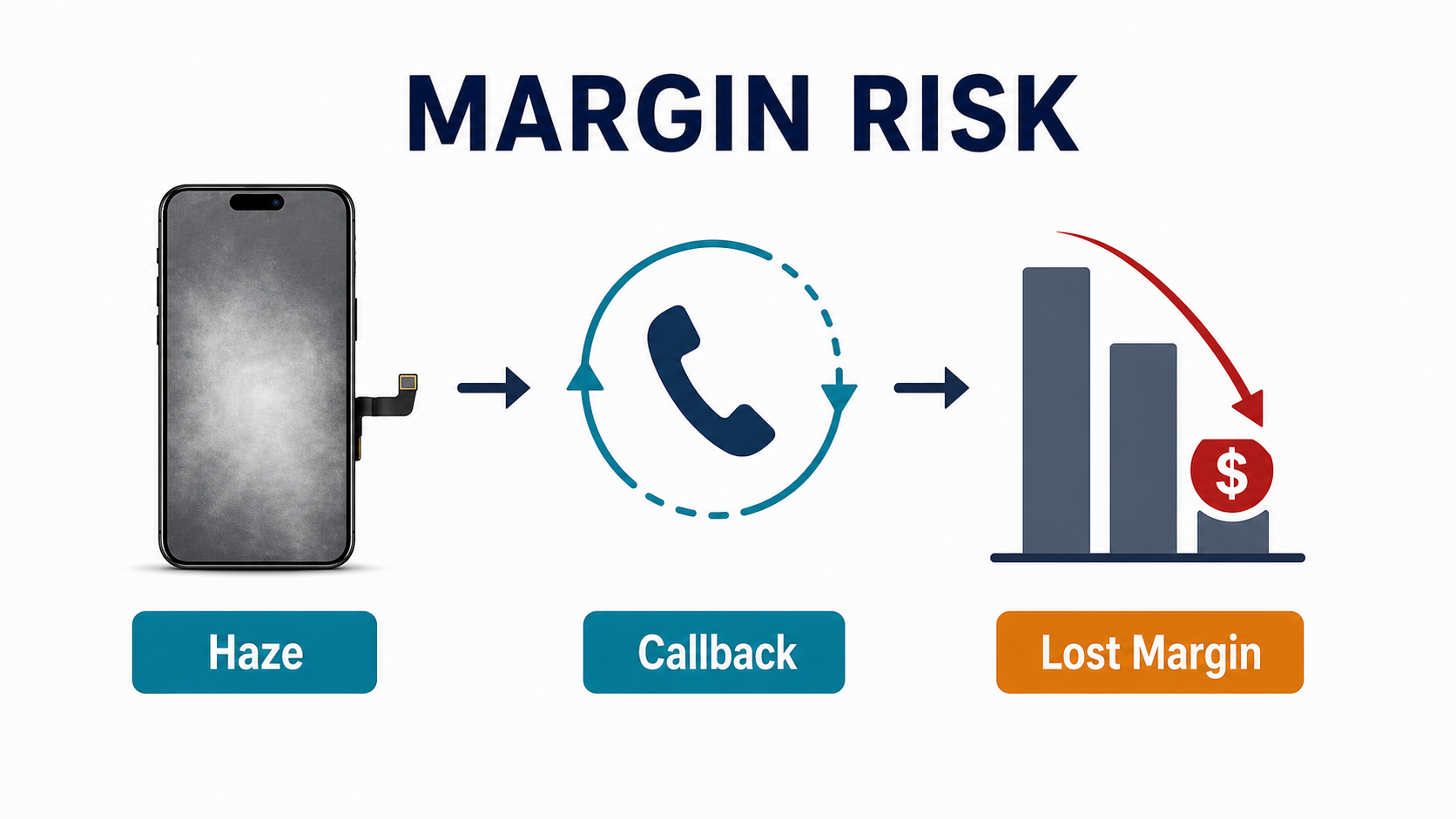
When buyers treat haze as a vague cosmetic complaint, they usually buy badly, inspect weakly, and argue too late.
A FOG screen is a product label. A foggy screen is a defect symptom.
The two may overlap, but they are not the same thing.
Most haze complaints in replacement iPhone screens are better explained by:
- optical bonding problems
- top-stack quality differences
- polarizer variation
- panel uniformity issues
- fit and pressure stress
Only some cases are true moisture-related fogging.
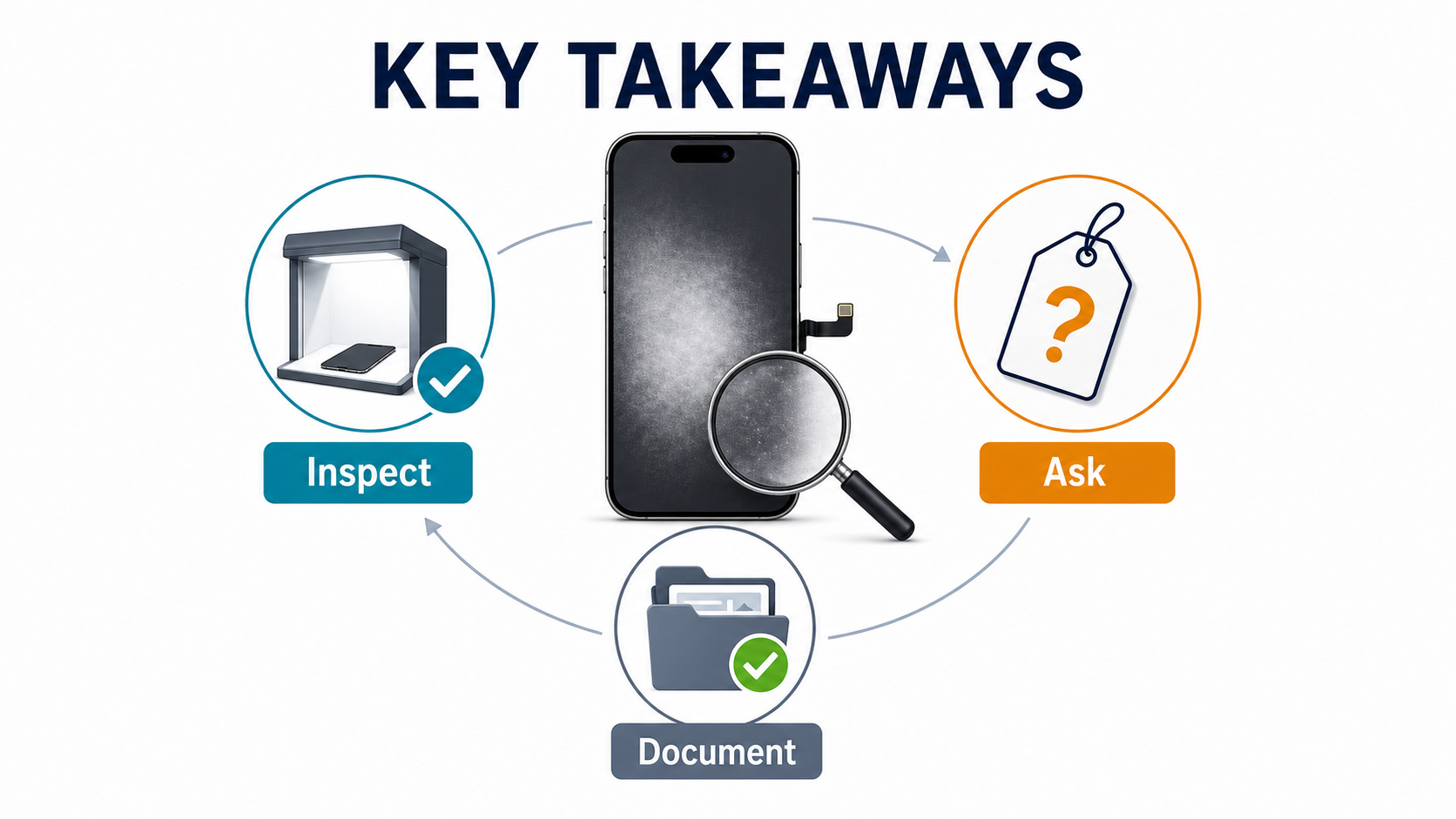
If you buy replacement screens in volume, the winning habit is not memorizing every defect name. It is building a process that catches risk early:
- define the screen category clearly
- ask what is original vs aftermarket
- inspect gray-screen uniformity
- test side-angle clarity
- warm-soak sample units
- keep lots traceable
- document complaints properly
That is how you reduce callbacks before they hit your margin. If your team already uses our wholesale iPhone screens buyer checklist, this article should function as the haze-specific extension of that same buyer workflow.
If you want fewer repeat claims, stop asking only whether a screen is soft OLED, hard OLED, LCD, or FOG. Start asking how stable the optical result is after bonding, shipping, installation, angle testing, and low-brightness inspection.
Frequently Asked Questions
What does FOG mean in iPhone screen sourcing?
Usually it means Flex on Glass or a near-OEM assembly category, but supplier terminology varies. Some use it for screens built around original or near-original panels finished with third-party glass, frame, flex, or bonding components. Always ask the supplier what exactly is original and what is aftermarket.
Does a foggy replacement screen always mean moisture got inside?
No. In many real repair cases, haze is more likely to come from bonding issues, polarizer quality, panel non-uniformity, fit pressure, or low-grade assembly quality than true moisture ingress. Moisture is possible, but it should not be your default explanation without supporting clues.
Are fog-like defects more common on LCD or OLED replacement screens?
The pattern differs by type. On aftermarket LCD lines, haze-like complaints more often connect to backlight diffusion, clouding, or frame-pressure amplification. On OLED, especially FOG or reassembled categories, the issue is more often top-stack variation, low-gray mura, tint variation, or third-party finishing inconsistency.
What is the fastest receiving test for haze risk?
Use white, black, and especially gray test images, then inspect from side angles and run a short powered warm soak. Gray-screen and low-brightness inspection catches many haze, mura, and optical uniformity problems that a quick straight-on check misses.
What should I ask a supplier before buying FOG or premium aftermarket screens?
Ask what exactly is original and what is aftermarket, what bonding method they use, whether they test every lot on gray at low brightness, how long they age screens before shipment, what fit tolerance they guarantee versus OEM, and what haze/mura defects are covered under warranty.
How do I tell whether a haze complaint is a supplier issue or an installation issue?
If the issue is visible before install, repeats across a lot, or shows lot-wide side-angle or gray-screen inconsistency, it is more likely supplier-side. If the issue appears only after closure, changes under pressure, or correlates with housing bend, wrong screws, or battery swelling, installation or pressure loading is more likely involved. In practice, both can overlap.