Wholesale iPhone Screens Buyer Checklist: 12 Things to Verify Before Your First Bulk Order
Buying wholesale iPhone screens for the first time feels straightforward until you realize that "iPhone 14 screen" can mean five different products at five different price points — and the wrong choice leads to customer complaints, warranty disputes, or incompatible parts sitting on your shelf.
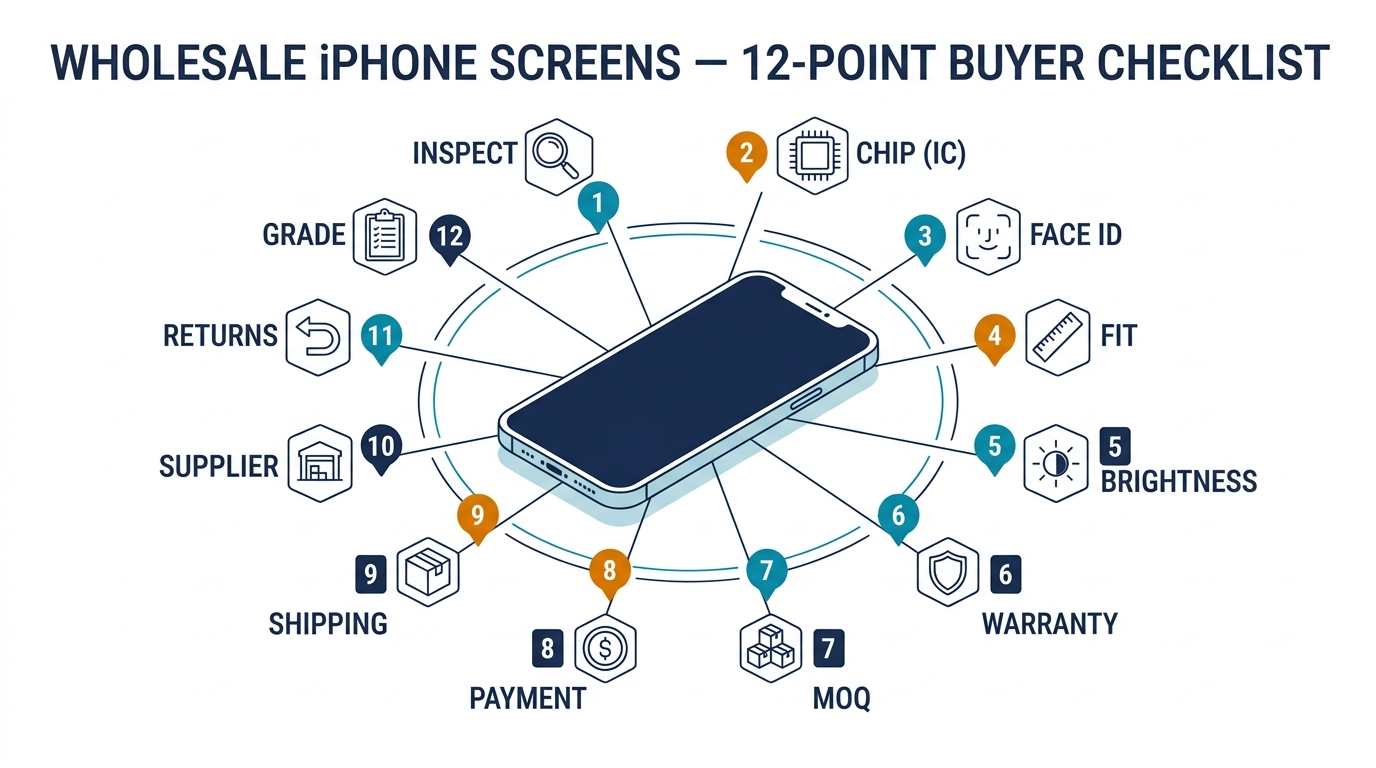
This checklist covers the 12 things you need to verify before placing your first bulk iPhone screen order. It's organized in the order you should check them: first the product specifications, then the supplier terms, then the logistics. Print it, bookmark it, or save it to your phone — and run through it for every new supplier or every new screen model you add to your inventory.
Sourcing Replacement Screens in Bulk?
Incell / Hard OLED / Soft OLED grades — wholesale pricing, grade comparison on request.
Get Wholesale QuoteThe 12-Point Wholesale iPhone Screens Checklist

1. Screen Technology Type
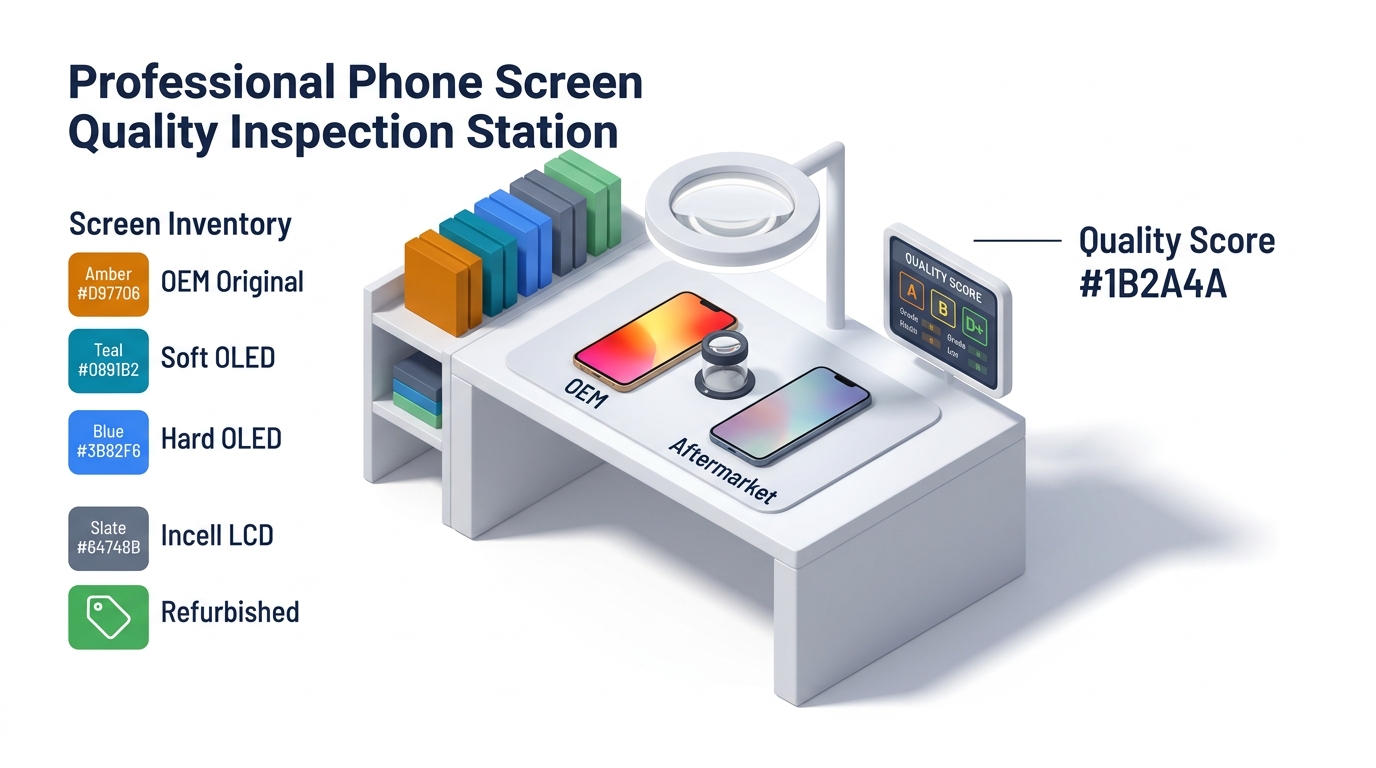
Not all iPhone screens use the same display technology, and the replacement screen market offers multiple options for each model:
| Technology | Used In (Original) | Aftermarket Availability | Price Range (per unit) |
|---|---|---|---|
| LCD (IPS) | iPhone 11, XR, SE | Widely available | $8–15 |
| Incell LCD | None (aftermarket only) | Common replacement for OLED models | $14–25 |
| Hard OLED | None (aftermarket only) | Mid-tier replacement | $20–35 |
| Soft OLED | iPhone X, 11 Pro, 12–16 series | Premium aftermarket | $30–55 |
| Original OLED (Refurbished) | All OLED iPhones | Limited supply | $45–80 |
Why it matters: A customer paying $120 for a "screen replacement" expects OLED-level display quality. Installing an Incell screen on an iPhone 14 Pro saves you money but delivers a noticeably worse display — thicker bezels, lower contrast, and potential customer dissatisfaction. Know what each technology delivers so you can match it to your repair pricing and customer expectations.
For a detailed comparison of these technologies, see our guide on OEM vs aftermarket phone screens.
2. Screen Grade Within Each Technology
Within each technology tier, screens come in grades — typically labeled A, A+, AA, or AAA by Chinese suppliers. These labels aren't standardized across the industry, so the same "Grade A" can mean different things from different suppliers.
What to ask instead of relying on letter grades:
- What is the typical defect rate for this grade? (Good answer: "under 2%." Red flag: "we don't track that")
- Can you send me a specification sheet with brightness (nits), color gamut, and contrast ratio?
- Is this grade new production or refurbished panels?
The only reliable way to verify grade is to test samples. Letters on a listing are marketing — what matters is what the screen looks like when it powers on.
3. IC Chip Inclusion and Compatibility
This is the most commonly overlooked item on a wholesale iPhone screens order and the cause of the most post-installation headaches.
iPhone replacement screens can come with or without an IC chip (integrated circuit). The IC chip stores display calibration data including True Tone settings, brightness levels, and screen serial information.
Screens WITH IC chip:
- True Tone can be transferred without a separate programmer
- Fewer "non-genuine part" warnings in iOS Settings
- Higher cost per unit ($2–5 more)
Screens WITHOUT IC chip:
- You need a separate screen programmer/transfer tool (like JC, JCID, or i2C) to copy the original screen's data
- Without data transfer, you'll see "Unknown Part" warnings and True Tone won't work
- Lower cost per unit
What to verify: Before ordering, confirm with your supplier whether the screens include IC chips. If they don't, make sure you have the right programmer for the iPhone models you service. For iPhone 13 and newer, IC chip requirements have become increasingly important due to Apple's part-pairing restrictions.
4. Face ID Compatibility
For iPhone X and all later models, Face ID functionality after screen replacement is a critical concern.
The issue: Apple pairs the Face ID module (TrueDepth camera, dot projector, IR camera) to the original display. Replacing the screen can disable Face ID unless the original sensor assembly is transferred to the new screen — or the screen comes with a compatible flex cable that supports the transfer.
What to verify:
- Does this screen support Face ID after installation? (Some budget screens don't)
- Does the screen come with the earpiece/sensor flex cable pre-installed, or do you need to transfer the original?
- For iPhone 14 Pro and newer: is the screen compatible with Apple's current iOS version for Face ID pairing?
A screen that breaks Face ID is a guaranteed customer callback. Confirm compatibility before ordering, not after.
5. Model-Specific Fit and Frame
iPhone screens look similar across generations but the dimensions, screw positions, and flex cable connectors differ. Common mix-up risks:
- iPhone 14 vs. 14 Pro: Different screen sizes and connector layouts
- iPhone 13 vs. 13 mini: Same generation, completely different screens
- iPhone 11 vs. XR: Similar dimensions but different connectors and housing designs
What to verify: Confirm the exact model number compatibility. A supplier listing a screen as "compatible with iPhone 14 series" is too vague — you need to know if it fits the iPhone 14, 14 Plus, 14 Pro, or 14 Pro Max specifically. Each is a different screen.
If the screens come with pre-installed frames, check that the frame color matches your order and that screw holes align correctly. Misaligned frames cause installation issues and poor sealing.
6. Brightness and Color Specifications
Aftermarket screens vary significantly in brightness and color accuracy. For customers who compare their repaired phone to a friend's original, this is immediately noticeable.
Benchmarks to reference:
- Original iPhone OLED: ~800 nits typical, ~1,200 nits peak (HDR)
- Good Soft OLED aftermarket: 600–800 nits typical
- Good Incell aftermarket: 450–600 nits typical
- Budget Incell: 300–450 nits — noticeably dim
What to verify: Ask for the brightness specification (in nits) for the screens you're ordering. If the supplier can't provide this, request a sample and compare it side-by-side with an original screen. A screen that's 30% dimmer than original is fine for budget repairs. A screen that's 50% dimmer will generate complaints.
Want to compare screen grades before committing to bulk? We can send a mixed sample pack — Incell, Hard OLED, and Soft OLED for the same model — so you see the difference firsthand. Request a sample pack.
7. Warranty Terms by Screen Grade
Different screen grades should carry different warranty terms. Before ordering, confirm:
- Warranty period: Incell (minimum 3 months), Soft OLED (minimum 6 months), Original refurbished (minimum 12 months) are reasonable expectations
- What's covered: Manufacturing defects — dead pixels, touch failure, backlight issues
- Defect tolerance: 2–3% for Incell, 1–2% for Soft OLED
- Claim process: Credit on next order, replacement, or refund?
Get these in writing on the proforma invoice. For the full guide on negotiating warranty terms, see our article on phone screen warranty and return policy.
8. MOQ Per Model
iPhone screen MOQ is typically per model, not total. This creates inventory planning challenges:
- If MOQ is 50 per model and you need screens for iPhone 13, 14, and 15, that's 150 screens minimum
- Popular models (iPhone 14, 15) may have lower MOQs because suppliers keep them in stock
- Older or less popular models (iPhone 11, XR) may require higher MOQs or longer lead times
What to verify: Confirm MOQ for each specific model you plan to order. Ask if mixed-model orders are accepted at a lower per-model quantity. For detailed MOQ negotiation strategies, see our guide on MOQ, sample orders, and lead time.
9. Payment Terms and Deposit Structure
For your first wholesale iPhone screens order:
- Sample orders ($100–500): PayPal for buyer protection
- First bulk order ($500–3,000): 30/70 T/T split or Wise transfer
- Ongoing orders ($1,000+): T/T with established terms
What to verify: Confirm the exact payment split, which payment methods are accepted, and whether sample costs are credited toward your first bulk order. For the complete payment guide, see our article on paying a China phone parts supplier.
10. Packaging and Shipping Standards
Poor packaging destroys good screens. Verify:
- Individual packaging: Each screen should be in anti-static wrap with protective film on glass and foam padding
- Outer carton: Corrugated cardboard with shock-absorbing inserts, not loose screens in a bag
- Labeling: Each screen labeled with model, grade, and batch number for traceability
- Shipping method: Air express for orders under 100 kg, sea freight for larger shipments (see MOQ and lead time guide for lead time details)
Ask the supplier to send photos of their standard packaging before you order. Packaging quality is a reliable indicator of overall quality standards.
11. Supplier Verification
Before sending any money for wholesale iPhone screens, verify the supplier:
- Business license: Request a copy and verify the company name matches their bank account
- Trade history: How long have they been selling iPhone screens specifically? (General electronics trader vs. phone parts specialist matters)
- References: Can they connect you with 2–3 existing buyers? Serious suppliers will
- Communication responsiveness: If they take 3 days to reply during the sales process, expect worse during warranty claims
- Physical presence: Do they have a warehouse or showroom you can visit (or have a sourcing agent visit)?
For a deeper supplier evaluation framework, see our guide on how to choose a reliable phone parts supplier.
12. Return and Exchange Process
Understand the full return process before you need it:
- Defect reporting window: How many days after receiving the shipment do you have to report defects? (Standard: 7–14 days)
- Documentation requirements: Photos, video, defect count, batch numbers
- Resolution method: Credit on next order (most common from China suppliers), replacement shipment, or refund
- Physical return: Is return shipping required? Who pays? (For China suppliers, credit is typically more practical than return shipping)
What to verify: Get the full process documented in writing. Test it with a small claim early — how a supplier handles a minor issue tells you exactly how they'll handle a major one.
Quick-Reference Checklist Summary
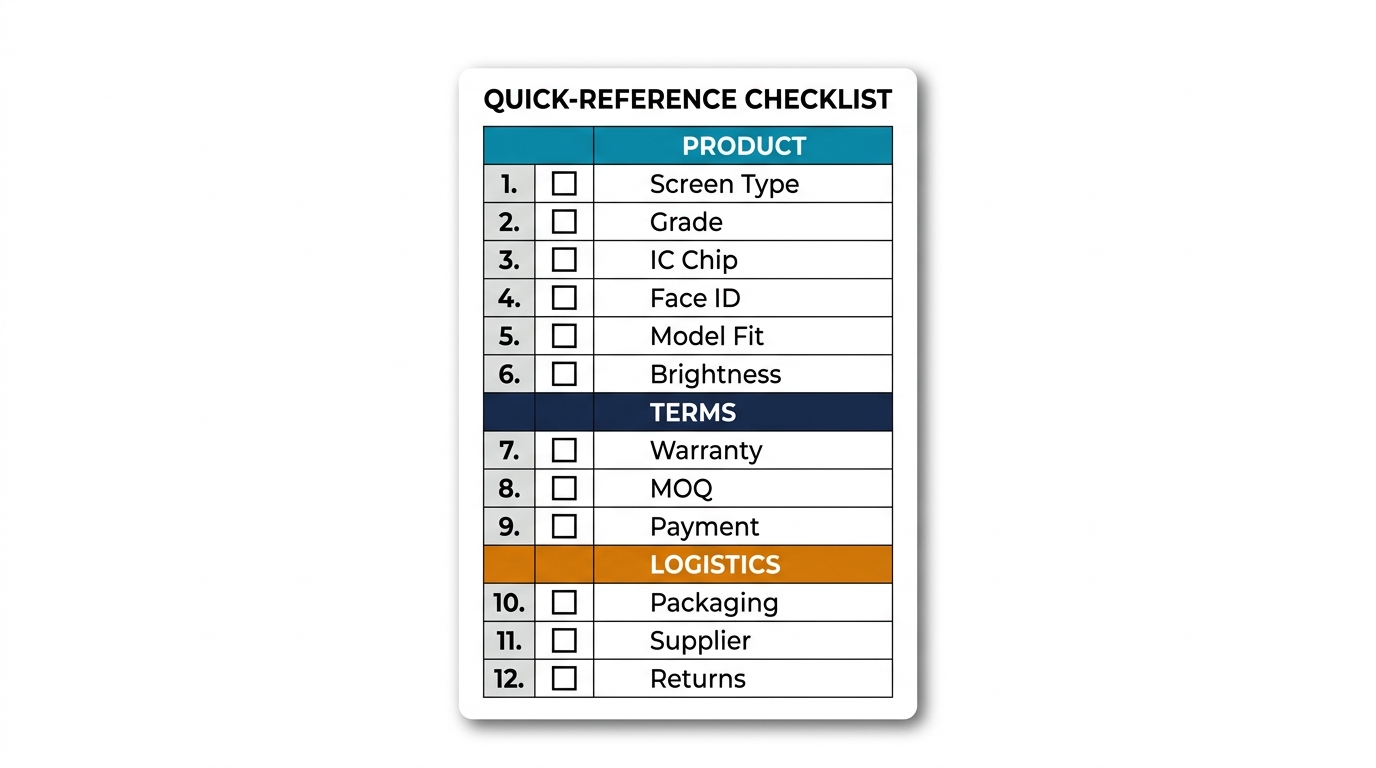
Use this condensed version when evaluating a new supplier or screen model:
| # | Check Item | Verified? |
|---|---|---|
| 1 | Screen technology type confirmed (Incell/Hard OLED/Soft OLED/Original) | ☐ |
| 2 | Grade specification and defect rate provided | ☐ |
| 3 | IC chip inclusion confirmed (with/without, programmer needed?) | ☐ |
| 4 | Face ID compatibility verified for target models | ☐ |
| 5 | Exact model fit confirmed (not "series compatible") | ☐ |
| 6 | Brightness spec provided or sample tested | ☐ |
| 7 | Warranty terms in writing (period, coverage, tolerance) | ☐ |
| 8 | MOQ per model confirmed and acceptable | ☐ |
| 9 | Payment terms agreed (method, split, sample credit) | ☐ |
| 10 | Packaging standards verified (anti-static, labeled, padded) | ☐ |
| 11 | Supplier verified (license, references, responsiveness) | ☐ |
| 12 | Return/exchange process documented in writing | ☐ |
Frequently Asked Questions
What's the most important thing to check when buying wholesale iPhone screens?
IC chip compatibility and Face ID support. Price and screen grade matter, but a screen that disables Face ID or triggers "Unknown Part" warnings will generate customer complaints regardless of how good the display looks. Confirm these two items before anything else, especially for iPhone 13 and newer models where Apple's part-pairing restrictions are strictest.
How do I tell the difference between Incell and OLED iPhone screens?
Visually, OLED screens have deeper blacks (true black, since pixels turn off completely) and wider viewing angles. Incell LCD screens appear slightly washed out by comparison, especially when viewed from an angle. The easiest test: display a pure black image — on OLED, the screen looks identical to being powered off. On Incell, you'll see a faint gray backlight glow. Thickness also differs — OLED assemblies are typically thinner.
Should I stock multiple screen grades for the same iPhone model?
Yes, if your repair shop serves different customer segments. A two-tier strategy works well: Soft OLED for customers willing to pay for premium quality (typically $100–150 repair price), and Incell for budget-conscious customers ($60–80 repair). This lets you offer choices instead of turning customers away. Stock ratio suggestion: 60% mid-tier (Incell/Hard OLED), 40% premium (Soft OLED) for popular models.
How many iPhone screen models should I stock for a typical repair shop?
Focus on the 5–6 models that account for 80% of your repairs. In 2026, that typically means: iPhone 13, 14, 14 Pro, 15, 15 Pro, and 15 Pro Max. Add iPhone 12 and 11 if you still see regular demand. Stocking every model from iPhone X to 16 ties up cash in slow-moving inventory — better to order older models on-demand.
Can I mix screen grades in a single wholesale order?
Most suppliers allow mixed-grade orders as long as the total order value meets their minimum. For example, you might order 30 Incell + 20 Soft OLED for the same iPhone model, or mix Incell across different models. Confirm with your supplier — some have separate MOQ requirements per grade. Mixed orders are actually smart for first-time buyers because they let you test multiple grades with real customers before committing to larger quantities.
Order Smart — Check Everything Before You Pay

This checklist exists because every item on it has caused real problems for real repair shop buyers. Skipping the IC chip check leads to True Tone issues. Ignoring Face ID compatibility creates callbacks. Accepting vague warranty terms leaves you holding defective inventory.
Run through all 12 points before your first order with any new supplier. After 2–3 successful orders, you'll know which items need close attention and which are consistently reliable. The checklist becomes faster — but never skip it entirely.
Ready to order wholesale iPhone screens from a supplier who checks every box? Request a quote — we'll provide full specifications, IC chip details, warranty terms, and sample screens for every grade before you commit.