Aftermarket Screen Complaints: How to Handle Them, What to Say, and How to Prevent Them
"This screen doesn't look the same as my original." "The colors seem off." "True Tone isn't working." "I think you put a cheap screen on my phone."
Every repair shop owner has heard these words. Aftermarket screen complaints are the #1 source of customer conflict in phone repair — and how you handle them determines whether that customer becomes a repeat buyer or a 1-star review.
Here's the reality: most aftermarket screens are genuinely good. But they're not identical to OEM, and some customers notice the differences. The problem usually isn't the screen — it's the gap between what the customer expected and what they received. That gap is preventable.
This guide covers the most common complaints, exactly what to say in each situation, when to offer a redo vs. a refund, and how to prevent complaints from happening in the first place.
Sourcing Replacement Screens in Bulk?
Incell / Hard OLED / Soft OLED grades — wholesale pricing, grade comparison on request.
Get Wholesale QuoteThe 7 Most Common Aftermarket Screen Complaints
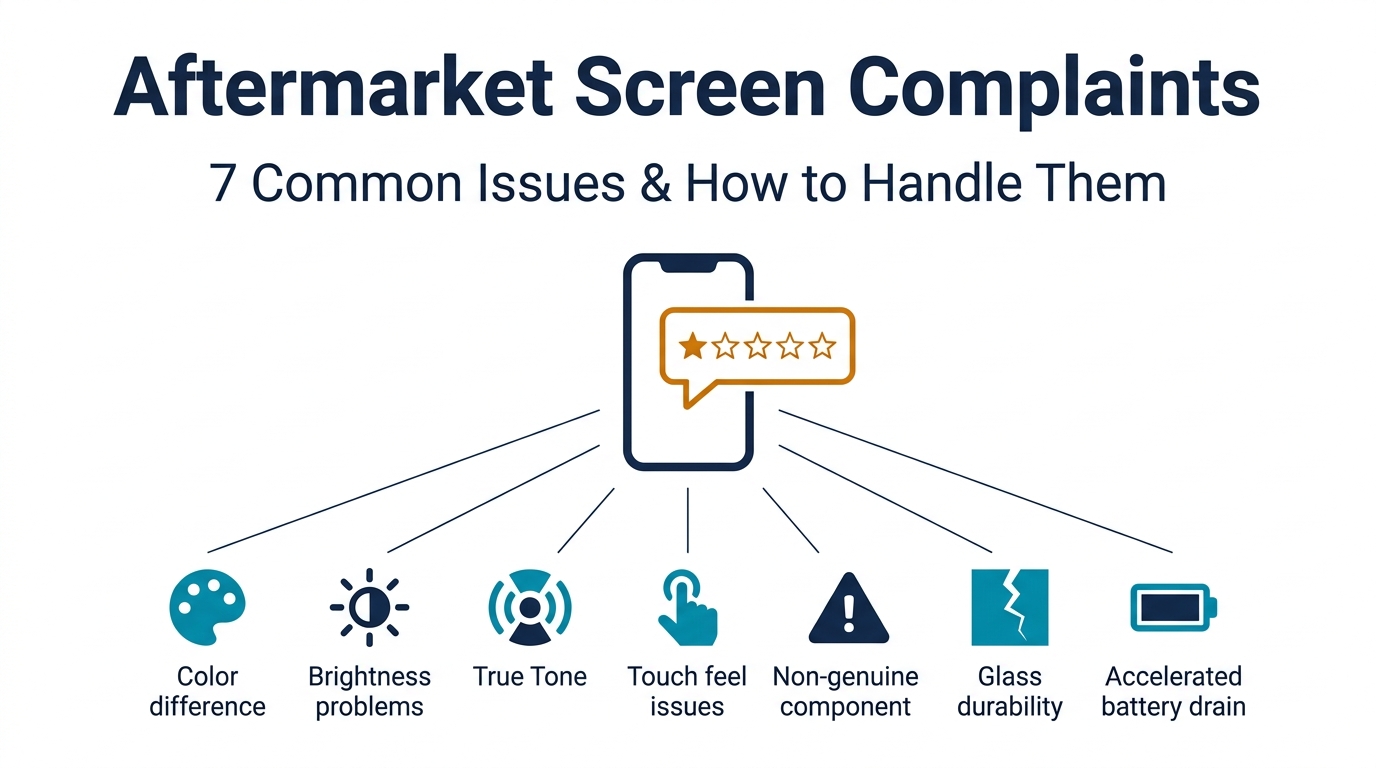
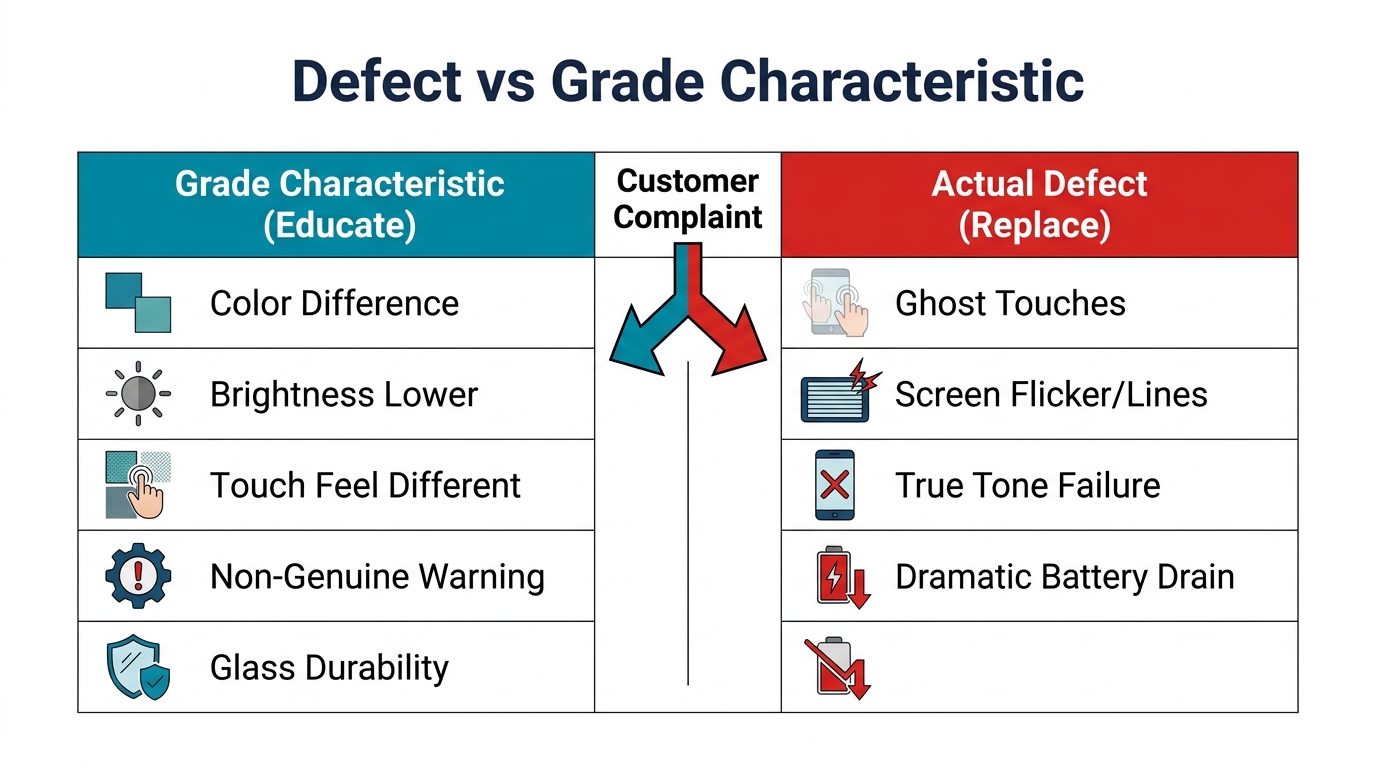
Understanding the specific complaint helps you determine whether it's a screen defect (your problem) or an expectation mismatch (a communication problem).
1. "The Colors Look Different"
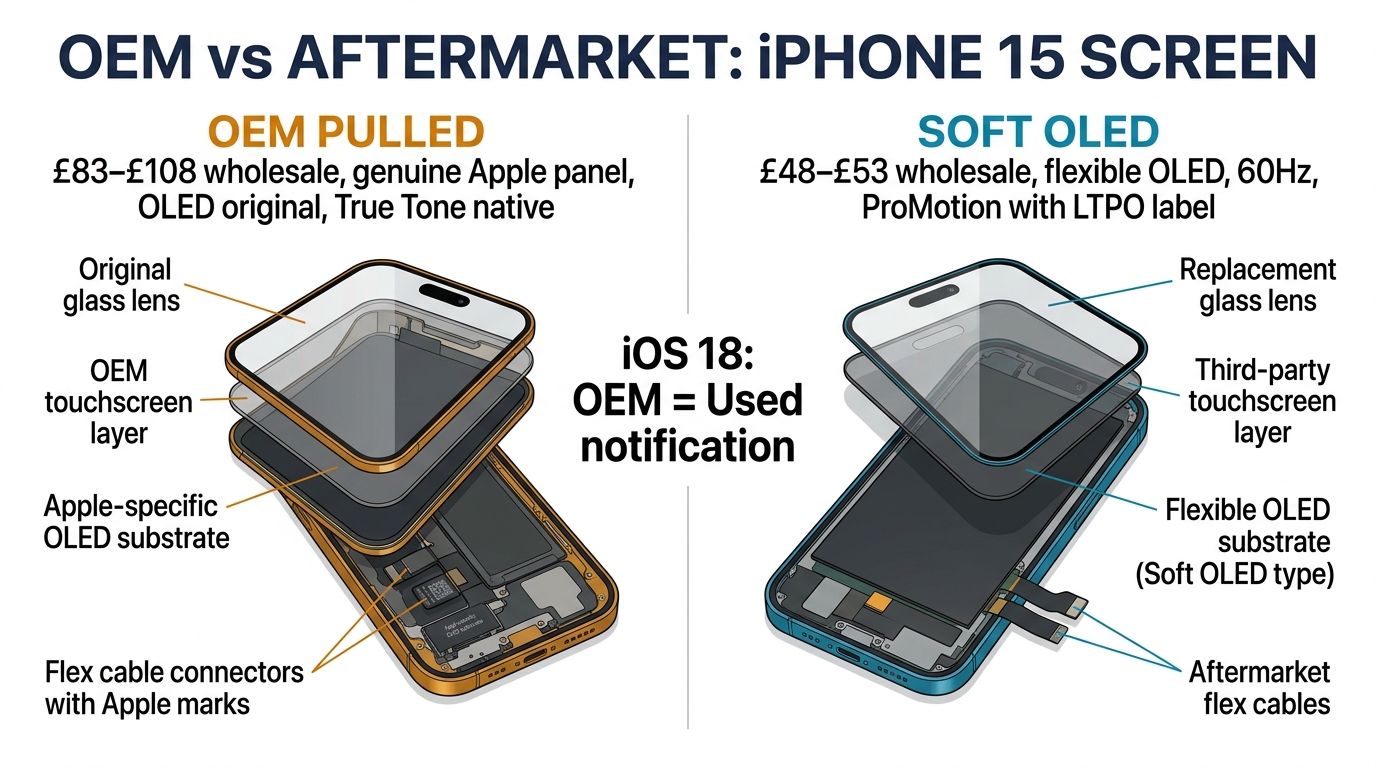
What's happening: Aftermarket screens — especially Incell and Hard OLED — have slightly different color calibration than OEM panels. Whites may appear cooler (bluer) or warmer (yellower). Color saturation may be 5-15% lower.
Is it a defect? Usually no. It's a characteristic of the screen grade, not a manufacturing defect. However, if colors are drastically off (strong green/pink tint, extreme dimness), it could be a defective panel.
Response: "Aftermarket screens use a different panel manufacturer than Apple/Samsung, which means color calibration is slightly different. It's like the difference between two TV brands — both are good, but the colors aren't identical. If the difference bothers you, we offer a premium OLED upgrade that matches the original much more closely."
2. "The Brightness Is Lower"
What's happening: Incell LCD screens max out around 450-500 nits. Original iPhone OLED screens hit 800-2000 nits depending on the model. Hard OLED reaches about 600-700 nits. In direct sunlight, the difference is noticeable.
Is it a defect? Only if the screen is dramatically dimmer than expected for its grade. A Soft OLED screen that's dimmer than a known Incell would be defective.
Response: "The screen we installed has good brightness for indoor use, but it won't match the original in direct sunlight — that's a limitation of this screen grade. If outdoor visibility is important to you, we can upgrade to a higher-grade OLED panel for the price difference."
3. "True Tone / Auto-Brightness Doesn't Work"
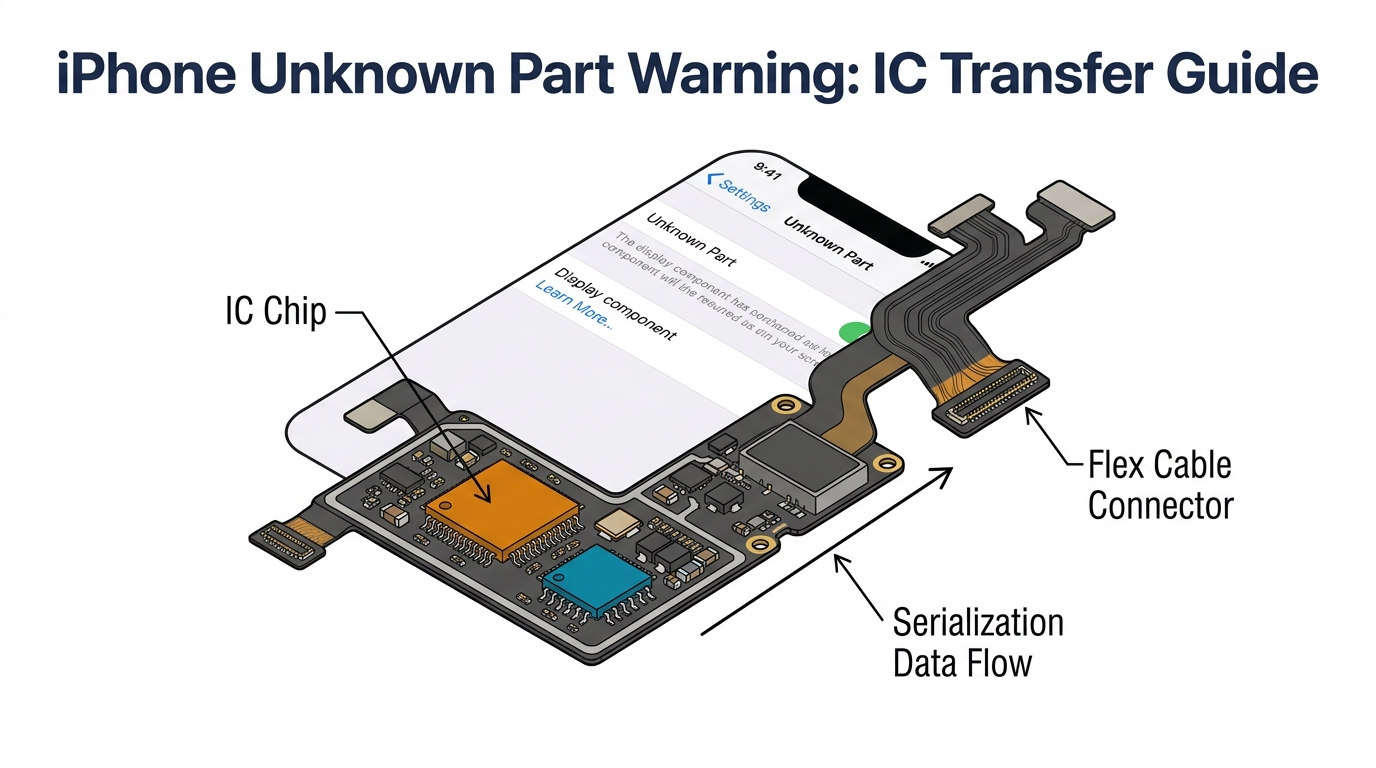
What's happening: True Tone requires data from the original iPhone screen's ambient light sensor chip. Aftermarket screens need the original IC chip transferred during installation, or a programmer to copy the data. If this step was skipped, True Tone won't function.
Is it a defect? This is an installation issue, not a screen defect. It's fixable.
Response: "True Tone requires a calibration step during installation. We can recalibrate it for you — bring the phone back and we'll have it working within 30 minutes, no additional charge."
4. "The Touch Feels Different / Less Responsive"
What's happening: Oleophobic coating quality varies across screen grades. Cheap screens feel "sticky" under the finger. Touch latency on low-grade Incell can be 10-20ms slower than OEM — enough for gamers to notice.
Is it a defect? Sticky feel is a grade characteristic. But delayed touch response, missed inputs, or ghost touches are genuine defects that warrant replacement.
Response (grade characteristic): "The screen's surface coating is slightly different from the original, which can feel different under your finger. A screen protector can normalize the feel — we can install one for you."
Response (genuine defect): "That's not normal behavior. Bring it in and we'll test it — if there's a touch responsiveness issue, we'll replace the screen under warranty."
5. "I Got the Non-Genuine Parts Warning" (iPhone)
What's happening: iOS detects non-Apple screens and shows "Unknown Part" in Settings > General > About > Parts and Service History. This is Apple's way of flagging third-party components. It doesn't affect functionality.
Is it a defect? No. Every non-Apple screen triggers this message, including high-quality Soft OLED. It's by design.
Response: "That message appears on all non-Apple screens — it's Apple's way of identifying third-party parts. It doesn't affect your phone's performance, warranty, or functionality. If having an Apple-genuine screen is important to you, the only option is Apple's own repair service at their pricing."
6. "The Screen Cracked Again Too Easily"
What's happening: Aftermarket glass quality varies. Budget screens use glass that's less impact-resistant than Gorilla Glass or Ceramic Shield used on OEM screens. The screen may crack from a drop that the original would have survived.
Is it a defect? Not unless the screen cracked without any impact. Drop damage is not covered by warranty regardless of screen quality.
Response: "All replacement screens use protective glass, but the impact resistance varies by grade. We strongly recommend a tempered glass protector — it absorbs impact for about $15 and can save you from another repair. Would you like one installed?"
Looking for screens that minimize customer complaints? Higher-grade screens mean fewer returns and happier customers. Get pricing on premium screen grades.
7. "My Phone's Battery Drains Faster Now"
What's happening: Low-quality screens — particularly TFT copies for Samsung and cheap Incell for iPhone — can draw 10-20% more power than OEM panels. Customers notice their battery lasting a few hours less per day.
Is it a defect? If the battery drain is slight (5-10% more than before), it's a grade characteristic. If the phone now dies by 3 PM when it used to last until evening, the screen may have an issue or the battery was damaged during installation.
Response: "Some variation in power consumption is normal with replacement screens. If the difference is dramatic, bring it in and we'll check both the screen and battery — it's possible the battery connector was stressed during the repair, which we'd fix under warranty."
When to Replace, Refund, or Stand Firm
Not every complaint warrants a free redo. Here's a decision framework:
| Situation | Action | Why |
|---|---|---|
| Touch dead zones, ghost touches | Replace immediately | Manufacturing defect — your warranty obligation |
| Screen flickers or has lines | Replace immediately | Defective panel |
| Colors slightly different from original | Explain grade difference, offer paid upgrade | Grade characteristic, not defect |
| True Tone not working | Fix for free | Installation error on your end |
| "Non-Genuine Part" warning | Explain, no action needed | Expected behavior for all aftermarket |
| Screen cracked from drop | Not covered by warranty | Physical damage, offer discounted re-repair |
| Brightness lower than expected | Explain grade, offer paid upgrade | Grade characteristic unless dramatically low |
| Customer demands OEM quality at aftermarket price | Stand firm, explain options | Unreasonable expectation |
The golden rule: If it's a defect, fix it fast and free. If it's a grade characteristic, educate the customer and offer an upgrade path. If it's an unreasonable demand, be professional but firm.
Prevention: How to Eliminate Most Complaints Before They Happen
80% of aftermarket screen complaints stem from mismatched expectations — not actual product problems. These practices prevent the mismatch.
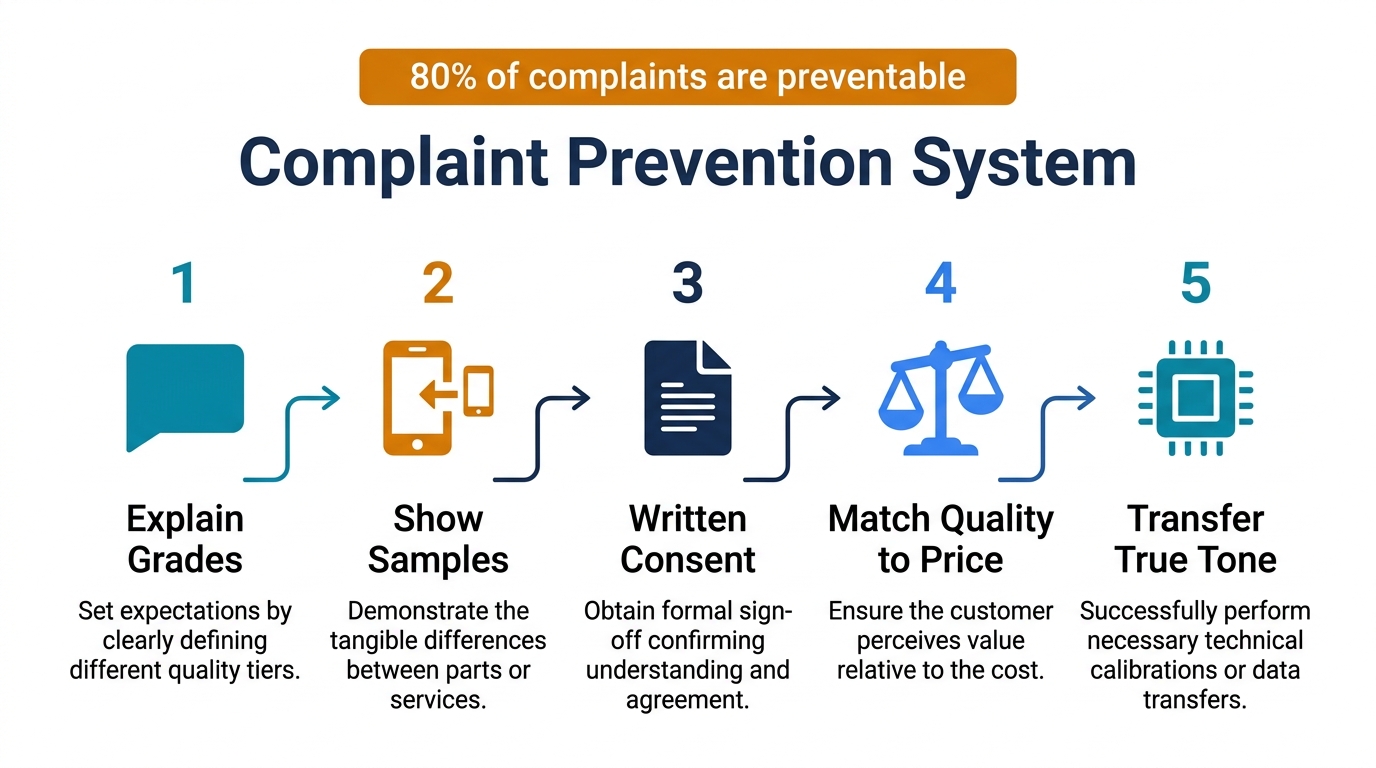
1. Explain Screen Grades Before the Repair
When a customer brings in a broken phone, present your options clearly:
"We have three screen options for your iPhone 15 Pro. Standard is $89 — it works well but colors and brightness won't be identical to your original. Premium is $149 — it's an OLED screen with much closer color accuracy. Original Quality is $219 — it's the closest match to what you had before. Which would you prefer?"
The customer chooses their trade-off. When they choose Standard and later notice a color difference, they already knew it was a possibility.
2. Show a Comparison Sample
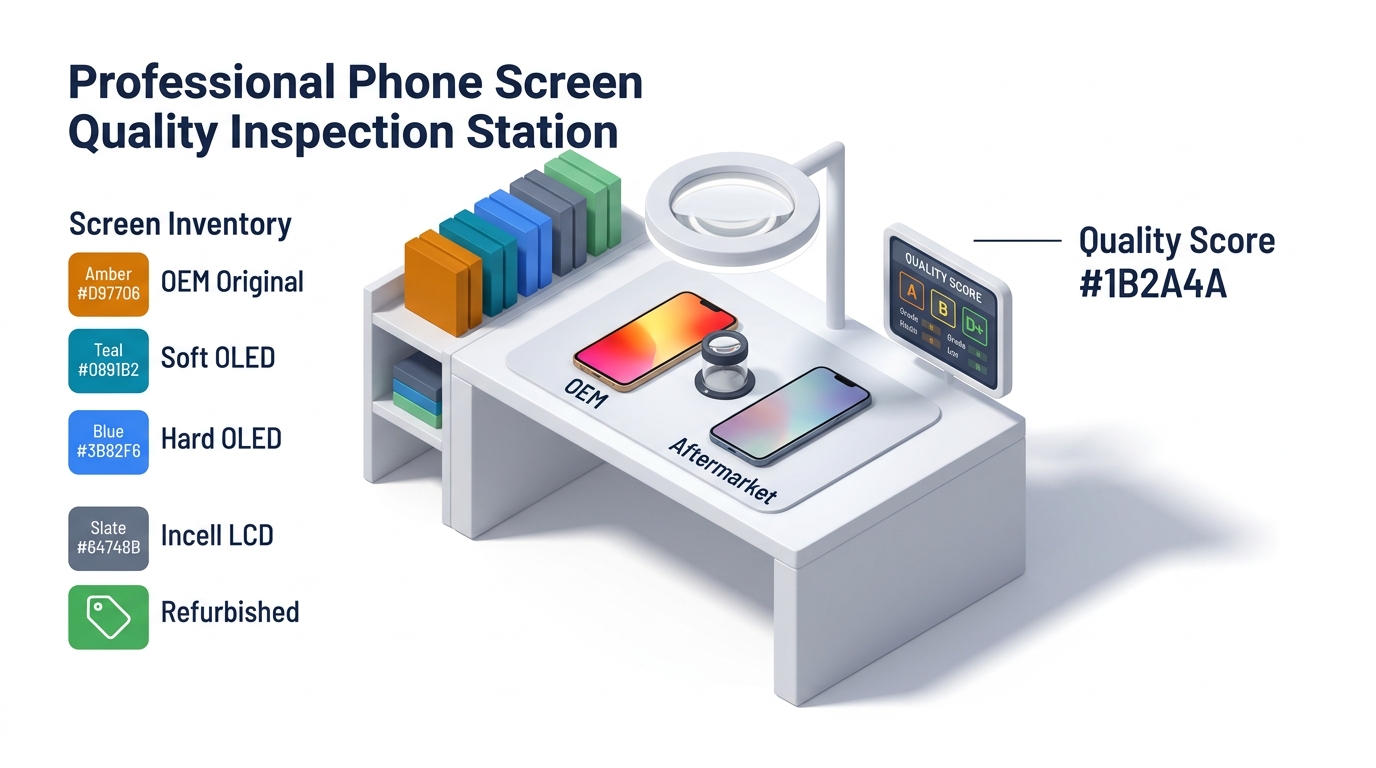
Keep a test phone or mounted sample screens at your counter. Let the customer see the actual difference between Incell, Hard OLED, and Soft OLED before committing. Seeing is believing — and it sells more Premium upgrades than any sales pitch.
3. Set Written Expectations
Include a line on your repair receipt or intake form:
"Customer has been informed that this repair uses a [Standard/Premium/Original Quality] aftermarket replacement screen, which may differ slightly from the original manufacturer's display in color, brightness, and surface feel."
Customer signature on this line prevents 90% of "I didn't know it wasn't original" complaints.
4. Use Quality Screens That Match Your Pricing
If you're charging $149 for a "Premium" repair, don't install a $12 Incell. The gap between what you charged and what you delivered is the exact space where complaints live. Your screen grade should honestly match your tier description.
For guidance on matching grades to price tiers, see our repair pricing strategy guide.
5. Do the True Tone / Sensor Transfer Right
The most preventable technical complaint is "True Tone doesn't work." Invest in a screen programmer (approximately $50-100) and transfer the ambient light sensor data on every iPhone repair. Five extra minutes prevents a callback and a frustrated customer.
Handling the 1-Star Review
Sometimes complaints bypass you and go straight to Google or Yelp. How to respond:
Don't: Get defensive, argue publicly, or reveal customer details.
Do: Acknowledge the concern, state your policy, and invite them back.
Template:
"Hi [name], we're sorry your experience didn't meet expectations. We offer multiple screen grades and always explain the differences before repair. We'd love the opportunity to make this right — please visit us or call [number] and we'll review your options, including a screen upgrade if that better matches what you're looking for."
This response shows future customers that you're professional and fair. The actual upset customer may or may not come back — but the hundreds of people who read the review before choosing a repair shop will see a business that handles problems well.
Using Complaint Data to Improve Your Supply Chain
Track every complaint in a simple spreadsheet:
- Date, phone model, screen grade, supplier, complaint type, resolution
After 30-60 days, patterns emerge:
- If one supplier's Incell screens generate 3x more complaints than another's, switch suppliers
- If 80% of complaints are about color temperature, add a color comparison step to your intake process
- If True Tone complaints spike, retrain your technicians on IC chip transfer
Your complaint log is free market research. It tells you exactly which screens to stop buying and which processes to fix. Use it alongside your incoming QC records for a complete quality picture.
Frequently Asked Questions
Are aftermarket screens really worse than original?
They're different, not necessarily worse. High-quality aftermarket OLED screens (Soft OLED grade) reach 90-95% of original quality in brightness, color accuracy, and touch response. Mid-range options (Hard OLED) hit 75-85%. Budget options (Incell LCD) are noticeably different but functional. The key is matching customer expectations to the grade installed. For detailed grade comparisons, see our OEM vs aftermarket guide.
How should I handle a customer who insists on a refund?
If the screen is functioning correctly and the complaint is about grade characteristics (not defects), offer three options: (1) a paid upgrade to a higher grade, (2) store credit toward a future repair, or (3) a partial refund reflecting the grade difference. Full refunds for working screens that the customer agreed to sets a precedent that costs you money. However, if there's a genuine defect, always replace or refund promptly — your reputation is worth more than one screen.
Should I stop selling budget screen repairs to avoid complaints?
No — budget repairs serve a real market need. Not every customer can afford $200 for a screen repair. The solution isn't eliminating budget options but ensuring customers make an informed choice. When a customer knowingly selects the $89 Standard repair over the $149 Premium, complaint rates drop dramatically because expectations are set correctly.
What warranty should I offer on aftermarket screens?
Industry standard is 30-90 days for manufacturing defects (dead pixels, touch failures, display lines). Physical damage (cracks, water) is never covered. Offering 90 days builds customer confidence and rarely costs you more than 30 days — most defective screens fail within the first week. Consider offering extended 6-month warranty as a paid add-on for additional revenue.
How do I train my staff to handle screen complaints?
Give them three tools: (1) A one-page guide of the 7 common complaints with scripted responses from this article. (2) A comparison display at the counter so they can show, not just tell. (3) Authority to make on-the-spot decisions for genuine defects.
If a technician has to say "let me ask my manager" for an obvious dead-pixel replacement, the customer loses confidence. Empower staff to resolve clear defects immediately.
Turn Complaints Into Upgrades
Aftermarket screen complaints aren't a problem to fear — they're a sales opportunity disguised as customer service. Every complaint about color accuracy is a chance to sell a Premium upgrade. Every question about "is this original?" is a chance to educate and build trust.
The shops that handle complaints well don't just retain customers — they earn referrals. Be transparent about grades, set expectations upfront, and resolve genuine defects without hesitation. That's the formula.
Need screens that generate fewer complaints? Talk to our team about sourcing higher-grade panels that match your repair pricing tiers.