iPhone 'Unknown Part' Warning After Screen Replacement: What Causes It and Which Screens Support IC Transfer
The iPhone unknown part screen replacement warning is the most misunderstood issue in third-party repair. You replaced a screen, powered it on, and Settings now shows "Unknown Part" under Parts and Service History. The screen works perfectly — touch, display, brightness all fine — but that warning sits there, and your customer notices it within the first hour. This is the single most common post-repair complaint for iPhone screen replacements from iPhone 11 onward, and it's driven more customer callbacks than actual screen defects.
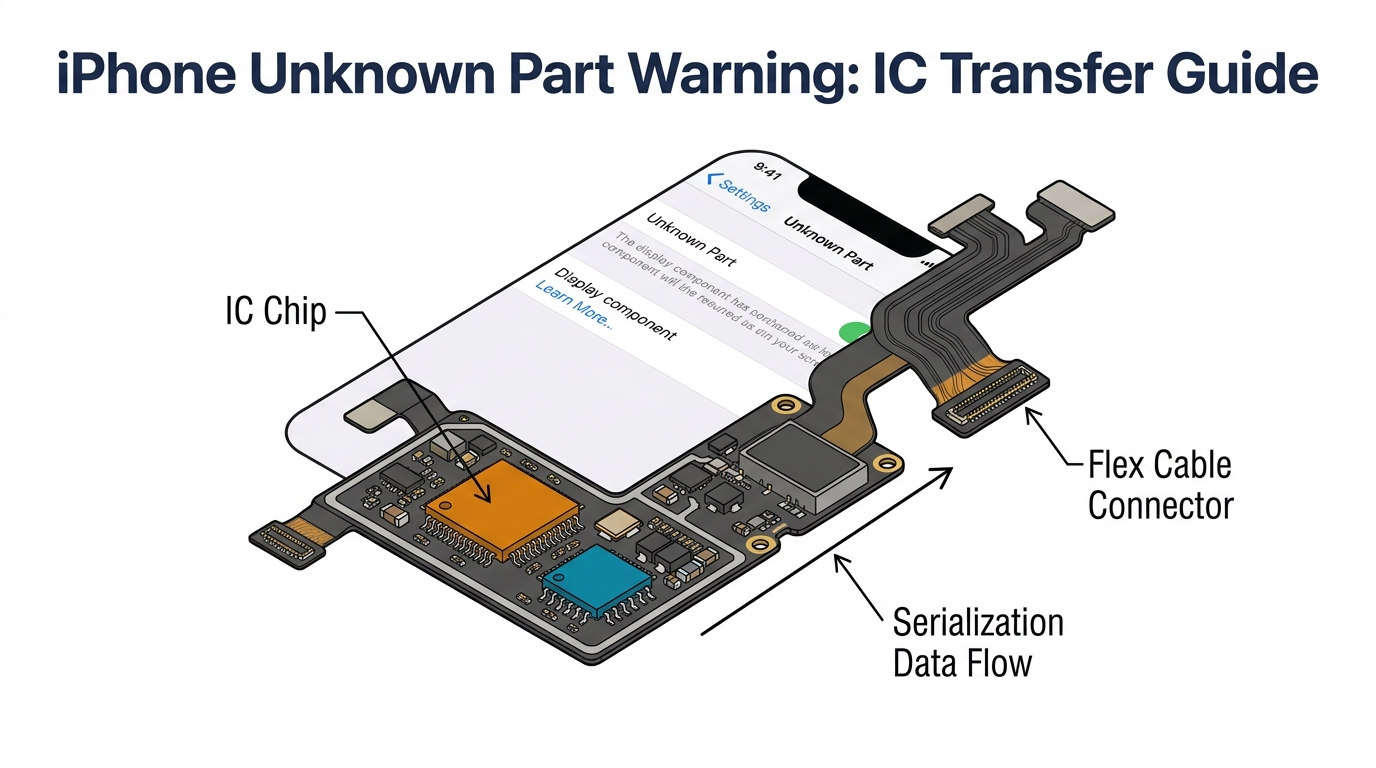
The warning appears because Apple serializes specific chips on the screen's flex cable and checks them against the device's stored pairing data. When the chip doesn't match — because you installed an aftermarket screen, or even an OEM screen from a different device — iOS flags it. The warning doesn't affect functionality, but it affects customer confidence, which affects your callback rate.
Here's what actually triggers it, which screens avoid it, and how your screen sourcing decisions should account for it.
Sourcing Replacement Screens in Bulk?
Incell / Hard OLED / Soft OLED grades — wholesale pricing, grade comparison on request.
Get Wholesale QuoteWhat Triggers the iPhone Unknown Part Screen Replacement Warning
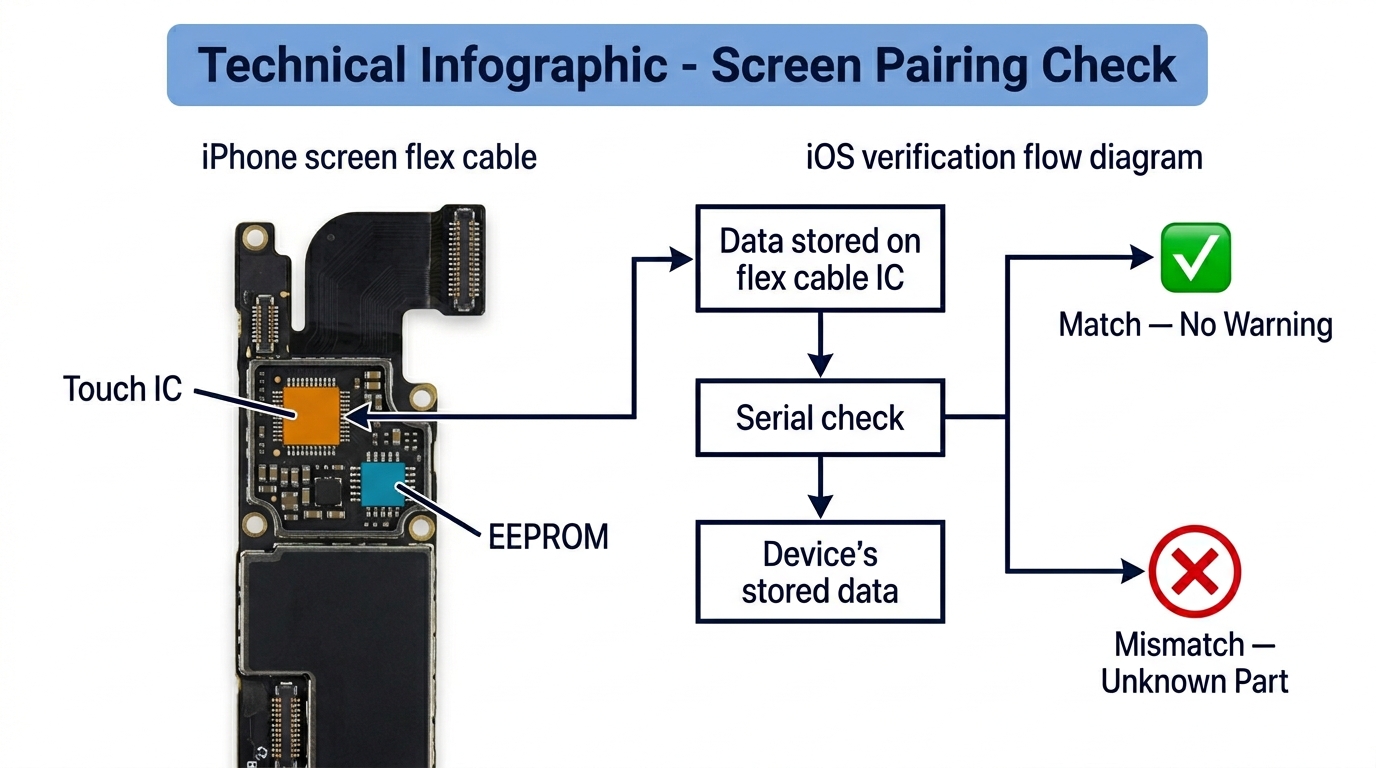
Apple introduced part serialization with iPhone 12, and expanded it across more components with each subsequent iOS version. For screens specifically, two things are being checked:
1. The Touch IC (T-IC): This chip on the screen's flex cable handles touch input and carries a unique serial number paired to the specific iPhone at the factory. When you install a screen with a different T-IC serial, iOS detects the mismatch and shows "Unknown Part" in Settings > General > About.
2. EEPROM / Display Data: On iPhone 13 Pro and later models with ProMotion, additional display calibration data (including True Tone values) is stored on a chip that's also serialization-checked.
What this means in practice:
| Scenario | Warning Appears? | True Tone Works? |
|---|---|---|
| OEM screen from the same iPhone (re-installed) | No | Yes |
| OEM screen from a different iPhone (no IC transfer) | Yes | No |
| Aftermarket screen with IC transferred from original | No | Yes |
| Aftermarket screen without IC transfer | Yes | No |
| Aftermarket screen with programmer-written data only | Yes (on most models) | Yes (if programmed) |
The key insight for buyers: the warning is about the IC chip pairing, not the screen quality. A $12 Incell screen with the original IC properly transferred will show no warning, while a $40 OEM pull from a different phone without IC transfer will show "Unknown Part."
iPhone Model-by-Model: IC Transfer and Warning Compatibility
Not every iPhone handles the warning the same way. The IC transfer requirements have changed across models, and the difficulty varies significantly. This matters for your sourcing because it determines how much labor each screen replacement requires — and which screens are worth stocking.
| iPhone Model | Warning Type | IC Transfer Required? | IC Transfer Difficulty | True Tone Programmable? |
|---|---|---|---|---|
| iPhone 11 / 11 Pro / 11 Pro Max | "Important Display Message" | No — warning is cosmetic only | N/A | Yes, via programmer |
| iPhone 12 / 12 mini / 12 Pro / 12 Pro Max | "Unknown Part" | Yes, T-IC soldering | Medium — requires hot air + soldering iron | Yes, via programmer |
| iPhone 13 / 13 mini | "Unknown Part" | Yes, T-IC soldering | Medium | Yes, via programmer |
| iPhone 13 Pro / 13 Pro Max | "Unknown Part" | Yes, T-IC soldering (more complex) | High — ProMotion flex layout is tighter | Yes, via programmer |
| iPhone 14 / 14 Plus | "Unknown Part" | Yes, T-IC soldering | Medium | Yes, via programmer |
| iPhone 14 Pro / 14 Pro Max | "Unknown Part" | Yes, T-IC soldering | High | Yes, via programmer |
| iPhone 15 / 15 Plus | "Unknown Part" | Yes, T-IC or flex swap | Medium | Yes, via programmer |
| iPhone 15 Pro / 15 Pro Max | "Unknown Part" | Yes, T-IC soldering | High | Yes, via programmer |
| iPhone 16 series | "Unknown Part" | Yes, T-IC soldering | High — new flex layout | Limited programmer support |
Key takeaways for buyers:
- iPhone 11 series: Simplest — no IC transfer needed, only True Tone programming. Stock any grade confidently.
- iPhone 12–14 standard models: IC transfer is straightforward with basic micro-soldering skill. Most repair shops handle this in 10–15 minutes.
- Pro/Pro Max models (13 Pro+): IC transfer is more complex due to ProMotion display flex layout. Takes 20–30 minutes of skilled micro-soldering. Factor this labor cost into your per-repair margin calculation.
- iPhone 16 series: Newest models with evolving serialization. Programmer support is still catching up — verify with your programmer brand (JC, i2C, JCID) before stocking in volume.
Screen Grade and IC Transfer Compatibility
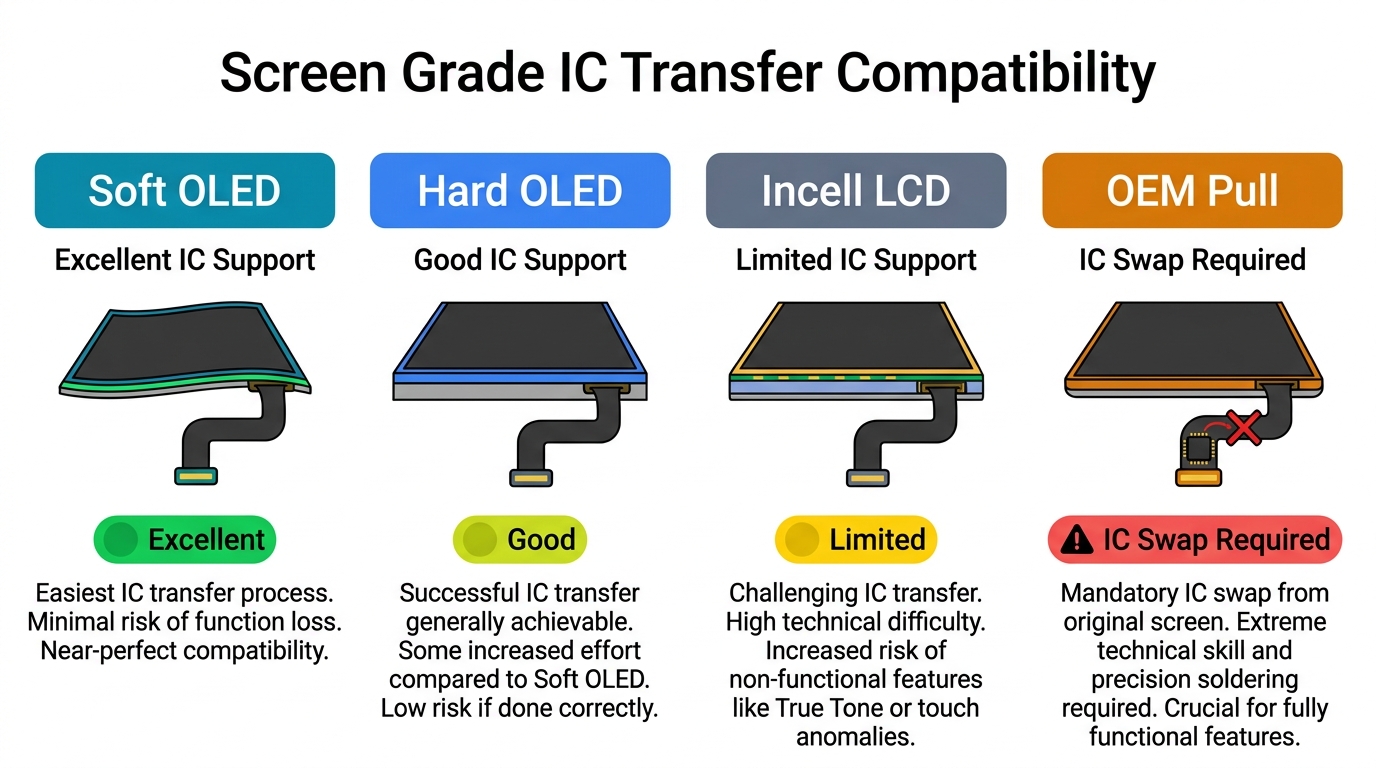
Not all aftermarket screen grades handle IC transfer equally. The flex cable design determines whether the original IC can be physically transferred — and some screen grades make this easier than others.
Soft OLED Screens
- IC transfer support: Excellent. Most Soft OLED suppliers design their flex cables with dedicated pads for IC transplant.
- True Tone: Programmable via JC/i2C/JCID without IC transfer. With IC transfer, True Tone works natively.
- Best for: Pro models and customers who will check Settings. Highest aftermarket grade, closest to OEM display quality.
Hard OLED Screens
- IC transfer support: Good on most brands, but flex cable pad layout varies between manufacturers. Always verify pad compatibility with a test unit before ordering in bulk.
- True Tone: Programmable. Some Hard OLED screens include a pre-soldered EEPROM chip that accepts True Tone data directly — eliminating the need for IC transplant in some configurations.
- Best for: Mid-range repairs where display quality matters but budget is tighter than Soft OLED.
Incell LCD Screens
- IC transfer support: Limited. Many Incell screens use simplified flex cables that don't include proper IC transplant pads. Some newer Incell models from premium manufacturers now support it, but compatibility varies widely.
- True Tone: Programmable on most, but the "Unknown Part" warning will persist on iPhone 12+ without IC transfer.
- Best for: Budget repairs where the customer prioritizes price over Settings warnings. Best combined with clear customer communication about what the warning means.
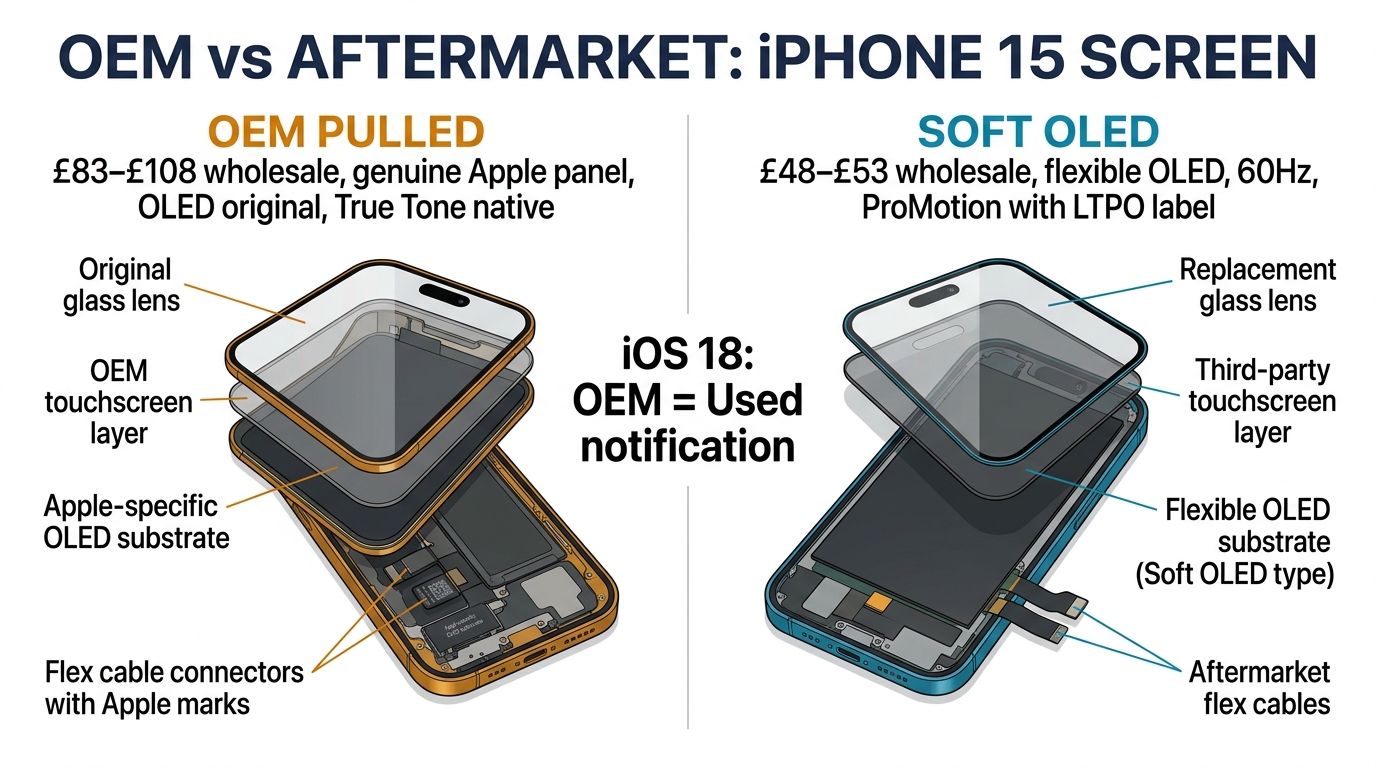
OEM Pull / OEM Refurbished Screens
- IC transfer support: Not applicable in the same way. OEM pull screens already have an IC — but it's paired to a different iPhone. You still need to either transfer the customer's original IC or use a programmer to re-pair.
- True Tone: Present on the screen's original chip, but paired to the wrong device. Requires reprogramming or IC swap.
- Best for: Highest quality, but IC management is still required.
The sourcing decision: If your shop does IC transfers routinely, any grade works — choose based on display quality and margin. If your shop doesn't do micro-soldering (or doesn't want to), prioritize screen suppliers whose Soft OLED and Hard OLED screens come with pre-configured flex cables that accept programmer-written data, reducing the need for physical IC transplant.
What This Means for Your Screen Sourcing Decisions
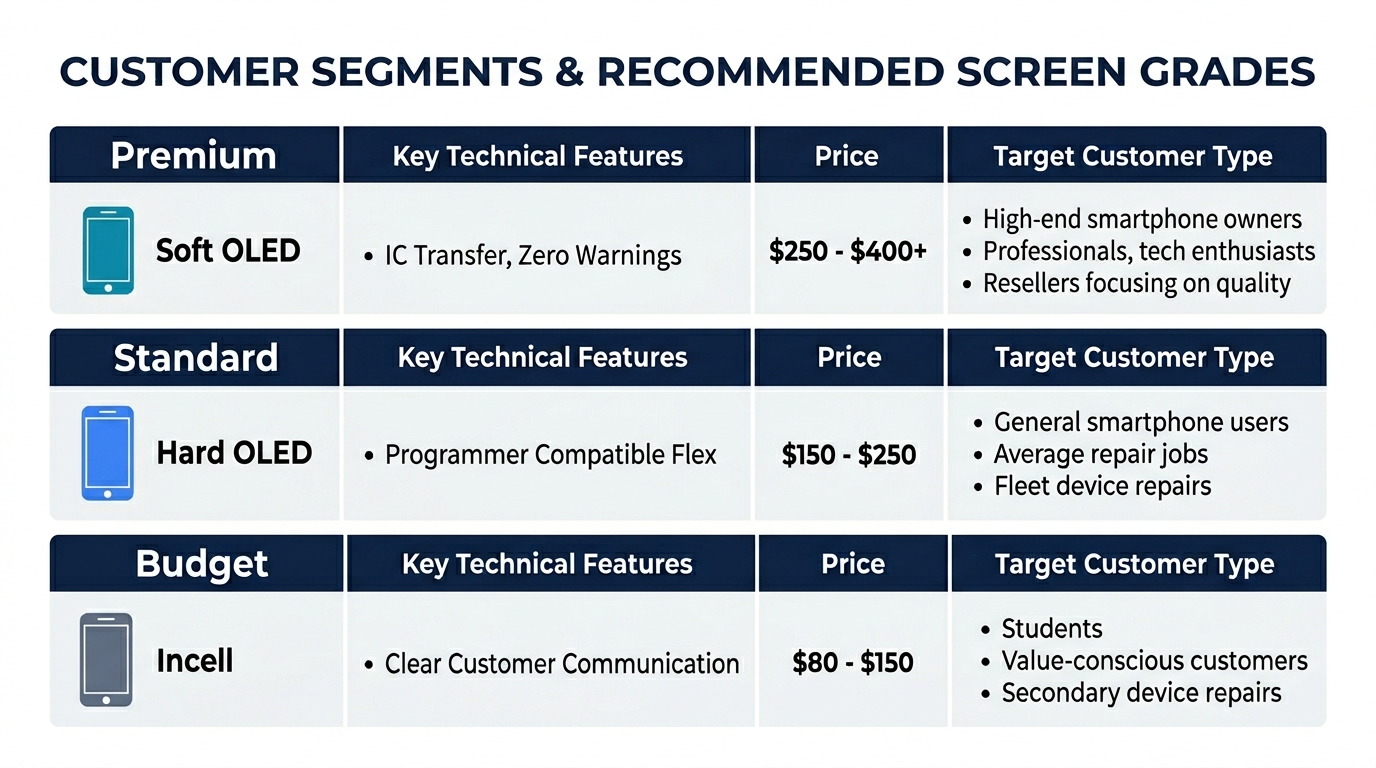
The "Unknown Part" warning has changed how repair shops should think about screen inventory. Here's the practical framework:
Factor the IC transfer into your per-repair cost:
- IC transfer tools (JC V1S, i2C, or similar): $50–100 one-time investment
- IC transfer labor: 10–30 minutes depending on model and technician skill
- At $30–50/hour shop rate, that's $5–25 in labor per repair
- If you're doing 5+ screen replacements daily, the tool pays for itself in the first week
Ask your supplier these questions before ordering:
- Does this screen's flex cable support IC transplant? (Get a yes/no per model)
- Is there a pre-soldered EEPROM that accepts programmer data? (Eliminates physical IC transfer on some models)
- Which programmer brands are compatible? (JC, i2C, JCID — not all work with all screens)
- Has the flex cable design changed from the previous batch? (Prevents surprises when your technique suddenly doesn't work)
Stock strategy by customer segment:
- Premium customers (want zero warnings, True Tone, OEM feel): Stock Soft OLED + do IC transfer. Charge accordingly — the labor and screen cost justify a higher repair price.
- Standard customers (want a working screen at a fair price): Stock Hard OLED with programmer-compatible flex. Program True Tone, accept the "Unknown Part" notation, and explain it upfront.
- Budget customers (price-sensitive, functional repair): Stock Incell. The warning will appear, True Tone may be limited — set expectations during intake and price the repair lower.
For a detailed comparison of screen types across all these factors, see our guide on Incell vs Hard OLED vs Soft OLED: which screen type to order.
Need screens with verified IC transfer compatibility? PRSPARES documents flex cable IC support and programmer compatibility for every screen grade we ship. Request a quote with compatibility data.
Frequently Asked Questions
Does the 'Unknown Part' warning affect screen functionality?
No. The warning is purely informational — it appears in Settings > General > About under Parts and Service History. Touch, display, brightness, and all screen functions work normally regardless of the warning. The only functional loss is True Tone (if not programmed or IC-transferred) and auto-brightness calibration on some models. The real impact is customer perception — many customers interpret the warning as meaning their screen is defective or counterfeit, which drives callbacks even when nothing is wrong.
Can I remove the warning without soldering or IC transfer?
On iPhone 11 series, yes — a simple True Tone programmer removes the "Important Display Message" without any soldering. On iPhone 12 and later, the warning can only be fully removed by transferring the original screen's Touch IC to the new screen via micro-soldering, or by using Apple's proprietary pairing process (available only to Apple Authorized Service Providers). Some programmers claim to remove the warning via software, but results are inconsistent and often don't survive iOS updates.
Which programmer should I buy for IC data transfer?
The three most widely used programmers in the repair industry are JC V1S/V1SE, i2C i6S, and JCID V1SE. All three support True Tone programming and battery data reading/writing. For IC transfer, the programmer handles the data side (True Tone calibration values), while the physical IC transplant requires micro-soldering equipment (hot air station, soldering iron, flux, solder paste). Budget $50–100 for the programmer and $100–200 for a basic micro-soldering setup if you don't already have one.
Should I tell customers about the 'Unknown Part' warning before the repair?
Yes — always. Proactive communication prevents reactive complaints. Explain during intake: "After replacement, your iPhone will show an 'Unknown Part' note in Settings. This is Apple's notification that the screen wasn't installed at an Apple store — it doesn't affect how the screen works." Shops that communicate this upfront report significantly fewer callbacks related to the warning. For more on managing customer expectations with aftermarket parts, see our guide on handling customer complaints about aftermarket screens.
Stock Screens That Match Your Shop's IC Transfer Capability
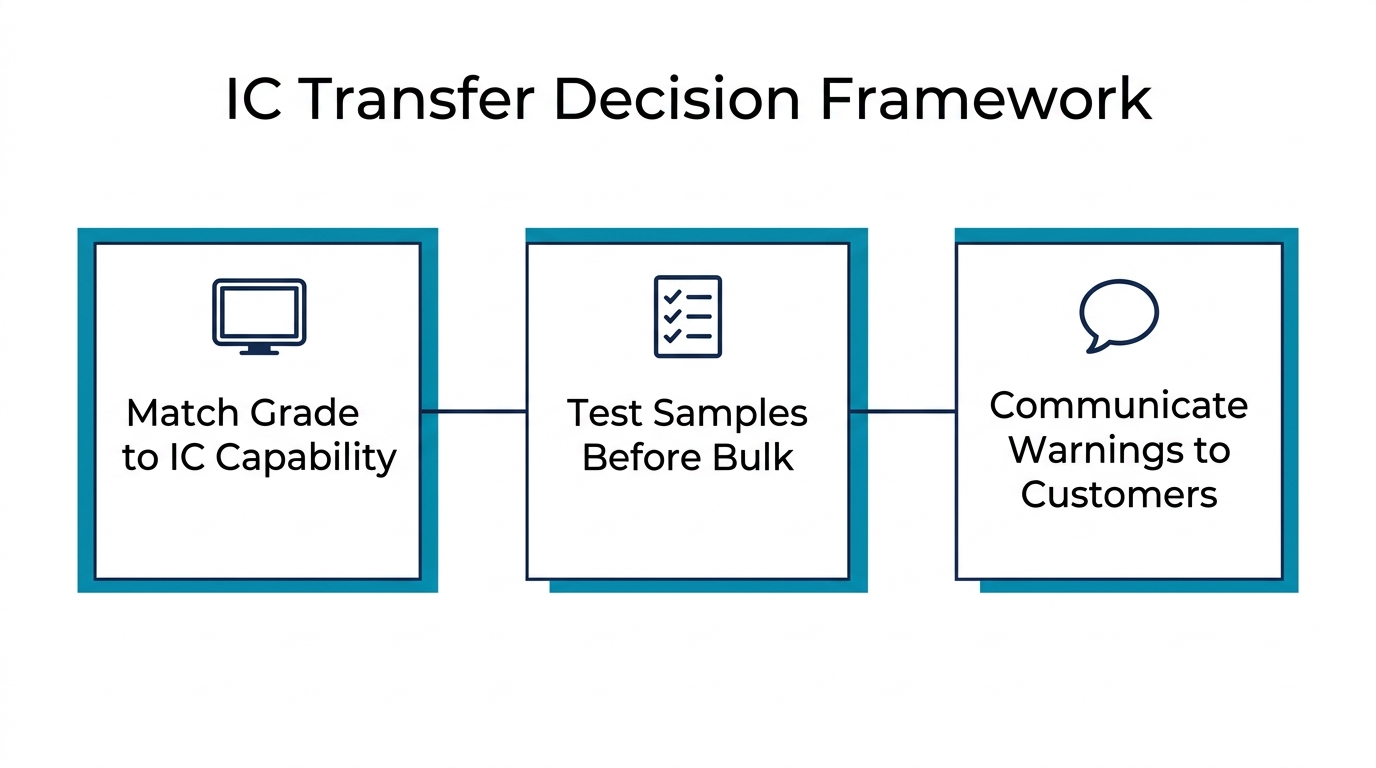
The iPhone unknown part screen replacement warning isn't going away — Apple has expanded serialization with every new model and iOS version. For repair shops and wholesale buyers, the practical response isn't to fight it but to build it into your workflow and sourcing decisions.
Match your screen grade to your IC transfer capability: Soft OLED if you do micro-soldering, Hard OLED with programmer-compatible flex for mid-range, Incell with clear customer communication for budget repairs. The shops that handle this best aren't the ones with the most expensive screens — they're the ones that set customer expectations correctly and choose screen grades that align with their technical setup.
Looking for screens with documented IC transfer compatibility per model? PRSPARES provides flex cable IC support details and programmer compatibility data with every order. Request screens with IC compatibility specs.
Related reading: OEM vs Aftermarket Phone Screens: What Wholesale Buyers Need to Know | How to Verify Original Phone Screens Without Trusting Supplier Labels