iPhone Battery Draining Fast: Causes and When Repair Shops Should Replace It
"My iPhone battery is draining fast" — if you run a repair shop, you hear this five times a week. The customer walks in frustrated, phone at 30% by lunchtime, expecting you to fix it. An iPhone battery draining fast has multiple causes, and not all of them require a new battery. Replacing a perfectly good battery wastes parts and your time. Missing a genuinely degraded battery means the customer comes back next week, angrier.
The difference between a profitable battery service and a callback headache is accurate diagnosis. Most online guides tell customers to turn off Background App Refresh and lower their brightness — useful advice, but it doesn't help you as a repair professional decide whether to sell a $40-60 battery replacement or send the customer home with settings adjustments.
This guide covers the full diagnostic process from a repair shop perspective: what causes an iPhone battery to drain fast, how to tell software issues from hardware failure, when replacement is the right call, and what battery quality actually matters for your customer's long-term satisfaction.
Buying Phone Batteries Wholesale?
OEM-cell batteries with safety packaging — iPhone, Samsung & more, factory-direct.
Get Wholesale QuoteWhy Is Your iPhone Battery Draining Fast? The Two Categories
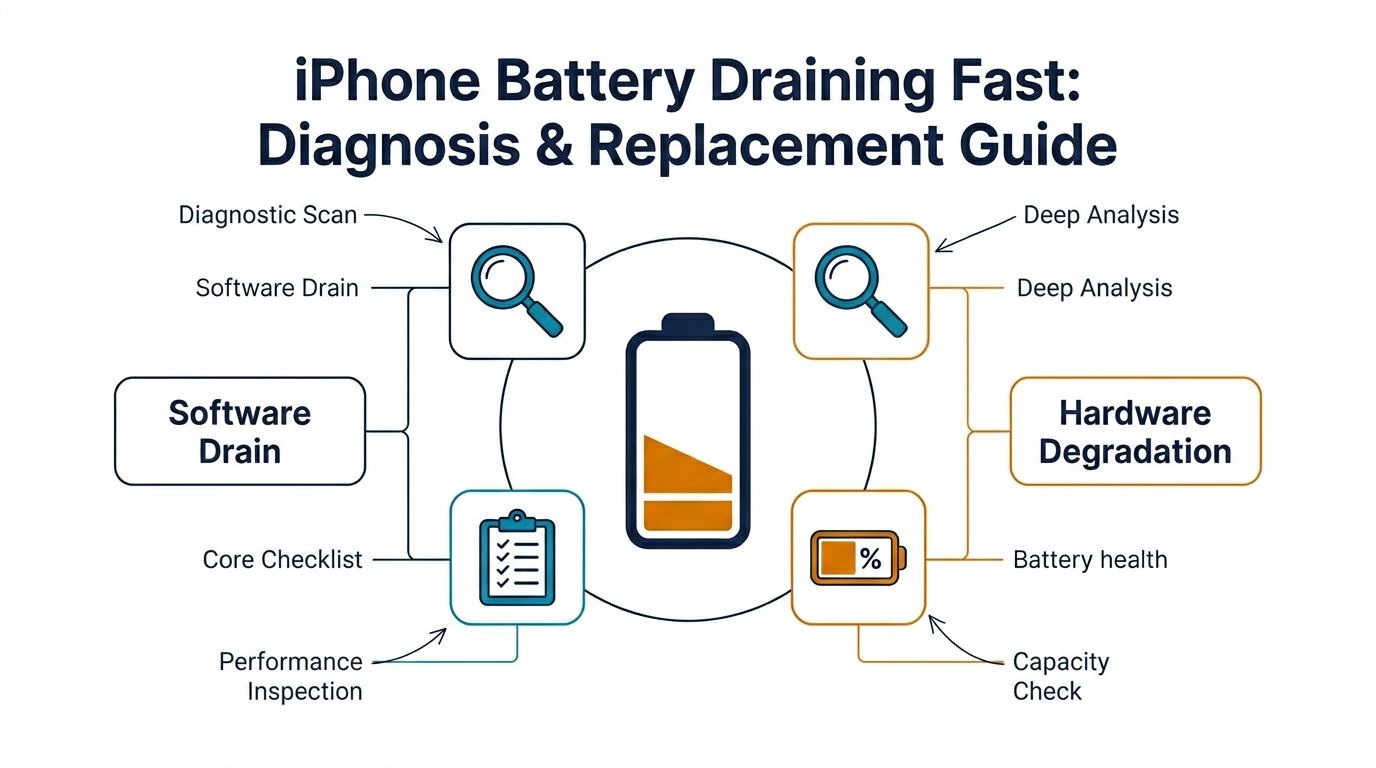
Every case of an iPhone battery draining fast falls into one of two categories: software drain or hardware degradation. Your job is figuring out which one you're dealing with before recommending a repair.
Software-Related Battery Drain
Software drain means the battery itself is fine, but something on the phone is consuming power abnormally. Common causes:
- Runaway background processes: A misbehaving app stuck in a loop can drain 20-30% per hour. Check Settings → Battery for apps with unusually high usage percentages relative to screen time.
- Poor cellular signal: When an iPhone constantly searches for signal (one bar or less), the radio draws significantly more power. Customers in areas with weak coverage will always see faster drain.
- Location services overuse: Apps with "Always" location access keep the GPS active. Social media apps and weather widgets are frequent offenders.
- iOS bugs after updates: Major iOS updates (especially in the first few weeks) often cause temporary battery drain as Spotlight re-indexes and background processes settle. iOS 17 and iOS 18 both had widely reported post-update drain issues.
- Widgets and Live Activities: Dynamic widgets on the home screen and Lock Screen pull data continuously. A customer with 8-10 widgets refreshing every 15 minutes is adding measurable drain.
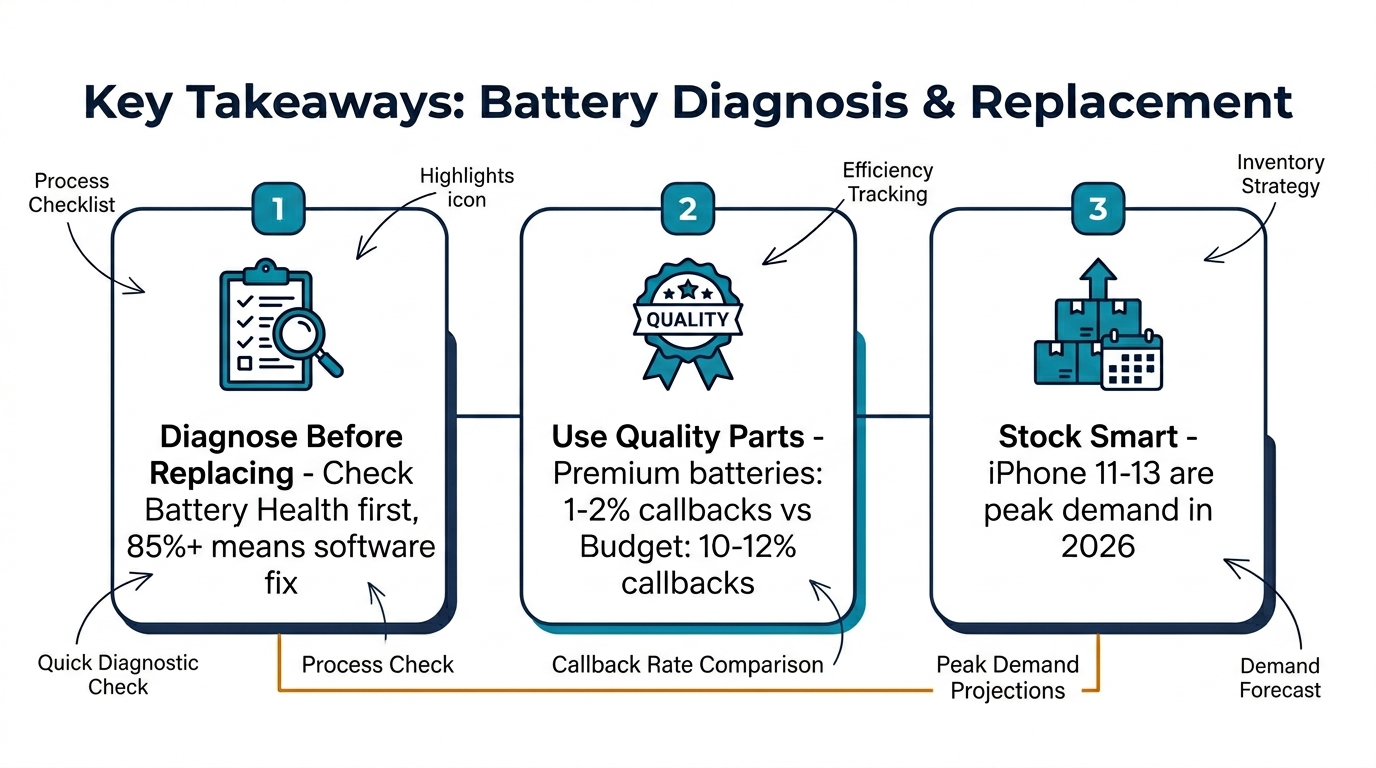
The repair shop takeaway: If the customer's Battery Health shows 85% or above and the drain started recently (especially after an update or installing a new app), software is almost certainly the cause. You can help them identify the offending app or setting — but this isn't a parts replacement job.
Hardware-Related Battery Drain
Hardware drain means the battery cell itself has degraded to the point where it can no longer hold a useful charge. This is the scenario where replacement is the right answer.
Lithium-ion batteries degrade through two mechanisms:
- Cycle degradation: Every full charge-discharge cycle causes slight chemical changes in the cell. After 500 cycles, most iPhone batteries retain about 80% of original capacity. After 800 cycles, many drop below 70%.
- Calendar aging: Even if the phone sits in a drawer, the battery degrades over time. A 4-year-old battery that's only been through 200 cycles will still have measurably less capacity than when it was new.
Signs it's hardware, not software:
- Battery Health below 80% (Settings → Battery → Battery Health & Charging)
- Phone shuts down unexpectedly at 15-20% remaining
- The battery percentage jumps erratically (goes from 40% to 15% in minutes)
- Physical swelling — the screen lifts slightly from the frame, especially visible at the bottom edge
- The phone gets noticeably warm during normal use (not gaming or video calls)
The 5-Minute Battery Diagnosis Workflow
When a customer brings in an iPhone with battery drain complaints, this workflow gets you to the right answer quickly:
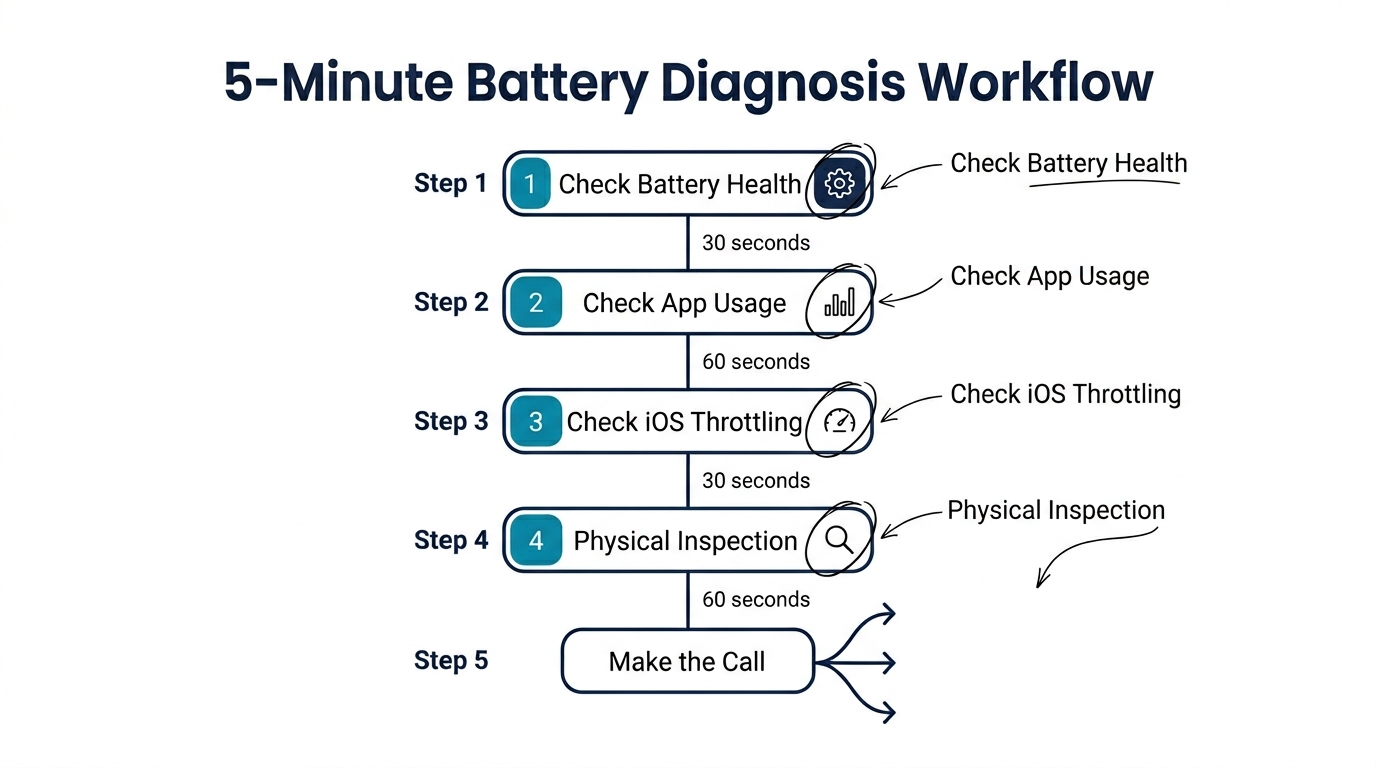
Step 1: Check Battery Health (30 seconds)
Go to Settings → Battery → Battery Health & Charging. This gives you the Maximum Capacity percentage and whether Peak Performance Capability has been throttled.
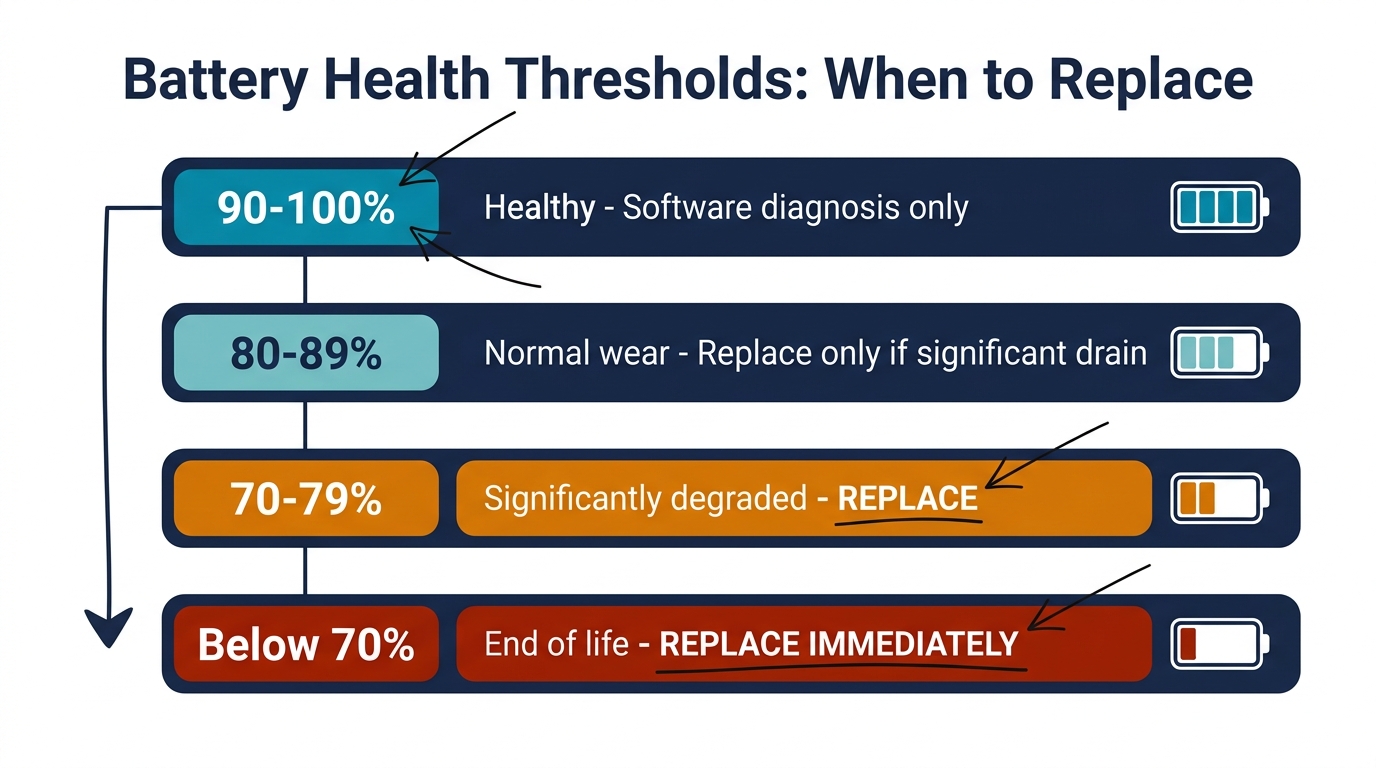
| Battery Health | What It Means | Recommended Action |
|---|---|---|
| 90-100% | Battery is healthy | Software diagnosis — don't replace |
| 80-89% | Normal wear, still functional | Replace only if customer reports significant drain + has owned phone 2+ years |
| 70-79% | Significantly degraded | Replace — this battery is causing real-world issues |
| Below 70% | End of useful life | Replace immediately — phone is likely throttling performance |
Step 2: Check Battery Usage by App (60 seconds)
Go to Settings → Battery and review the last 24 hours and last 10 days. Look for:
- Any single app using more than 30% of battery
- High "Background Activity" time vs. screen time for any app
- "No Cell Coverage" or "Low Signal" appearing as significant percentages
If one app dominates the usage, the battery itself probably isn't the problem.
Step 3: Check for iOS Throttling (30 seconds)
Under Battery Health, if you see "Performance management has been applied," the phone has already experienced an unexpected shutdown due to battery degradation. This is a strong indicator for replacement.
Step 4: Physical Inspection (60 seconds)
Remove the phone case and check:
- Is the screen sitting flush, or is there a slight gap at the bottom? A gap suggests battery swelling.
- Press gently on the back of the phone near the bottom. If you feel give or the screen lifts, the battery is swollen.
- Check the charging port for debris — poor charging connection means incomplete charge cycles, which looks like "fast drain" to the customer.
Step 5: Make the Call
Based on steps 1-4, you'll fall into one of three outcomes:
- Software fix: Battery Health 85%+, drain linked to specific app or setting → Help the customer adjust settings, no parts needed
- Battery replacement: Battery Health below 80%, or showing throttling/shutdowns → Quote the replacement
- Further diagnosis needed: Battery Health looks okay but physical symptoms present → Open the phone, inspect the battery visually for swelling or damage
What to Tell the Customer
How you explain the diagnosis affects whether the customer pays for the repair or walks out the door. Here's what works:
When it's software (no replacement needed): "Your battery health is at [X]%, which is still good. The drain is coming from [specific app/setting]. Let me show you how to fix it." This builds trust — you're not upselling a battery they don't need, and they'll come back when they actually do need one.
When it's hardware (replacement needed): "Your battery is at [X]% health — iPhone batteries are designed to last about 500 charge cycles, and yours has passed that point. That's why the phone drains so fast and shuts down unexpectedly. A new battery will bring it back to 100% capacity and stop the shutdowns." Frame it in terms of what the customer will experience, not technical specs.
When it's borderline (80-85% range): "Your battery is at [X]%, which is starting to wear. It's not critical yet, but if the drain is bothering you, a replacement will make a noticeable difference. The alternative is adjusting some settings to reduce power consumption." Give the customer the choice — this is where tiered pricing (economy vs. premium battery) works well.
Which iPhone Models Need Battery Replacement Most Often?
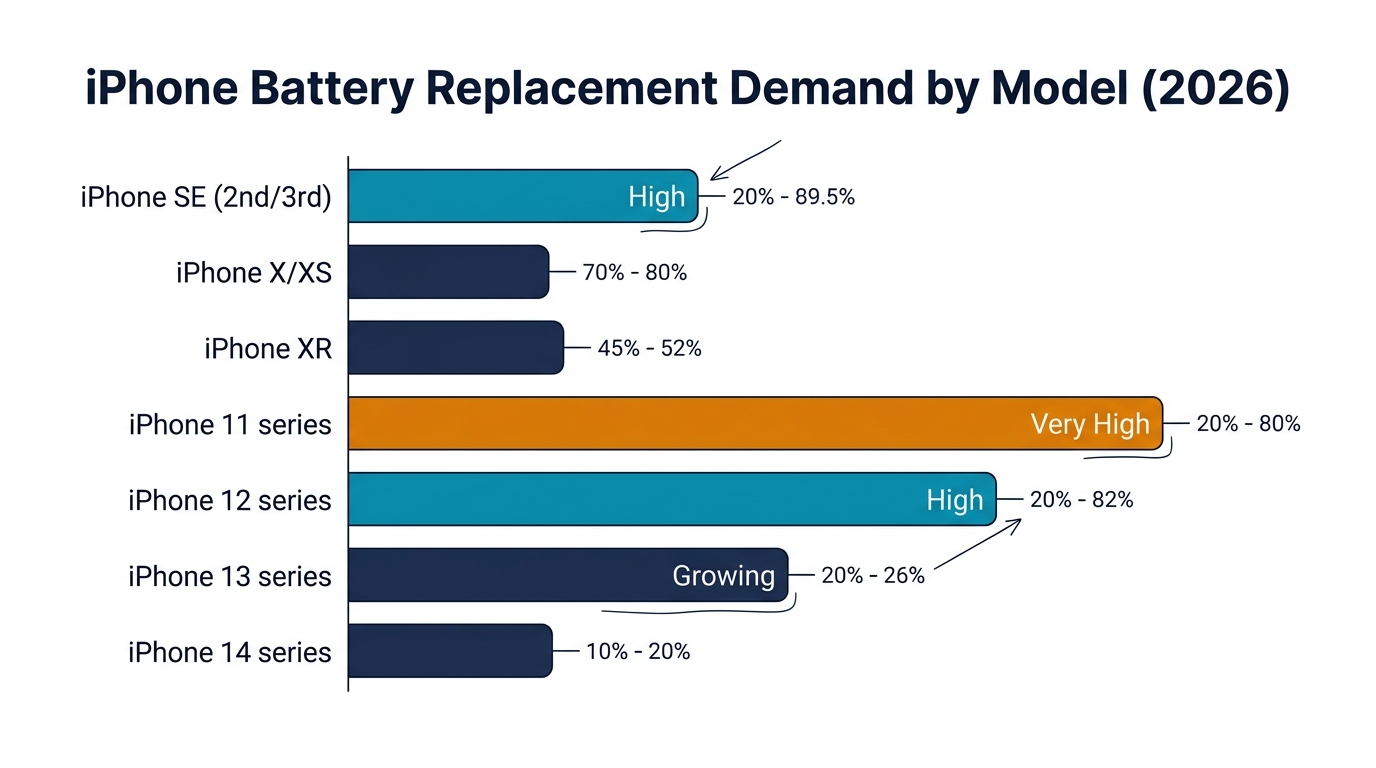
Not every model walks through your door at the same rate. Understanding the replacement cycle helps you stock the right batteries:
| iPhone Model | Age in 2026 | Battery Health Trend | Replacement Demand |
|---|---|---|---|
| iPhone X / XS | 7-8 years | Most below 70% | Moderate (fewer still in use) |
| iPhone XR | 7 years | 65-75% typical | Moderate |
| iPhone 11 series | 6 years | 70-80% typical | Very High — peak replacement cycle |
| iPhone 12 series | 5 years | 75-85% typical | High — entering replacement cycle |
| iPhone 13 series | 4 years | 80-88% typical | Growing — 2026 is when these hit 80% |
| iPhone 14 series | 3 years | 85-92% typical | Low — mostly premature drain complaints |
| iPhone SE (2nd/3rd) | 4-6 years | 70-82% typical | High — smaller battery degrades faster |
The sweet spot for stocking: iPhone 11 and 12 series batteries should be your highest inventory. These phones are old enough that most batteries are degraded, but new enough that customers still want to keep them. iPhone 13 batteries should be your growing stock — they're entering the replacement window right now.
For detailed guidance on which batteries to stock and what to check before ordering, see our iPhone battery bulk buying checklist.
Why Battery Quality Matters More Than You Think
Here's where most repair shops lose money: they nail the diagnosis, correctly identify a degraded battery, do a clean installation — and then get a callback three months later because the replacement battery is already at 90% health.
The problem isn't the diagnosis or the installation. It's the battery.
The Quality Gap in Aftermarket Batteries
Aftermarket iPhone batteries range from $1.50 to $7 per unit at wholesale. That price spread reflects a real quality difference:
- Premium aftermarket batteries (A-grade cells from manufacturers like ATL or Sunwoda) deliver 95-100% of the original rated capacity and last 500+ cycles. Your customer gets 18-24 months of solid battery life.
- Budget batteries (recycled or B-grade cells) might deliver only 80-85% of rated capacity from day one. After 200 cycles, they're back to the same degraded state the customer just paid to fix.
The math: A $4.50 premium battery that lasts 18 months with a 1-2% callback rate vs. a $2.00 budget battery with a 10-12% callback rate within 90 days. Each callback costs 20-30 minutes of labor plus a replacement unit. On 100 replacements per quarter, the "cheaper" battery costs more.
What to Look for in Replacement Batteries
When sourcing batteries for your repair business, verify these essentials:
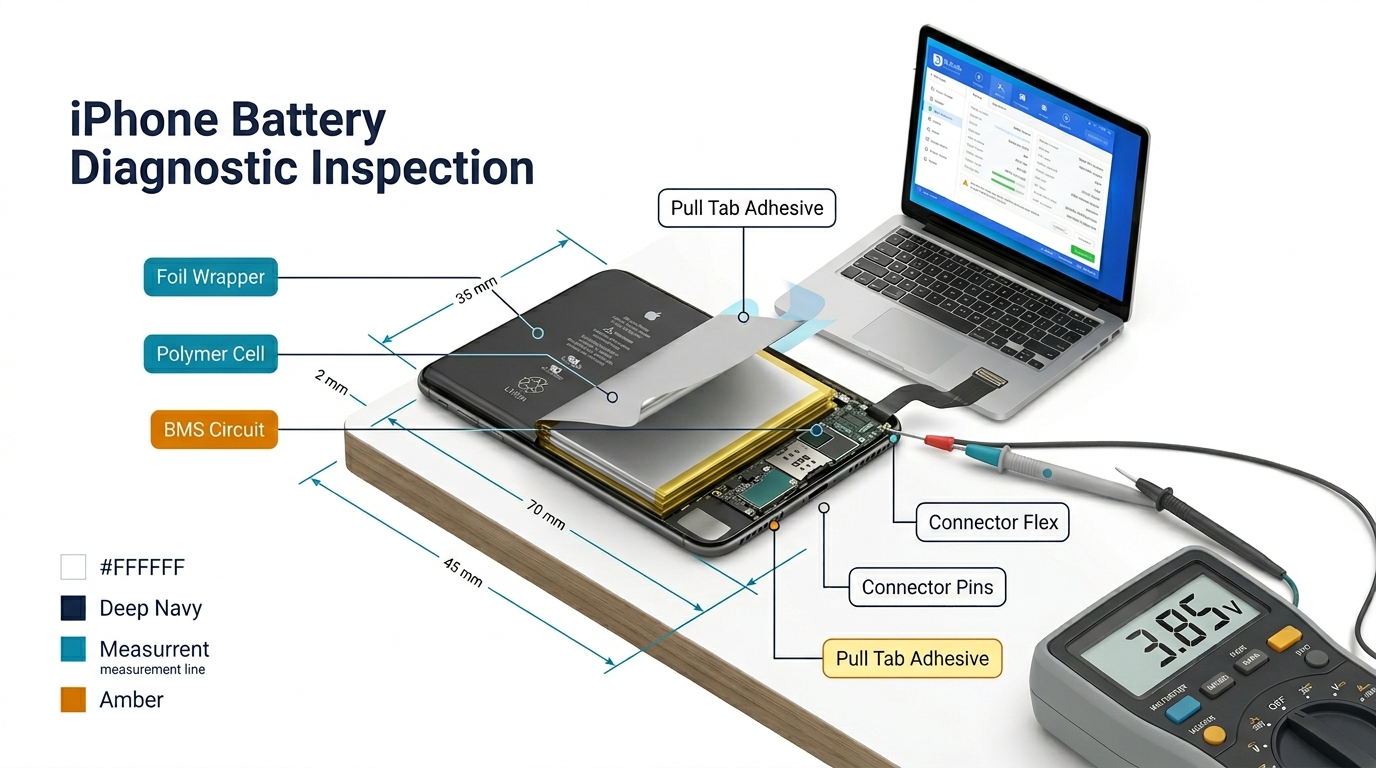
- Actual capacity vs. labeled capacity: Test sample units with a battery analyzer. Legitimate batteries deliver 95%+ of labeled mAh on the first cycle.
- Protection circuit quality: The PCM board should include temperature protection (NTC thermistor). Batteries without temperature monitoring are a safety risk.
- UN38.3 certification: Required for any battery shipped internationally. If your supplier can't provide this document, the batteries haven't been safety tested.
- iOS warning behavior: Premium aftermarket batteries with reprogrammed battery data avoid the "Service" message in Battery Health settings. This costs $0.50-1 more per unit but eliminates the most common customer complaint after replacement.
For the complete pre-purchase checklist, see our aftermarket iPhone battery buying guide. If you want to understand how battery cost affects your repair pricing and margins, our iPhone battery replacement cost breakdown covers the full economics.
Turning Battery Diagnosis Into a Profit Center
Battery replacement is one of the most reliable profit centers in phone repair — if you manage it correctly:
Offer diagnostic service: Even if you don't replace the battery, charging $10-15 for a professional battery health check builds trust and gets customers through the door. Many will return when they eventually need the replacement.
Use tiered pricing: Offer a standard replacement (good aftermarket battery, 6-month warranty) and a premium replacement (A-grade cells, 12-month warranty, no iOS warning). Let the customer choose. Most shops find 40-60% of customers pick the premium option when given the choice.
Track your callback rate: If more than 3% of battery replacements come back within 90 days, your battery supplier is the problem. Switch to a higher quality source — the per-unit cost increase pays for itself in saved labor.
Stock the right models: Keep 2-3 months of inventory for your top-volume models (iPhone 11, 12, 13 series). Under-stocking means turning away same-day repairs; over-stocking ties up cash. Our guide on which parts a small repair shop should stock covers inventory planning in detail.
FAQ
Why is my iPhone battery draining so fast all of a sudden?
Sudden battery drain is almost always software-related. The most common causes are a recent iOS update (background re-indexing can take 24-72 hours), a misbehaving app stuck in a background loop, or a change in cellular coverage that forces the radio to work harder. Check Settings → Battery to identify which app or service is consuming the most power. If Battery Health is still above 85%, the battery itself is fine.
How do I know if my iPhone needs a new battery?
Check Battery Health in Settings. If Maximum Capacity is below 80%, the battery is significantly degraded and replacement will improve your experience. Other signs: unexpected shutdowns at 15-20%, erratic percentage jumps, the phone getting warm during normal use, or the screen lifting slightly from the frame (swelling). If Battery Health is above 85% and you're just experiencing drain, try software fixes first.
How long does an iPhone battery replacement take?
A professional repair shop can replace an iPhone battery in 15-25 minutes depending on the model. iPhone 8 through 12 are straightforward. iPhone 13 and newer require more careful adhesive removal due to the L-shaped battery design. The phone is fully usable immediately after replacement — no data loss, no setup required.
Does replacing the iPhone battery make it faster?
Yes, if the old battery triggered iOS performance management (throttling). When Battery Health drops low enough to cause unexpected shutdowns, iOS automatically reduces CPU performance to prevent further shutdowns. A new battery removes this throttling, restoring full processor speed. If your phone felt sluggish and Battery Health was below 80%, you'll notice a significant speed improvement after replacement.
How much does iPhone battery replacement cost?
At independent repair shops, iPhone battery replacement typically costs $35-65 depending on the model and battery quality tier. Apple charges $89-119 for official battery replacement. The price difference reflects parts cost — Apple uses original batteries while independent shops use quality-tested aftermarket batteries that deliver comparable performance at a lower price point.
Diagnose Right, Replace Smart
The fastest way to build a reputation in phone repair is getting battery diagnosis right the first time. Don't replace batteries that don't need replacing — it might seem like easy revenue, but the customer who needed a settings adjustment will lose trust when they realize it. And when a battery genuinely needs replacement, use parts that won't bring the customer back in three months.
If you're sourcing aftermarket iPhone batteries for your repair business, we supply premium-grade batteries with A-grade cells, UN38.3 certification, and a 12-month warranty for all iPhone models from SE through iPhone 15. We support mixed-model orders starting at 10 units — stock exactly what your shop needs without over-committing.