iPhone 15 Screen Replacement: What Repair Shops Need to Know in 2026
Two things catch shops out when ordering iPhone 15 screens in 2026. First, iOS 18 added a separate "Used" notification specifically for iPhone 15 and later — meaning a genuine OEM-pull screen now triggers a different warning than it did on the 14. Second, sourcing a Soft OLED that actually delivers 120Hz ProMotion on the Pro models requires explicit LTPO labelling — a generic "Soft OLED" without it will cap at 60Hz and the customer will notice.
This guide covers both, plus the full grade matrix with wholesale costs, IC transfer requirements, what UK shops charge, and the failure modes worth knowing before you commit to a supplier.
Sourcing Replacement Screens in Bulk?
Incell / Hard OLED / Soft OLED grades — wholesale pricing, grade comparison on request.
Get Wholesale QuoteThe iPhone 15 Series: Four Models, Two Different Repair Economics
Before getting into grades and pricing, it's worth being precise about what you're ordering for:
| Model | Screen tech | Refresh rate | Size |
|---|---|---|---|
| iPhone 15 | Soft OLED | 60Hz fixed | 6.1" |
| iPhone 15 Plus | Soft OLED | 60Hz fixed | 6.7" |
| iPhone 15 Pro | Soft OLED LTPO | 1–120Hz ProMotion | 6.1" |
| iPhone 15 Pro Max | Soft OLED LTPO | 1–120Hz ProMotion | 6.7" |
The standard iPhone 15 and Plus use Soft OLED panels at a fixed 60Hz — the same refresh rate as every non-Pro iPhone since the X. The Pro models use LTPO (Low-Temperature Polycrystalline Oxide) panels, which is the hardware that enables Apple's adaptive 1–120Hz ProMotion. This distinction matters a lot when choosing replacement screens, as we'll get to below.
Screen Grade Options and Wholesale Costs
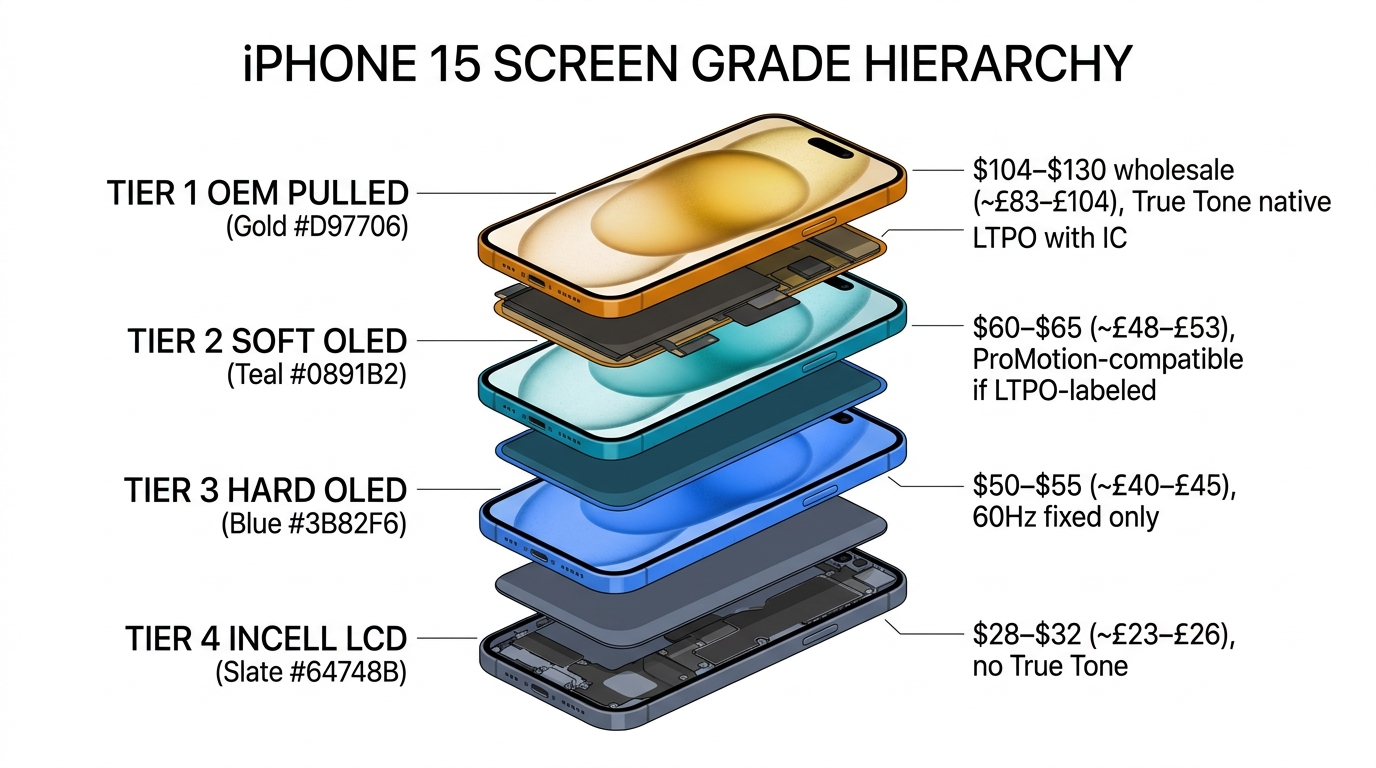
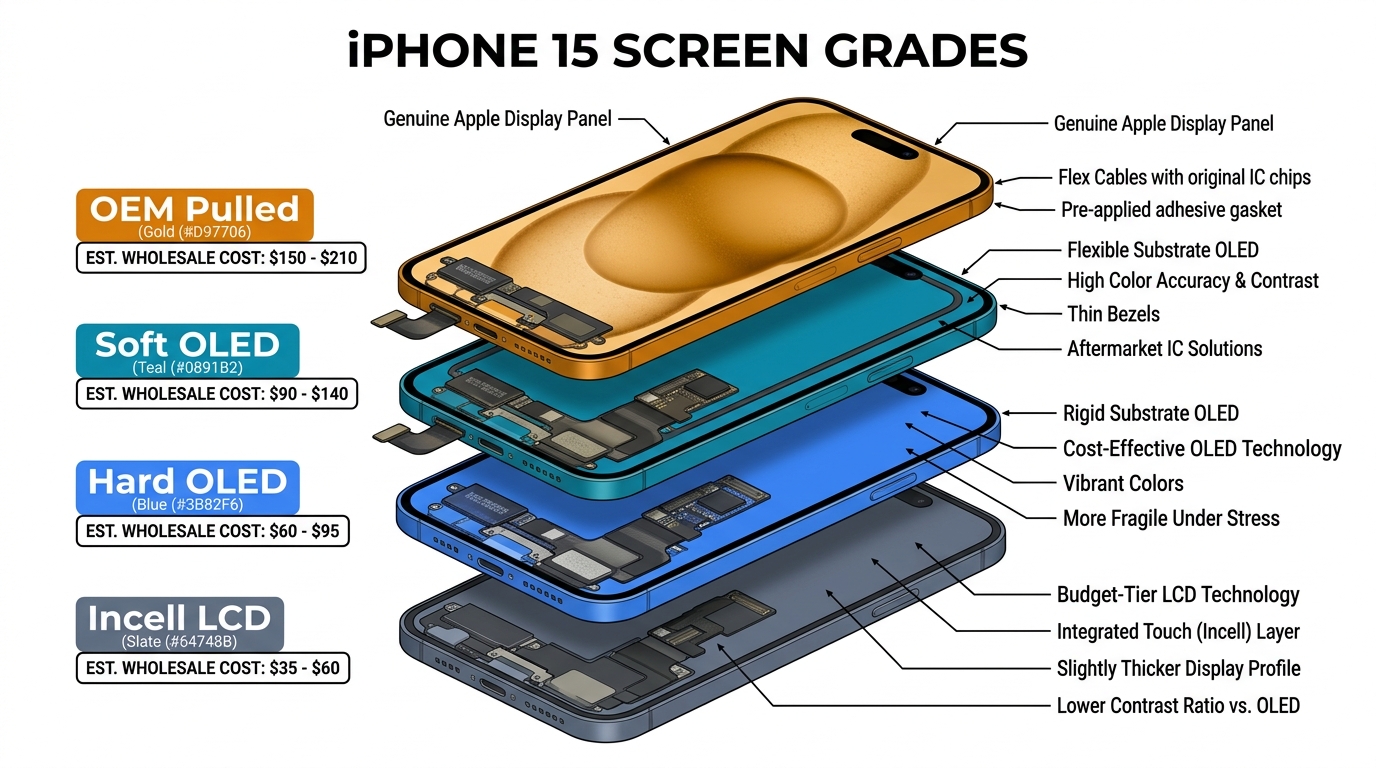
The aftermarket for iPhone 15 screens follows the same five-tier structure as the wider iPhone market, but the price points are higher than older models because the panels are more recent:
| Grade | Technology | Wholesale cost (USD) | True Tone | 120Hz (Pro) |
|---|---|---|---|---|
| TFT / Budget LCD | LCD | $14–$18 | ❌ No | ❌ No |
| Incell LCD | LCD | $28–$32 | ❌ No | ❌ No |
| Hard OLED | Rigid OLED | $50–$55 | ❌ No | ❌ No (60Hz only) |
| Soft OLED | Flexible OLED | $60–$65 | Partial (with IC transfer) | ✅ Yes, if LTPO-labelled (Pro); 60Hz otherwise |
| OEM Pulled / Refurbished | Original Apple panel | $104–$130 | ✅ Native | ✅ With IC (Pro) |
Wholesale pricing based on data from iphonelcd.net at 50+ unit quantities. USD to GBP at approximately 0.80 exchange rate.
A few things worth spelling out explicitly here:
Hard OLED does not support adaptive ProMotion on the iPhone 15 Pro. Some suppliers label certain Hard OLED panels as "120Hz" — but this refers to a fixed high refresh rate, not the LTPO-driven adaptive 1–120Hz ProMotion of the original display. The rigid glass substrate in Hard OLED is not compatible with the LTPO driver architecture required for true adaptive refresh. Fitting a Hard OLED in an iPhone 15 Pro or Pro Max will give the customer a display that cannot adapt its refresh rate — functionally different from what they had. If a customer specifically wants to keep smooth ProMotion scrolling, this is a meaningful downgrade that should be disclosed upfront.
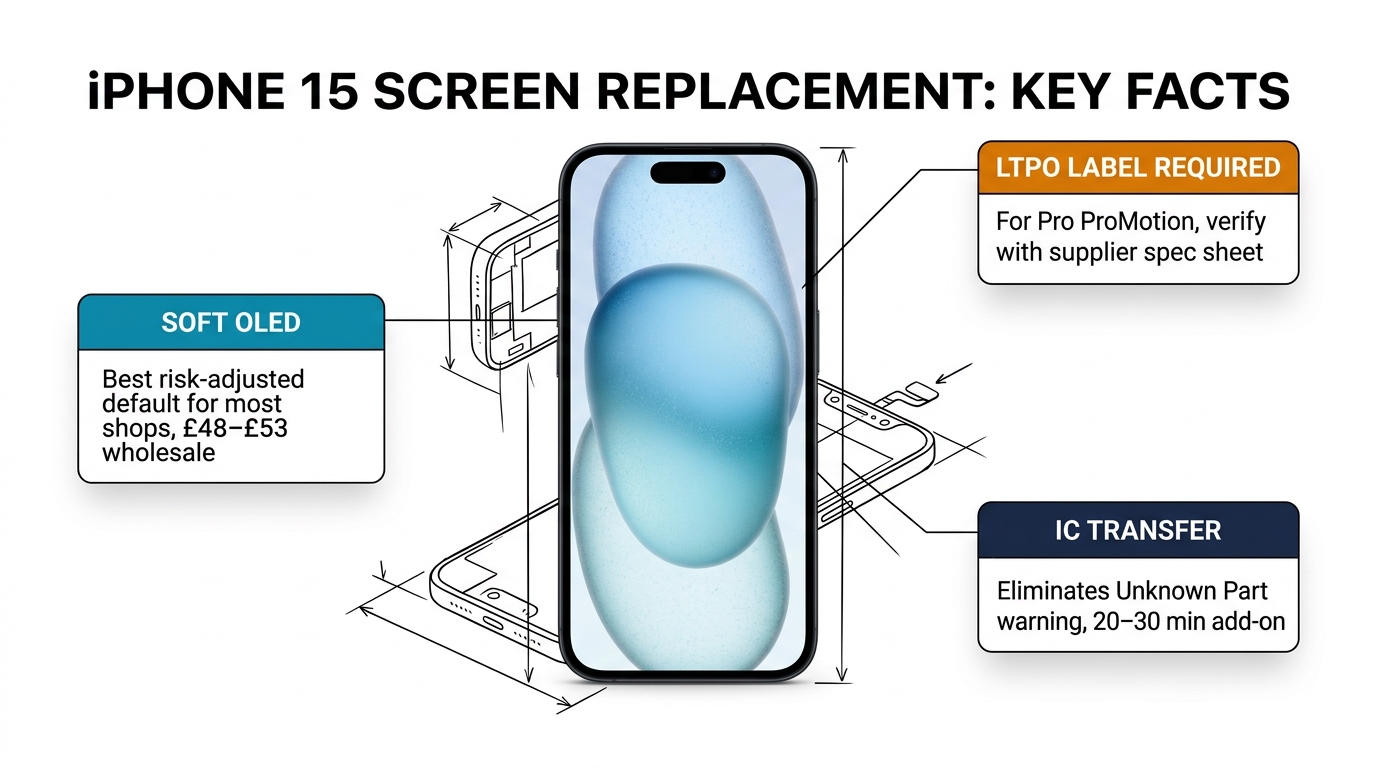
Soft OLED on the Pro models does support 120Hz — but only if the panel uses LTPO architecture. Not all Soft OLED screens sold in the market use LTPO. Suppliers like REPART and Kelai JK explicitly label their panels as LTPO-grade or "ProMotion-compatible." If the spec sheet doesn't mention LTPO or variable refresh rate (VRR), assume it's fixed 60Hz.
A meaningful share of high-end OLED replacements fail to maintain consistent 120Hz performance over time, even when initial bench testing passes. The cause is typically IC communication issues or touch sampling instability — not panel quality per se. This is why IC compatibility at the module level matters, not just whether the panel itself is LTPO-labelled.
The "Unknown Part" and "Used" Warnings: What Changed with iOS 18
Apple's parts verification system has been a consistent headache for independent repair shops since iOS 15.2. Here's a clear breakdown of what happens with iPhone 15 screens specifically, because Apple updated the system with iOS 18:
"Unknown" message — appears when a screen is nongenuine, not paired, or can't be verified. Has existed since iOS 15.2 on iPhone 12 and later.
"Used" message — new with iOS 18, specific to iPhone 15 and later. Appears when a part was already installed in another iPhone. This means a genuine OEM-pulled screen from another iPhone 15 will trigger a "Used" notification, even though the part itself is authentic Apple hardware.
What does this mean for repair shops in practice? A few things:
-
If you're fitting OEM-pull screens (the highest quality option), your customers will now see a "Used" notification on iPhone 15 and later. This is normal and expected — it's not a defect or an error. Brief your customers before the repair.
-
The "Unknown" warning for aftermarket screens hasn't changed — it still shows up twice (once immediately after restart, once 5 days later) and doesn't affect functionality.
-
Neither warning bricks the phone, removes features, or degrades touch performance. For most customers, the practical impact is minimal — but some will call you about it if they're not prepared.
-
Apple Repair Assistant (iOS 18+) offers a third path for shops with genuine parts access. If you're fitting a genuine OEM part pulled from another same-model iPhone 15, Repair Assistant can calibrate the part to the device, restoring full functionality. The "Used" label will still appear in Settings, but the part is recognised as authentic. This path is only available for genuine Apple panels — it doesn't apply to aftermarket screens regardless of grade.
The clean solution for aftermarket screens is IC transfer — transplanting the Display Driver IC from the original broken screen onto the new replacement panel. Because the original IC contains the unique paired identification data that matches the device's motherboard, the iPhone continues to recognise the screen as genuine after the transplant. No warning. True Tone restored. This is the right approach for high-value repairs and for shops handling refurbishment work.
IC transfer requires a microscope, a hot-air station, BGA rework tools, and — critically — a replacement screen with solder-ready IC pads. Not all aftermarket screens support IC transfer. The ones that do are clearly labelled (look for "IC Transfer Ready" in the spec sheet). Budget Incell and hard OLED screens typically do not support IC transfer due to incompatible pad layouts.
What UK Repair Shops Charge for iPhone 15 Screen Replacement
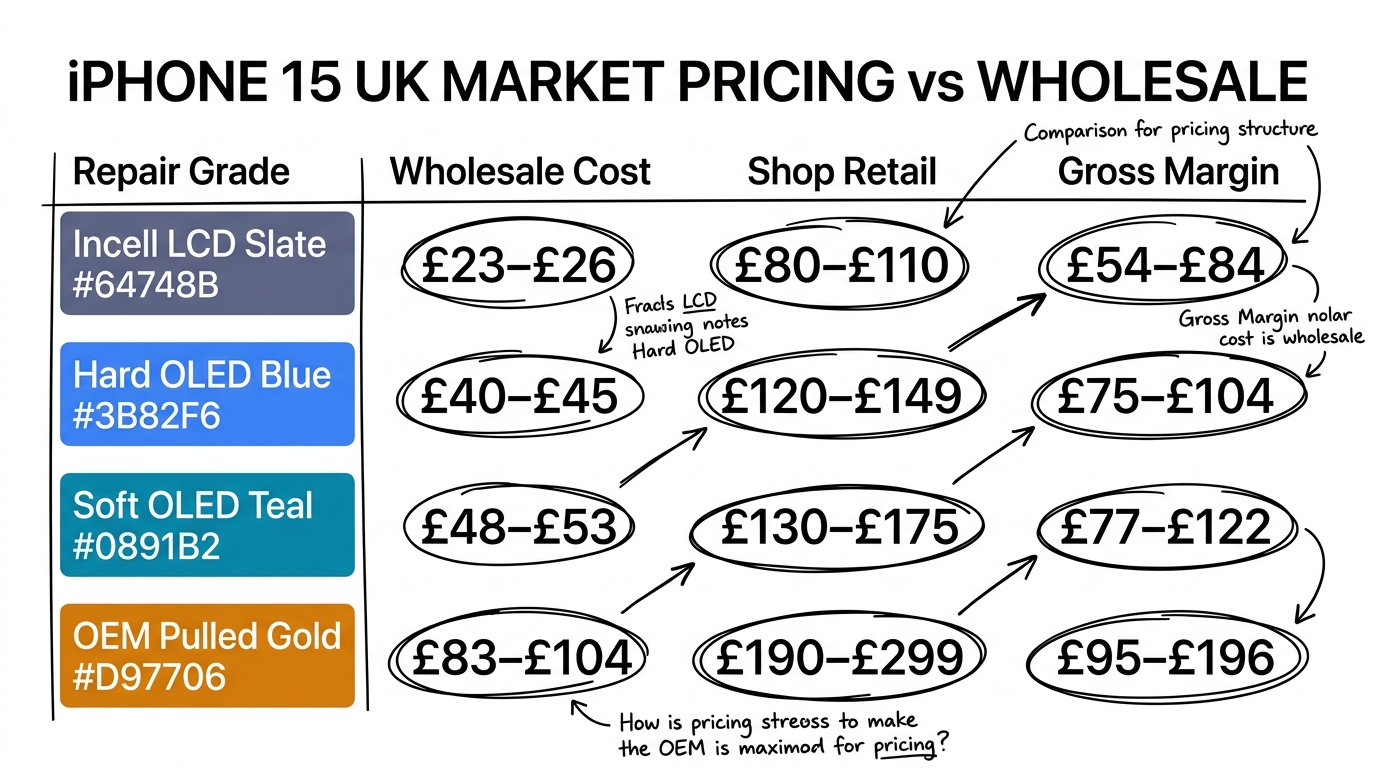
Based on publicly listed prices from UK repair shops as of early 2026. Prices vary by shop and region; figures below reflect market ranges rather than any single source's price list:
| Service type | iPhone 15 / Plus | iPhone 15 Pro | iPhone 15 Pro Max |
|---|---|---|---|
| Budget LCD (Incell) | £80–£110 | £100–£130 | £110–£140 |
| Standard aftermarket OLED | £120–£155 | £140–£185 | £149–£199 |
| Genuine OLED (OEM-pull) | £190–£249 | £230–£299 | £260–£340 |
| Apple Store (out of warranty) | ~£289 | ~£329 | ~£379 |
Sources: iSmash, iDoctor UK, celltechmobilerepairs.co.uk, repairmycrack.co.uk. Apple Store prices are approximate — Apple UK uses an inspection-based personalised quote system rather than a fixed price list.
The margin analysis at wholesale cost (GBP equivalent):
| Grade | Wholesale (~GBP) | Shop charges | Gross margin |
|---|---|---|---|
| Incell | £23–£26 | £80–£110 | £54–£84 |
| Hard OLED | £40–£45 | £120–£149 | £75–£104 |
| Soft OLED | £48–£53 | £130–£175 | £77–£122 |
| OEM Pulled | £83–£104 | £190–£299 | £95–£196 |
Soft OLED is the strongest margin-to-quality position for most shops. The part costs are reasonable, customer satisfaction is high when the panel is from a reputable supplier, and the repair doesn't require IC transfer equipment unless you're targeting the premium market.
If you're fitting OEM-pull screens, the margins are larger but the sourcing requires more care. OEM-pull quality varies depending on where the panels came from — a screen pulled from a physically damaged device may have fewer than 500 screen-on hours, or it may have 18 months of heavy use with the OLED beginning to degrade. Screens from reputable disassembly operations include a brightness and pixel integrity test, but you should verify this with any supplier you're working with.
What Tends to Go Wrong: Failure Modes to Know
Before choosing your stock, it's worth knowing what failure patterns look like in the field:
Hard OLED re-cracking: Hard OLED panels re-crack at notably higher rates than Soft OLED because the rigid glass substrate is more brittle on impact than the flexible polymer substrate. If your customer is rough on phones or works in a trade environment, this is worth flagging before they choose the cheaper grade.
Delayed touch degradation: A significant share of aftermarket screen callbacks involve touch issues that develop 10–21 days after installation — not immediately. The cause is usually touch sampling instability in the digitizer layer, which doesn't appear on a standard bench test. This is more common on budget Incell and lower-tier OLED screens. Testing with fast-swipe and multi-touch stress patterns before returning the phone catches most of these early.
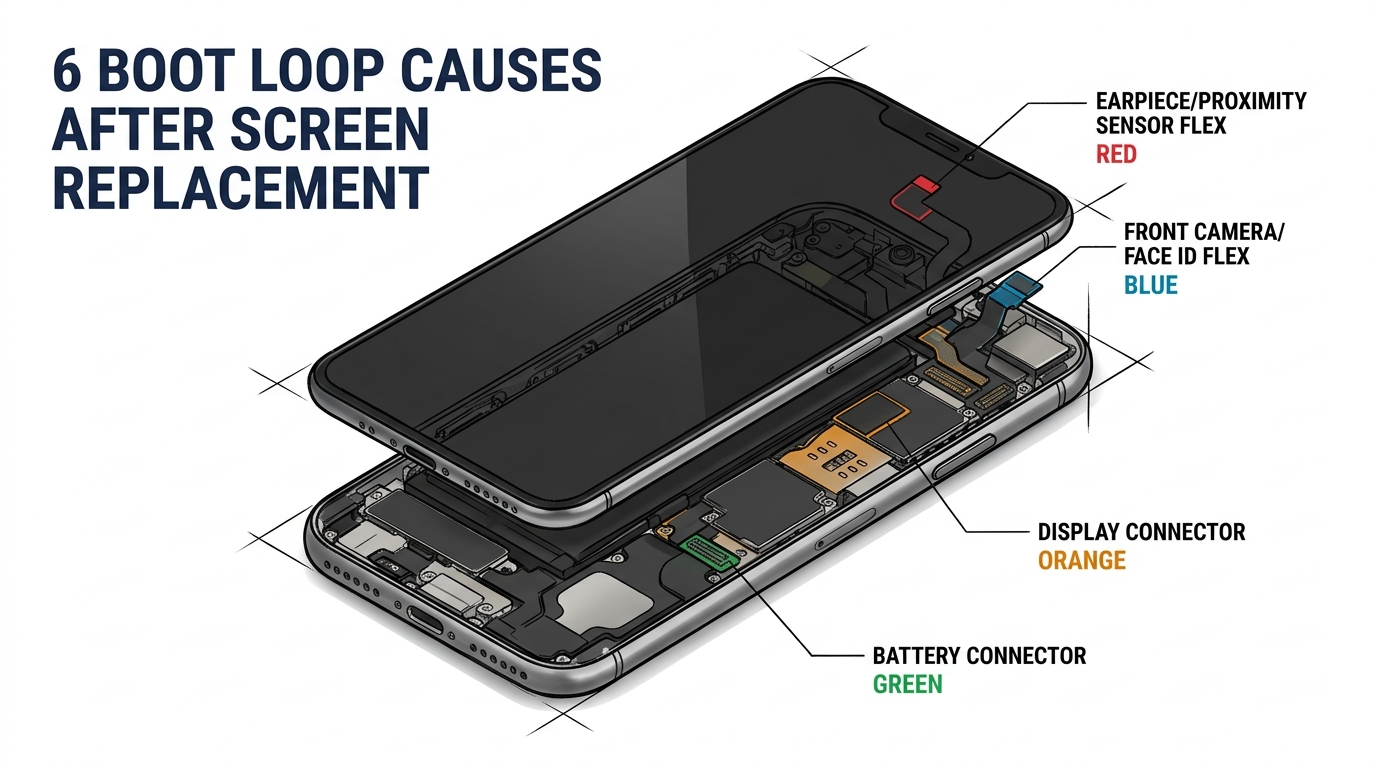
Incell LCD on OLED models causing boot loops: An iFixit community thread reported this — fitting an Incell LCD on an iPhone 15 caused repeated reboots, with one explanation pointing to the display IC failing SMC/TrueTone verification (though the root cause is debated in the thread). Incell is a valid option on OLED models if your customer explicitly wants the cheapest option and understands the trade-offs, but it's not a risk-free swap.
Burn-in on original iPhone 15 screens: The iPhone 15's original OLED panel had documented burn-in complaints from users — widely discussed on Reddit and Apple Communities. This is worth knowing as background: not all burn-in on returned devices is a repair fault. If a customer returns an iPhone 15 with burn-in on a Soft OLED replacement within 6 months, check whether the pattern matches static content they regularly display (navigation bars, keyboards).
For a deeper technical breakdown of screen grade compatibility across models, see our Incell vs Hard OLED vs Soft OLED guide.
Choosing the Right Grade for Your Shop
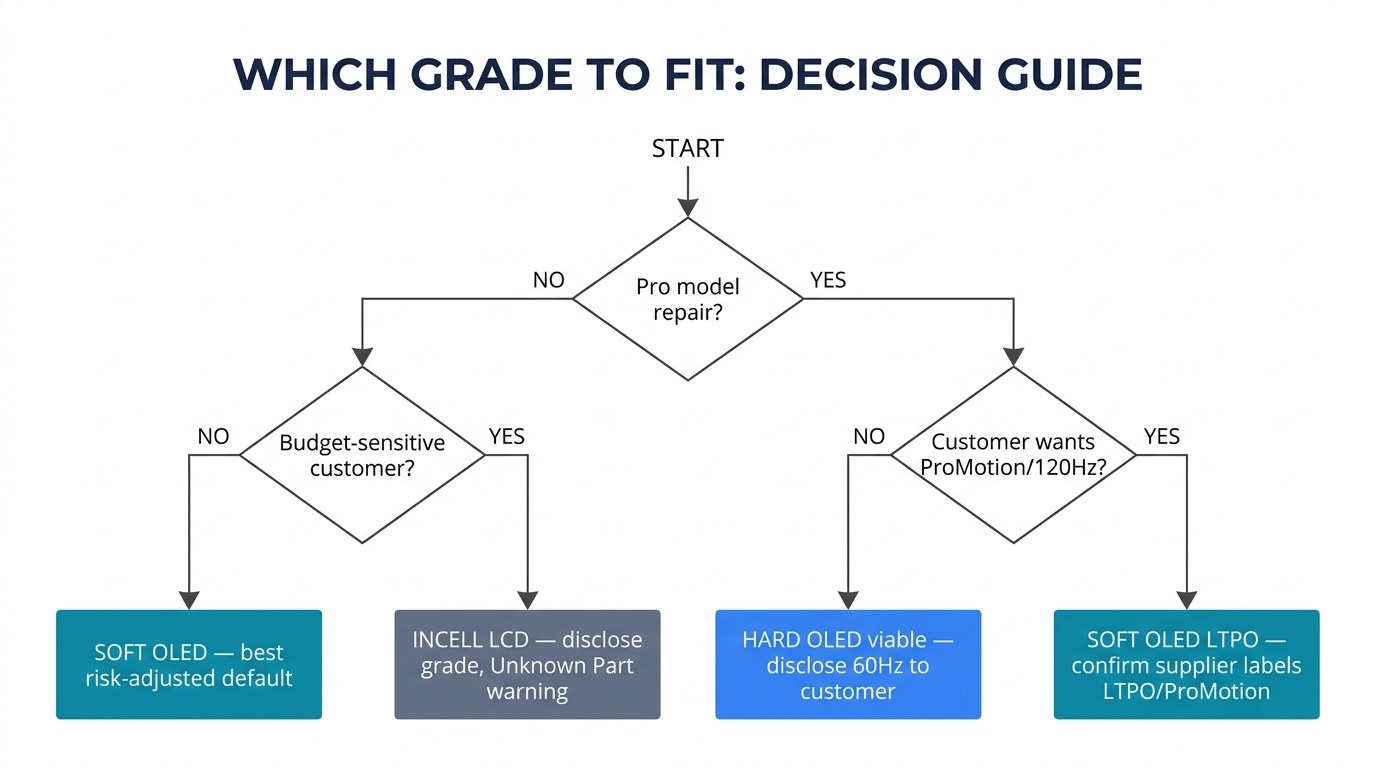
If you do general repairs for everyday customers: Stock Soft OLED as your primary grade. The quality is close to OEM for most everyday users, margins are solid, and the failure rate is lower than Hard OLED. Source from suppliers who specify LTPO for Pro model replacements and confirm IC Transfer compatibility on the spec sheet.
If you're in the premium or refurbishment market: OEM-pull gives you the best quality and highest customer satisfaction, but brief customers on the "Used" notification on iPhone 15. Consider IC transfer as a service offering — it removes the warning and commands a price premium.
If price-sensitivity is your market: Incell is viable for iPhone 15 standard/Plus (not Pro). Be transparent about the trade-offs: lower brightness, no True Tone, possible warning notification, and fixed 60Hz. Some customers genuinely don't care about any of those things.
For the Pro models specifically: Only fit Soft OLED with confirmed LTPO/ProMotion support if the customer expects 120Hz. Hard OLED will work — the phone won't complain about it — but the customer will notice the difference in scrolling smoothness, and some will come back asking why.
Need screens for iPhone 15 or other current models? We supply Soft OLED and OEM-pull grades with clear LTPO labelling on Pro-compatible screens. Request a sample order or wholesale quote →
Frequently Asked Questions
Can aftermarket screens support 120Hz on the iPhone 15 Pro? Only if the screen uses LTPO architecture with a compatible driver IC. Soft OLED panels explicitly labelled LTPO-grade (e.g. REPART, Kelai JK) will support 1–120Hz adaptive ProMotion. Hard OLED panels — including those labelled "120Hz" by some suppliers — use a fixed refresh rate and are not LTPO-compatible. The difference is adaptive vs fixed refresh, and Pro customers will notice.
What's the difference between "Unknown Part" and "Used" on iPhone 15? "Unknown Part" has existed since iOS 15.2 and appears with any non-genuine screen. "Used" is new in iOS 18, specific to iPhone 15 and later — it appears when a genuine Apple screen previously installed in another iPhone is fitted. Neither warning affects functionality, but customers need to be briefed before collection. For OEM-pull screens on iPhone 15, proactively telling customers about the "Used" notification prevents callbacks.
What tools are needed for IC transfer on iPhone 15 screens? At minimum: a hot air rework station, a microscope, BGA soldering tools, flux, and a replacement screen with solder-ready IC pads. Not all aftermarket screens support IC transfer — Incell and Hard OLED panels typically don't have compatible pad layouts. The full process is in our iPhone Unknown Part warning and IC transfer guide.
Is Incell LCD safe to use on the iPhone 15? Viable for budget repairs, with caveats. There are reported cases of Incell LCDs triggering boot loops on the iPhone 15, with one explanation pointing to display IC verification failures (cause debated). If you use Incell, source from a supplier with a track record on this specific model, test before returning the device, and disclose the grade upfront.
Internal links: Incell vs Hard OLED vs Soft OLED comparison · iPhone Unknown Part warning and IC transfer guide · iPhone 15 battery replacement guide